EasyManua.ls Logo

Bosch CCS 900 Ultro - User Manual

Bosch CCS 900 Ultro
46 pages
Print Icon
To Next Page IconTo Next Page
Loading...
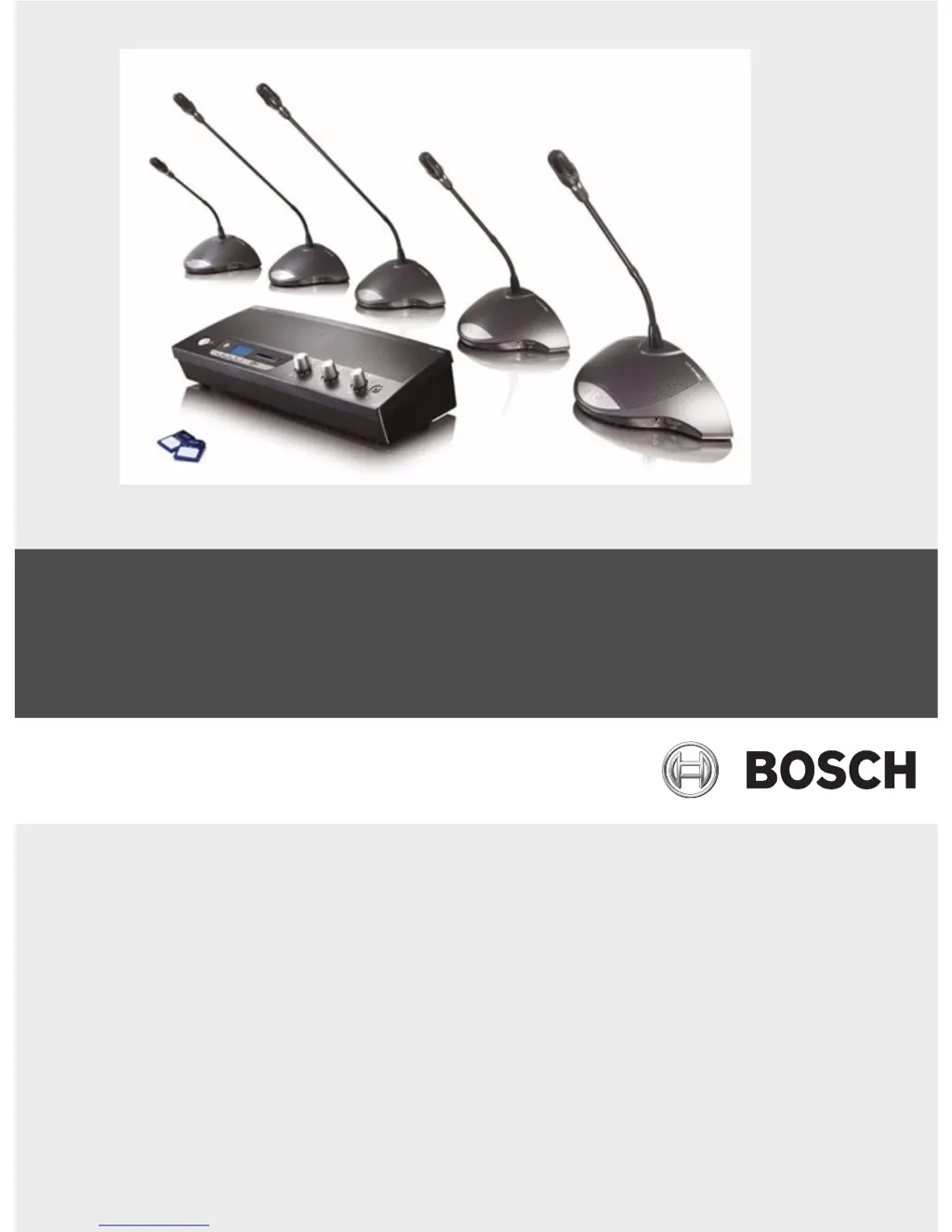
CCS 900 Ultro
Discussion System
en Installation and Operating Manual

Table of Contents

Questions and Answers

Summary

About this manual

Conventions

Explains the meaning of warning, caution, and notice symbols used in the manual.

Introduction

Control Unit (CU)

Delegate and Chairman Unit

Installation

Connecting the Delegate and Chairman Units

Guides on connecting delegate and chairman units to the control unit using trunk connectors and extension cables.

Connecting up to 150 units

Explains how to expand the system capacity beyond the standard limit by adding more control units.

Locking the extension cable

Details how to use cable locking clamps to secure extension cables and prevent accidental disconnection.

Connecting an external microphone

Instructions for connecting an external microphone to the control unit's microphone input and adjusting sensitivity.

Connecting a wireless microphone

Explains how to connect a wireless microphone to the external microphone input via an attenuator.

Recording;playback the conversation

Details how to connect a recorder device to the control unit for recording and playback of discussions.

Connecting a PA-system or other external equipment

Guides on connecting external audio equipment like PA systems to the line input/output of the control unit.

Connecting a telephone coupler

Instructions for connecting a telephone coupler for remote participant communication and necessary precautions.

Connecting an equalizer

Explains how to connect an external equalizer to the control unit for speech quality improvement.

Mains connection

Provides instructions and safety warnings for connecting the control unit to the mains power supply.

Connecting a USB cable

Details how to connect the control unit to a PC via USB for data download and includes important cautions.

Operation

Testing the connection of the Delegate and Chairman Units

Describes how to perform a connection test using the test mode on the control unit.

Using the microphone button of the Delegate Unit

Explains how to activate and deactivate the delegate microphone using its button, depending on the CU mode switch.

Possible-To-Speak

Explains the 'Possible-To-Speak' indication via LED and how it relates to microphone activation and system limits.

Using the microphone button of the Chairman Unit

Describes how chairman microphones are always activated when the button is pressed, independent of other modes.

Using the priority button

Details the function of the chairman's priority button, including overruling delegate microphones and chime tone activation.

Priority mode settings in Chairman Unit

Explains how to set priority mode options like chime and microphone muting behavior in the chairman unit.

Open mode

Guides on selecting the maximum number of active delegate microphones in open mode.

Open mode with auto switch-off

Explains open mode where microphones automatically switch off after a period of silence.

Override mode

Describes override mode where pressing a delegate microphone button overrides the current speaker, allowing only one active delegate mic.

Chairman only mode

Details chairman only mode where only chairman units can be activated, and delegates cannot switch on their microphones.

Volume control of the Delegate and Chairman Units

Instructions for adjusting the loudspeaker volume for delegate and chairman units to achieve maximum level without feedback.

Volume control of the Delegate and Chairman Units

Explains adjusting loudspeaker volume while using the Digital Acoustic Feedback Suppressor (DAFS) switch.

Monitoring volume control

Guides on using the monitoring volume control for built-in loudspeaker or headphones to adjust discussion volume.

Using a headphone

Instructions for adjusting headphone volume using the rotary control and how headphone insertion mutes the loudspeaker.

Built-in MP3 recorder (CCS-CURD only)

Introduction

Introduces the built-in MP3 recorder, its capabilities, and maintenance advice.

Overview

Provides an overview of the MP3 recorder's user display and control buttons.

User display

Describes the user display of the MP3 recorder, including soft buttons, date, time, and icons.

Modes of operation

Explains the different operating modes for the MP3 recorder (Record, Pre-listen, Playback, Set-up) and their icons.

Start-up screen

Details the start-up screen of the MP3 recorder, showing the recorder name, software version, and record screen overview.

Setting up the MP3 recorder

Overview of set-up icons

Provides a table of icons used for navigating the MP3 recorder's set-up screens and their functions.

Deleting files

Instructions on how to select and delete audio files from the MP3 recorder, including confirmation steps.

Setting the date and time

Guides on setting the correct date and time for the MP3 recorder, emphasizing the sequence of operations.

Selecting the bit rate

Explains how to select the desired bit rate for audio recording from the available options.

Continuous recording

Discusses the continuous recording option and potential issues when using many delegate units.

Set internal; external recording options

Guides on choosing between recording to an SD card or internal memory for the MP3 recorder.

Record

Overview of record icons

Lists and explains the icons displayed during recording on the MP3 recorder, such as Record, Pause, Stop, etc.

Making a recording

Step-by-step instructions on how to start, pause, stop, and create new files during an MP3 recording session.

Exchanging SD cards during recording

Details the procedure for safely exchanging SD cards during recording to avoid data loss and manage storage.

Pre-listen and Playback

Overview of pre-listen; playback icons

Explains the icons used for pre-listening and playback functions of the MP3 recorder, including navigation controls.

Pre-listening to and playing back files

Guides on how to use the pre-listen and playback modes, including controlling playback and switching between modes.

Troubleshooting

Technical data

System Electrical and Electro-Acoustical Characteristics

Lists electrical and electro-acoustical specifications for the system, covering control units and combined units.

The Control Unit (CU)

Lists electrical and electro-acoustical specifications for the Control Unit (CU), including voltage, current, sample frequency, and bit rates.

Combined Units

Provides electrical and electro-acoustical characteristics for the combined delegate and chairman units.

Mechanical Data

Control and Power Supply Unit

Details the mechanical specifications for the Control and Power Supply Unit, including mounting, dimensions, and weight.

Delegate;Chairman Units

Lists the mechanical specifications for the Delegate and Chairman Units, including dimensions, height, and weight.

General data

System Environmental Conditions

Outlines the environmental conditions for system operation, storage, and transport, including temperature, humidity, and air pressure.

Equipment Range

Lists the available equipment and accessories for the CCS 900 Ultro system, such as mounting sets and cables.

Appendix

Pin Configuration

Provides detailed pin configurations for various connectors on the CCS 900 Ultro system.

Trunk Connections (A)

Details the pin assignments for the Trunk Connections (A) on the control unit.

External Microphone (XLR) (B)

Specifies the pin configuration for the external microphone input (XLR).

CINCH Connector (C)

Outlines the pin assignments for the CINCH connector.

Mains Connector (D)

Details the pin configuration for the mains power connector.

Headphone Jack-plug (3.5 mm) (E)

Specifies the pin configuration for the 3.5mm headphone jack plug.

Schematics of connectors LBB 3316;00

Presents schematic diagrams showing the connector pin connections for LBB 3316/00 cables.

Mounting Instructions

Provides instructions on how to mount the control unit and delegate/chairman units in different ways (rack, table).

Bracket for Flush Mounting

Offers detailed information and drawings for creating a bracket to flush mount the control unit into a table.

Summary

About this manual

Conventions

Explains the meaning of warning, caution, and notice symbols used in the manual.

Introduction

Control Unit (CU)

Delegate and Chairman Unit

Installation

Connecting the Delegate and Chairman Units

Guides on connecting delegate and chairman units to the control unit using trunk connectors and extension cables.

Connecting up to 150 units

Explains how to expand the system capacity beyond the standard limit by adding more control units.

Locking the extension cable

Details how to use cable locking clamps to secure extension cables and prevent accidental disconnection.

Connecting an external microphone

Instructions for connecting an external microphone to the control unit's microphone input and adjusting sensitivity.

Connecting a wireless microphone

Explains how to connect a wireless microphone to the external microphone input via an attenuator.

Recording;playback the conversation

Details how to connect a recorder device to the control unit for recording and playback of discussions.

Connecting a PA-system or other external equipment

Guides on connecting external audio equipment like PA systems to the line input/output of the control unit.

Connecting a telephone coupler

Instructions for connecting a telephone coupler for remote participant communication and necessary precautions.

Connecting an equalizer

Explains how to connect an external equalizer to the control unit for speech quality improvement.

Mains connection

Provides instructions and safety warnings for connecting the control unit to the mains power supply.

Connecting a USB cable

Details how to connect the control unit to a PC via USB for data download and includes important cautions.

Operation

Testing the connection of the Delegate and Chairman Units

Describes how to perform a connection test using the test mode on the control unit.

Using the microphone button of the Delegate Unit

Explains how to activate and deactivate the delegate microphone using its button, depending on the CU mode switch.

Possible-To-Speak

Explains the 'Possible-To-Speak' indication via LED and how it relates to microphone activation and system limits.

Using the microphone button of the Chairman Unit

Describes how chairman microphones are always activated when the button is pressed, independent of other modes.

Using the priority button

Details the function of the chairman's priority button, including overruling delegate microphones and chime tone activation.

Priority mode settings in Chairman Unit

Explains how to set priority mode options like chime and microphone muting behavior in the chairman unit.

Open mode

Guides on selecting the maximum number of active delegate microphones in open mode.

Open mode with auto switch-off

Explains open mode where microphones automatically switch off after a period of silence.

Override mode

Describes override mode where pressing a delegate microphone button overrides the current speaker, allowing only one active delegate mic.

Chairman only mode

Details chairman only mode where only chairman units can be activated, and delegates cannot switch on their microphones.

Volume control of the Delegate and Chairman Units

Instructions for adjusting the loudspeaker volume for delegate and chairman units to achieve maximum level without feedback.

Volume control of the Delegate and Chairman Units

Explains adjusting loudspeaker volume while using the Digital Acoustic Feedback Suppressor (DAFS) switch.

Monitoring volume control

Guides on using the monitoring volume control for built-in loudspeaker or headphones to adjust discussion volume.

Using a headphone

Instructions for adjusting headphone volume using the rotary control and how headphone insertion mutes the loudspeaker.

Built-in MP3 recorder (CCS-CURD only)

Introduction

Introduces the built-in MP3 recorder, its capabilities, and maintenance advice.

Overview

Provides an overview of the MP3 recorder's user display and control buttons.

User display

Describes the user display of the MP3 recorder, including soft buttons, date, time, and icons.

Modes of operation

Explains the different operating modes for the MP3 recorder (Record, Pre-listen, Playback, Set-up) and their icons.

Start-up screen

Details the start-up screen of the MP3 recorder, showing the recorder name, software version, and record screen overview.

Setting up the MP3 recorder

Overview of set-up icons

Provides a table of icons used for navigating the MP3 recorder's set-up screens and their functions.

Deleting files

Instructions on how to select and delete audio files from the MP3 recorder, including confirmation steps.

Setting the date and time

Guides on setting the correct date and time for the MP3 recorder, emphasizing the sequence of operations.

Selecting the bit rate

Explains how to select the desired bit rate for audio recording from the available options.

Continuous recording

Discusses the continuous recording option and potential issues when using many delegate units.

Set internal; external recording options

Guides on choosing between recording to an SD card or internal memory for the MP3 recorder.

Record

Overview of record icons

Lists and explains the icons displayed during recording on the MP3 recorder, such as Record, Pause, Stop, etc.

Making a recording

Step-by-step instructions on how to start, pause, stop, and create new files during an MP3 recording session.

Exchanging SD cards during recording

Details the procedure for safely exchanging SD cards during recording to avoid data loss and manage storage.

Pre-listen and Playback

Overview of pre-listen; playback icons

Explains the icons used for pre-listening and playback functions of the MP3 recorder, including navigation controls.

Pre-listening to and playing back files

Guides on how to use the pre-listen and playback modes, including controlling playback and switching between modes.

Troubleshooting

Technical data

System Electrical and Electro-Acoustical Characteristics

Lists electrical and electro-acoustical specifications for the system, covering control units and combined units.

The Control Unit (CU)

Lists electrical and electro-acoustical specifications for the Control Unit (CU), including voltage, current, sample frequency, and bit rates.

Combined Units

Provides electrical and electro-acoustical characteristics for the combined delegate and chairman units.

Mechanical Data

Control and Power Supply Unit

Details the mechanical specifications for the Control and Power Supply Unit, including mounting, dimensions, and weight.

Delegate;Chairman Units

Lists the mechanical specifications for the Delegate and Chairman Units, including dimensions, height, and weight.

General data

System Environmental Conditions

Outlines the environmental conditions for system operation, storage, and transport, including temperature, humidity, and air pressure.

Equipment Range

Lists the available equipment and accessories for the CCS 900 Ultro system, such as mounting sets and cables.

Appendix

Pin Configuration

Provides detailed pin configurations for various connectors on the CCS 900 Ultro system.

Trunk Connections (A)

Details the pin assignments for the Trunk Connections (A) on the control unit.

External Microphone (XLR) (B)

Specifies the pin configuration for the external microphone input (XLR).

CINCH Connector (C)

Outlines the pin assignments for the CINCH connector.

Mains Connector (D)

Details the pin configuration for the mains power connector.

Headphone Jack-plug (3.5 mm) (E)

Specifies the pin configuration for the 3.5mm headphone jack plug.

Schematics of connectors LBB 3316;00

Presents schematic diagrams showing the connector pin connections for LBB 3316/00 cables.

Mounting Instructions

Provides instructions on how to mount the control unit and delegate/chairman units in different ways (rack, table).

Bracket for Flush Mounting

Offers detailed information and drawings for creating a bracket to flush mount the control unit into a table.

Bosch CCS 900 Ultro Specifications

General IconGeneral
BrandBosch
ModelCCS 900 Ultro
CategoryConference System
LanguageEnglish

Related product manuals