EasyManua.ls Logo

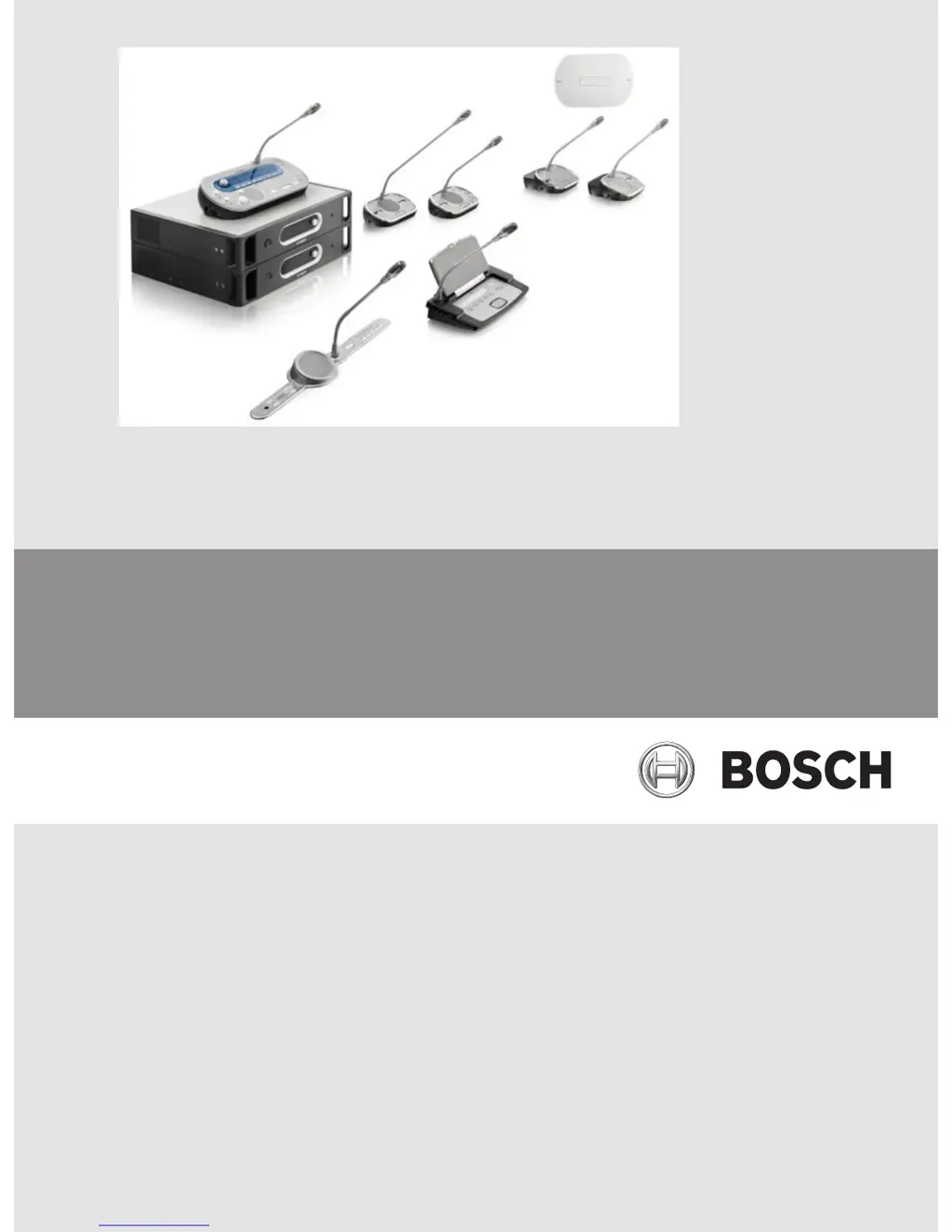
Bosch DCN Next Generation - User Manual

Bosch DCN Next Generation
290 pages
Print Icon
To Next Page IconTo Next Page
Loading...
Conference System
DCN Next Generation
en Operation Manual

Other manuals for Bosch DCN Next Generation

Questions and Answers

  • G
    Gina CarlsonAug 1, 2025
    What to do if audio inputs of Bosch optical network device do not give an audio signal?
    • M
      Mark AllenAug 1, 2025
      If the audio inputs of your Bosch optical network device aren't producing a signal, ensure that the audio input is enabled with the control inputs. Also, verify that the optical network contains no more than 16 devices.
  • J
    Justin MitchellAug 13, 2025
    What to do if my Bosch DCN Next Generation Conference System does not operate correctly?
    • T
      Thomas MillerAug 13, 2025
      If your Bosch Conference System isn't working correctly and the cause is unknown, it might be due to an ‘open-ended’ DCN cable without a cable termination plug, or a transmitter which was connected while being switched on. Try connecting cable termination plugs to all ‘open-ended’ DCN cables. If that doesn't work, switch the transmitter off and then on again.
  • M
    Matthew WallAug 18, 2025
    How to fix noise heard in my Bosch DCN Next Generation?
    • M
      Ms. Chelsea McdonaldAug 19, 2025
      To eliminate noise in the Bosch Conference System, earth the system at one point only.
  • E
    Erin FoxAug 25, 2025
    Why does the display of my Bosch DCN Next Generation optical network device show 'No Network'?
    • K
      Kimberly ThorntonAug 25, 2025
      If the display of your Bosch Conference System optical network device shows 'No Network', it may be because the optical network cable connected to the device is too long, or more than the maximum nodes are connected.
  • R
    Robert ParkerNov 5, 2025
    Why does acoustic feedback occur in my Bosch DCN Next Generation?
    • J
      James KingNov 5, 2025
      Acoustic feedback in the Bosch Conference System can occur because the sound from the loudspeakers of the contribution devices is being picked up again by the microphones. To resolve this, decrease the volume level of the system, for example, with the knob on the front of the central control unit. Feedback can also be caused by an external public address system connected to the DCN System; in this case, decrease the volume level of either the public address system or the DCN System. Additionally, acoustic feedback can be caused by headphones connected to the contribution devices; instruct users to decrease the volume level of their headphones. Consider installing a feedback suppressor between audio input 2 and audio output 2 of the central control unit, or between audio output 1 and the in...

Summary

Safety

Important Safeguards

Key safety instructions for DCN System installation and operation.

Statements for FCC & Industry Canada

Compliance statements for digital apparatus and wireless equipment.

About this manual

Electro-static discharges

Precautions to prevent damage to components from static discharges.

System Overview

DCN-CCU2 and DCN-CCUB2 Central Control Units

Details on the central control units that manage the DCN system.

LBB4402;00 Audio Expander

Information on the audio expander for additional analog audio inputs/outputs.

DCN-IDESK Interpreter Desks

Information on interpreter desks used for adding interpretations to conferences.

Planning

DCN design

Guidance on designing the DCN system, including network structure and components.

Power capacity

Technical details on the power consumption and supply capabilities of DCN system devices.

Optical network design

Guidelines for planning and designing the system's optical network infrastructure.

Installation

19 inch units

Instructions for installing central control units in 19-inch racks or on flat surfaces.

DCN-WAP Wireless Access Point

Guidance on installing the wireless access point on walls, ceilings, or tripods.

DCN-Flush mounted products

Methods for installing flush-mounted devices in panels or surfaces.

Connection

DCN-CCU2 and DCN-CCUB2 Central Control Units

Details on connecting power supplies, DCN trunk, audio inputs, and outputs for central control units.

LBB4402;00 Audio Expander

Explains audio inputs, outputs, and control connections for the audio expander.

DCN-DDI Dual Delegate Interface

Information on connecting contribution devices with flush-mounted units using the dual delegate interface.

Configuration

System Configuration

Procedures for downloading software and initializing system components.

DCN-CCU2 and DCN-CCUB2 Central Control Units

Configuration options and menu structure for the central control units.

Operation

System operation DCN-Wireless

Steps to start and stop the DCN wireless system, including unit activation.

DCN-CCU2 and DCN-CCUB2 Central Control Units

Details on operating the central control units in various modes and handling system messages.

DCN-IDESK Interpreter Desks

Explains the operation of interpreter desks, including normal and auto-relay interpretation.

Troubleshooting

System

General troubleshooting steps and common problems encountered with the system.

DCN-CCU2 and DCN-CCUB2 Central Control Unit

Troubleshooting specific issues related to the central control units.

Maintenance

Cleaning

Instructions for safely cleaning the devices using appropriate methods and materials.

DCN-WLIION Battery Pack

Advice on battery pack storage and charging to maintain lifespan and avoid damage.

Technical Data

System Technical Data

Comprehensive technical specifications for the conference system components.

Safety

Information on safety standards and directives applicable to the equipment.

Wireless devices

Specifications related to wireless components, including frequency and power.

DCN-CCU2 and DCN-CCUB2 Central Control Units

Detailed technical specifications for the central control units.

Bosch DCN Next Generation Specifications

General IconGeneral
System TypeDigital
Microphone TypeCondenser
ConnectivityRJ-45
Audio ProcessingDigital
Cable lengthUp to 100 m
ConnectorRJ45
Dimensions (H x W x D)Varies by device type
WeightVaries by device type
Operating temperature0°C to 45°C
Storage temperature-20°C to 60°C
Relative humidity10% to 90% (non-condensing)

Related product manuals