DCN-Flush mounted products
Snap-mounting
Use the snap-mounting method to install flush-mounted devices in panels with a thickness of 2
mm. The snap-mounting method uses the click-to-fit mechanism of the flush-mounted devices.
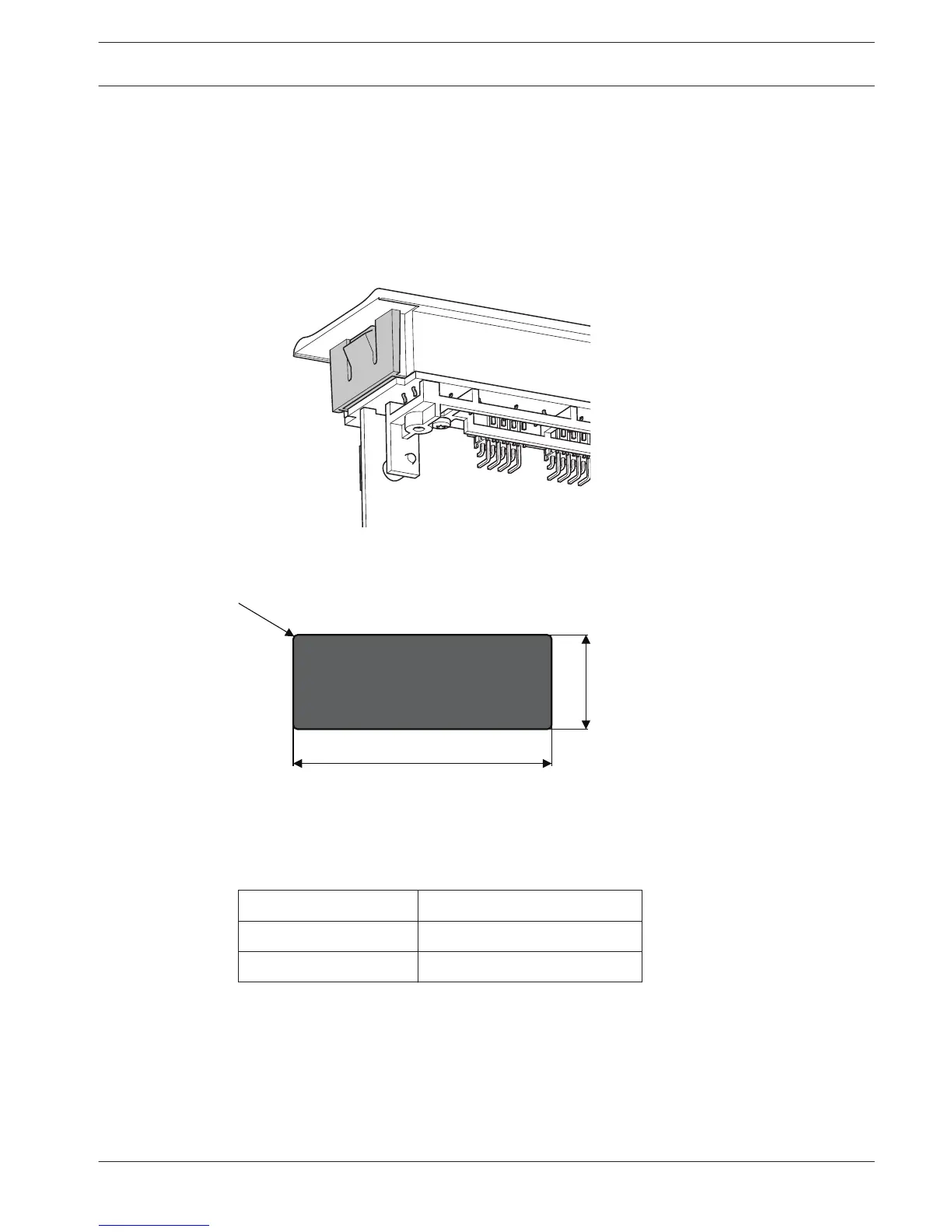
‘Click’ the flush-mounted devices in the recess.
Figure 5.18: Click-to-fit mechanism
Refer to the figure for the dimensions of a recess for the snap-mounting method.
Figure 5.19: Recess, snap-mounting method
The length (x) of a recess depends on the number-size factor (NSF) of the flush-mounted
device that must be installed in the recess. To get the length of a recess:
– Get the number-size factor (NSF) of the flush-mounted device.
– Use the NSF to get the length (x) of the recess from the table.
Total NSF
x (mm)
1 38.2
2 88.2
Table 5.1: Lengths, snap-mounting method
Block-mounting
Use the block-mounting method to install flush-mounted devices in surfaces with a thickness >
2 mm. The block-mounting method uses the DCN-FEC End Caps, DCN-FCOUP Couple Pieces
and DCN-FPT Flush Positioning Tool.
5.6
Conference System Installation | en 103
Bosch Security Systems B.V. Operation Manual 2013.11 | V2.0 | DCN-NG_OM_V4.x















 To Next Page