EasyManua.ls Logo

Bosch PLM-8M8-US - User Manual

Bosch PLM-8M8-US
54 pages
Print Icon
To Next Page IconTo Next Page
Loading...
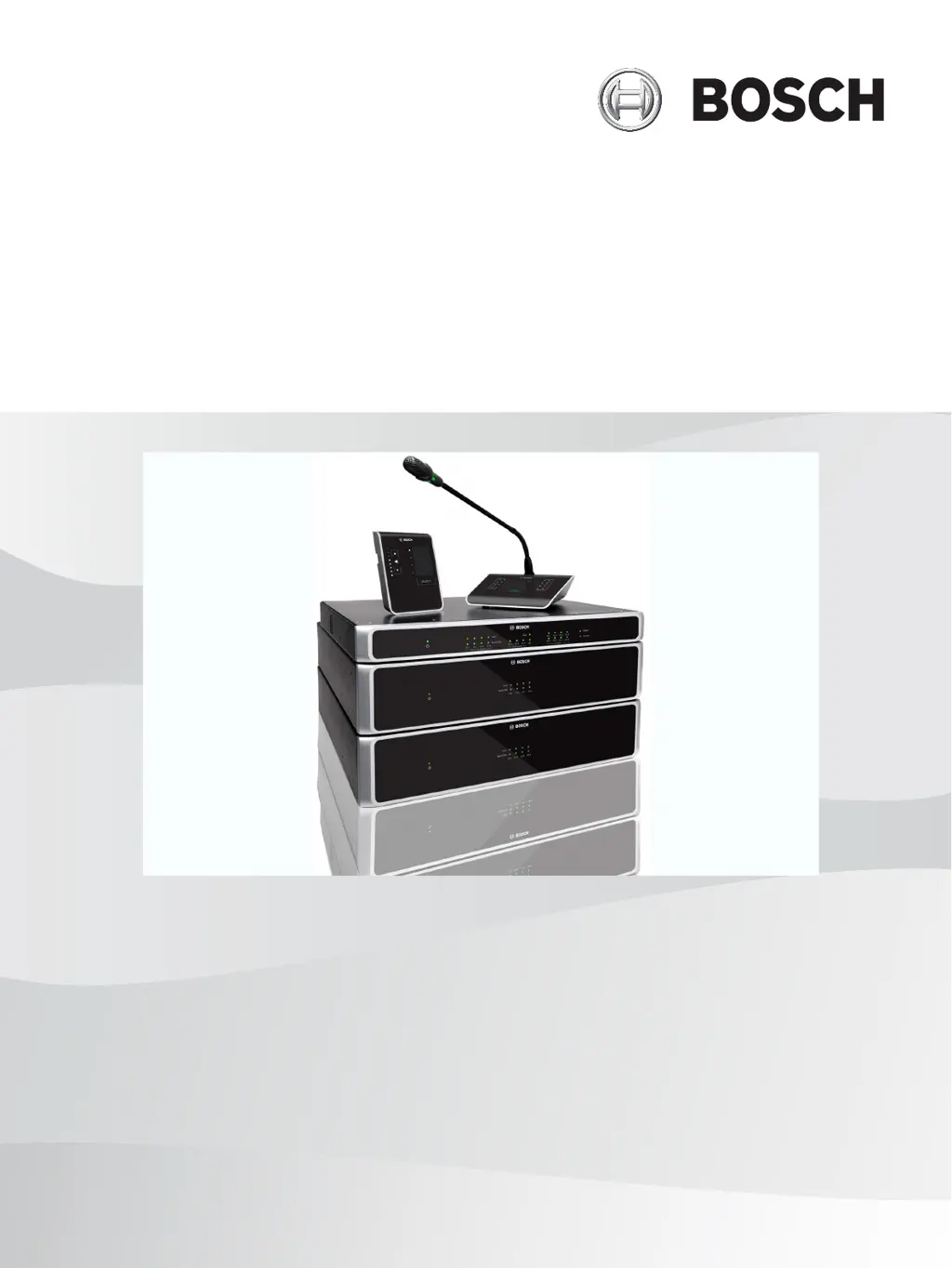
PLENA matrix
Public Address System
en
User manual

Table of Contents

Questions and Answers

  • B
    barnesannaAug 12, 2025
    What to do if Bosch PLM-8M8-US call station microphone activates without pressing the PTT button?
    • J
      James MoranAug 12, 2025
      If the microphone on your Bosch Conference System call station activates without you pressing the PTT button, it's likely because multiple call stations have been assigned the same ID. To resolve this, change the call stations to have unique IDs.
  • D
    Daniel ParrishAug 15, 2025
    What to do if Bosch Conference System rack units are not found in target search?
    • Y
      Yvonne HernandezAug 16, 2025
      If Bosch Conference System rack units are not found during a target search, the issue might be due to disconnected Ethernet cables, the unit(s) or router not being powered on, or the PC not being connected to the network. Check that all units are connected to power, ensure the cabling is correctly connected, and verify that the PC is connected to the network.
  • L
    Louis LamAug 19, 2025
    What to do if Bosch PLM-8M8-US Conference System call stations or wall control panels do not work and lights keep flashing?
    • P
      Peter WarnerAug 19, 2025
      If the call stations or wall control panels of your Bosch Conference System aren't working and the lights are flashing, the DSP matrix mixer might not be able to configure the unit. Ensure that all cables in the cable run use the correct CAT?5 pin configuration and that no crossover cables are used.
  • C
    Cassandra GarciaAug 23, 2025
    Why Bosch PLM-8M8-US Conference System call stations or wall control panels LED keep rotating?
    • J
      John LewisAug 25, 2025
      If the LEDs on your Bosch Conference System call stations or wall control panels are continuously rotating, it indicates that the RS485 ID cannot be identified. Check that the switches are fully switched to the appropriate positions and reset power to the unit. Also, ensure that the CAT?5 cable is not damaged. You may also check the RS485 status using the latest version of PC GUI under "Device > RS485 device status".
  • L
    Lori MathisAug 27, 2025
    What to do if the Bosch PLM-8M8-US Conference System call station is activated but no announcement comes through?
    • B
      Brittany TaylorAug 27, 2025
      If your Bosch Conference System call station activates but no announcement is heard, several factors could be at play: the unit might have just been turned on, a chime may be programmed to play first, the announcement level might be insufficient for the selected zone, or the user isn't speaking loudly enough. To troubleshoot, wait 15 seconds for the unit to be identified by the DSP matrix mixer, ensure the LEDs turn green before speaking (or deactivate the chime via the GUI), verify all call station levels are appropriately set and mute is not activated within the GUI, and speak slowly and clearly towards the microphone.
  • J
    James SmithAug 30, 2025
    Why Bosch PLM-8M8-US amplifier fault LED flashes quickly?
    • R
      Ricardo WilliamsAug 30, 2025
      If the fault LED on your Bosch Conference System amplifier flashes quickly for about 30 seconds, it signals a thermal error on the channel. The channel will be reactivated automatically once it has cooled down.
  • A
    Allison LeeSep 3, 2025
    Why Bosch PLM-8M8-US Conference System wall control panel volume control needs two button presses to increase the LED indicator?
    • J
      Jennifer WelchSep 3, 2025
      The Bosch Conference System wall control panel's volume control requires two button presses to increase the LED indicator because the LEDs only indicate +/-6dB steps, while the up/down arrows adjust the volume in 3dB steps. The unit is designed to affect the audio at 3dB with each button press. Listen to the audio through the PA system to confirm this.
  • J
    Jacqueline RamosSep 7, 2025
    What does it mean when the fault LEDs flash slowly on Bosch PLM-8M8-US amplifier?
    • C
      Connie GalvanSep 7, 2025
      If the fault LEDs on your Bosch Conference System amplifier flash slowly, it indicates that the PSU has failed or thermally cut out. Send immediately for service and/or contact the Bosch authorized dealer or installer for assistance.

Summary

Safety

Safety Precautions

Guidelines for safe installation and operation of the PLENA matrix system.

System overview

Installation

PC GUI software

Information on configuring the system using PC GUI software.

Connections

Configuration

DSP matrix mixer PC GUI

Using the PC GUI for configuring the DSP matrix mixer.

Multi Channel DSP Amplifier PC GUI

Controlling DSP features of the amplifier via PC GUI.

Amplifier Bridging Configuration

Steps to configure amplifier bridging using DIP switches.

Operation

Call Station

Using the PLENA matrix Call Station for announcements.

Making an announcement

Procedure for making announcements using the Call Station.

Wall Control Panel

Operating the Wall Control Panel for input selection and volume.

Multi Channel DSP Amplifier

Operating the Multi Channel DSP Amplifier.

Operate the amplifier with the PC GUI

Operating amplifier DSP features via PC GUI.

DSP Matrix Mixer

Overview of the DSP Matrix Mixer and its indicators.

Operating the DSP Matrix Mixer;system with the GUI

Operating the DSP Matrix Mixer using the PC GUI.

Troubleshooting

Power and LED Issues

Troubleshooting for units not powering on or having illuminated LEDs.

No Audio Output

Troubleshooting steps for systems with no audio output.

Audio Distortion and Strange Sounds

Diagnosing and resolving audio distortion or abnormal sound issues.

Constant Red Fault Light

Troubleshooting constant red fault light on the amplifier.

Intermittent Fault Light

Troubleshooting intermittent fault light on the amplifier.

Thermal Error Troubleshooting

Troubleshooting amplifier thermal errors indicated by flashing fault LEDs.

PSU Failure Troubleshooting

Troubleshooting amplifier PSU failure indicated by slow flashing fault LEDs.

Announcement Transmission Failure

Troubleshooting failed announcement transmission from Call Station.

Network Device Discovery Issues

Troubleshooting rack units not found in network search.

Maintenance

Bosch PLM-8M8-US Specifications

General IconGeneral
BrandBosch
ModelPLM-8M8-US
CategoryConference System
LanguageEnglish

Related product manuals