26 en | Operation Conventional Fire Panel
F.01U.172.982 | 5.0 | 2012.04 Operation Guide Bosch Sicherheitssysteme GmbH
Setting the language
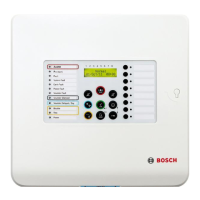
Press the "Menu" key and then zone key 6.
This takes you to the System Config submenu.
Press zone key 3.
This takes you to the Language submenu.
Press zone key 1 to select a language in the A - L range.
Use the zone keys to set the relevant language.
– 1 čeština
– 2 Deutsch
– 3 English
–4 Español
– 5 Français
– 6 Italiano
Press zone key 2 to select a language in the M - Z range.
Use the zone keys to set the relevant language.
– 1 Magyar
–2 Nederlands
–3 Polski
–4 Português
–5 Român
– 6 Turkçe
i
6
1
8
1
...
2
8
1
...
NOTICE!
If you have selected the incorrect language, you can select the
language again when restarting by using a cold start
(disconnect power from system).


 To Next Page