Conventional Fire Panel Operation | en 15
Bosch Sicherheitssysteme GmbH Operation Guide F.01U.172.982 | 5.0 | 2012.04
4.1.2 Menu
The following options are available in the menu:
– 1-Current Events
–1-Faults
– 2-Disablements
– 3-Test
–4-PreAlarm
–2-History
– 1-Event History
– 2-Test History
– 3-Alarm Counter
–4-System Info
– 1-SW Release
– 2-Operation Days
Opening the menu
Exiting the menu/submenus
Displaying faults
Displays a list of all current faults with the corresponding time
stamps.
Displaying disablements
Displays a list of all current disablements with the
corresponding time stamps.
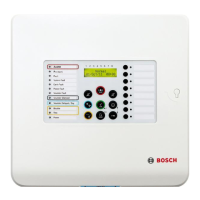
Press the "Menu" key.
You are now in the menu.
i
Press the "Reset" key.
You have now moved up one level.
RESET
Press the "Menu" key and then zone key 1.
This takes you to the Current Events submenu.
Press zone key 1.
The LCD shows the current fault messages.
i
1
1


 To Next Page