ctrlX AUTOMATION First Steps
Step 6 – Installing the ctrlX CORE app
4. Log in with the control account already installed by default:
● Username: boschrexroth
●
Password: boschrexroth
Select “General Terms of Use” and confirm the login via the button
“Login”.
The ctrlX CORE web interface of the control is started.
For a brief overview on the ctrlX CORE web interface, go to:
Chapter 6 “ctrlX
CORE basics” on page 23
5.6
Step 6 – Installing the ctrlX CORE app
After the control has been connected in step 5, the apps can now be installed
on the control.
Information on the ctrlX app concept
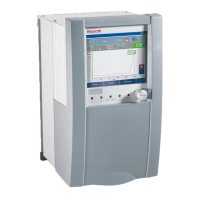
Upon delivery, only system apps to operate the control are installed on a ctrlX
CORE control.
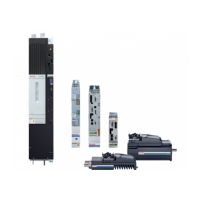
As for a “smart device”, the functionality of the control can be extended by
installing apps and the requirement of the automation project can be modified.
The Rexroth “Online store” provides apps for different functions, refer to
Chapter 7 “Rexroth ‒
“Online store”
” on page 25
.
To supplement the “Online store”, the ctrlX CORE web interface provides the
“Local storage”. To directly store apps on the control, go to the “Local storage”.
Thus, apps can also be installed if there is no internet connection to the Online
store.
The Rexroth Online store is currently designed and not yet available!
For apps, contact your Rexroth marketing contact.
The app is provided as data packet. Save the data packet locally on your engi-
neering PC. The data packet is required in the following steps for installation
purposes on the control.
First Steps – Required apps
To execute the First Steps, the following apps have to be installed on the con-
trol. For more ordering information, refer to
Chapter 8 “Components used”
on page 27
App name Function Identification in the app packet
“EtherCAT Master app” EtherCAT Master functionality to com-
municate to the drive or the bus
periphery
rexroth-ethercatmaster_
<Ver-
sion>
_arm64.snap
“Motion App” Motion functionality to configure and
control axes and kinematics
rexroth-motion_
<Ver-
sion>
_arm64.snap
“PLC App” PLC functionality rexroth-plc_
<Ver-
sion>
_arm64.snap
“OPC UA Server App” OPC UA server functionality to
exchange data
rexroth-ethercatmaster_
<Ver-
sion>
_arm64.snapopcuaserver



 To Next Page