24
|
User Manual
Bosch Climate 5000 Series Remote Control (06.2022)
Operation of Buttons Continued
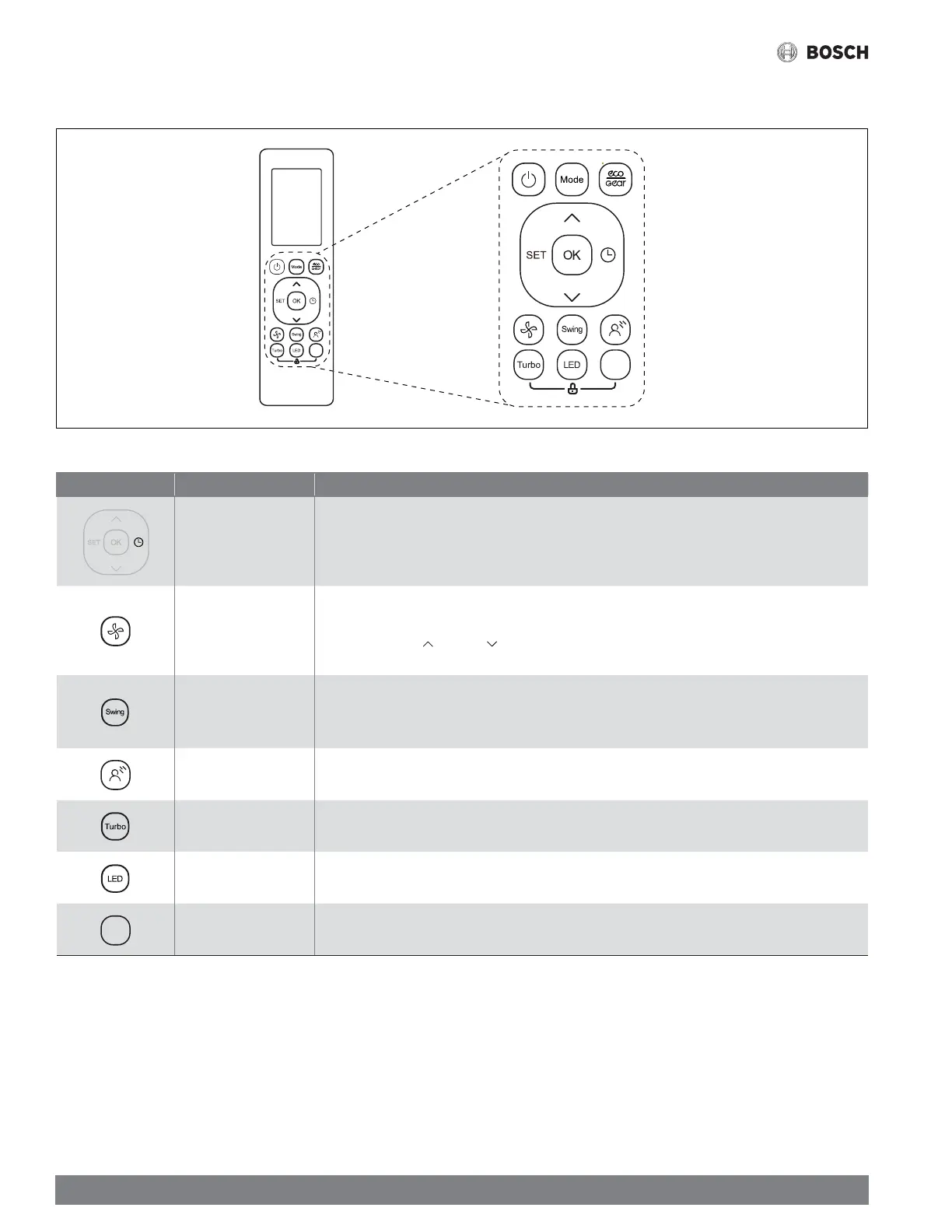
Figure 39
Van e
Vane
Button Description Function
TIMER Button
Press this button to initiate the auto-on time sequence.
Each press will increase the auto-timed setting in 30 minute increments. When the setting time displays 10.0,
each press will increase the auto-timed setting in 60 minutes increments. To cancel the auto-timed program,
simply adjust the auto-on time to 0.0.
FAN Button
Press this button to select the fan speed as follows:
AUTO --> SILENT (1%-20%) --> LOW (21%-40%) --> MED (41%-60%) --> HIGH (61%-100%)
Press the TEMP Up (
) or Down ( ) button to increase/decrease the fan speed in 1% increments.
NOTE: You can not switch the fan speed in AUTO or DRY mode
SWING Button
Press this button to activate/disable the horizontal louver auto SWING feature. The auto SWING feature will rotate
the louver up and down, blowing air into the room in a continuously moving up/down motion.
NOTE: Hold down for 2 seconds to activate the vertical louver auto swing feature.
BREEZE AWAY Button Press this button to redirect airflow away from a person for maximum comfort.
TURBO Button
Press this button to Activate/Disable the TURBO function. TURBO function enables the unit to reach the preset
temperature at cooling or heating operation in the shortest time possible. The fan will run at a speed above HIGH.
LED Button
Press this button to Activate/Disable the indoor unit screen display. Press this button to light the display or clear
the display.
Vane
VANE Button Press this button to enter the louver adjustment mode.
Table 9





 To Next Page