SAIC GRADE-X
12
8) Manually start update software
If you have not received update information for a long time, then you can manually
open the program,Steps:
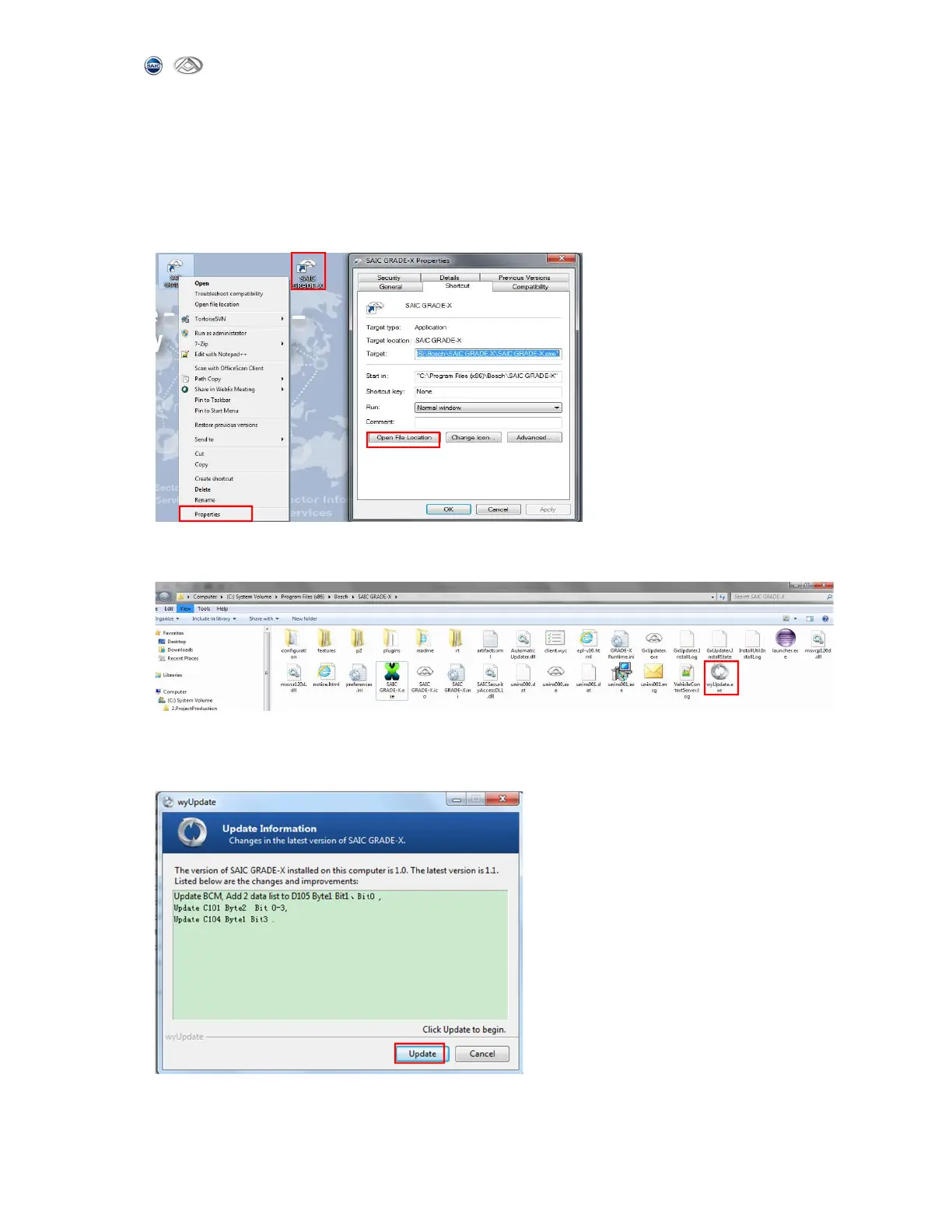
(1) Open SAIC GRADE-X installation path,you can right-click the SAIC GRADE-X
icon on the desktop,click open file location in properties,as shown below:
(2) start wyUpdate.exe update software,as shown below:
(3) SAIC GRADE-X Update information, you will get the upgraded content from this
page. And then click【update】to get the latest software,as shown below:



 To Next Page