SAIC GRADE-X
5
1. Software Installation
Steps:
0) Get the latest installation package from the following site.
1) https://obd.maxuscloud.com/download/
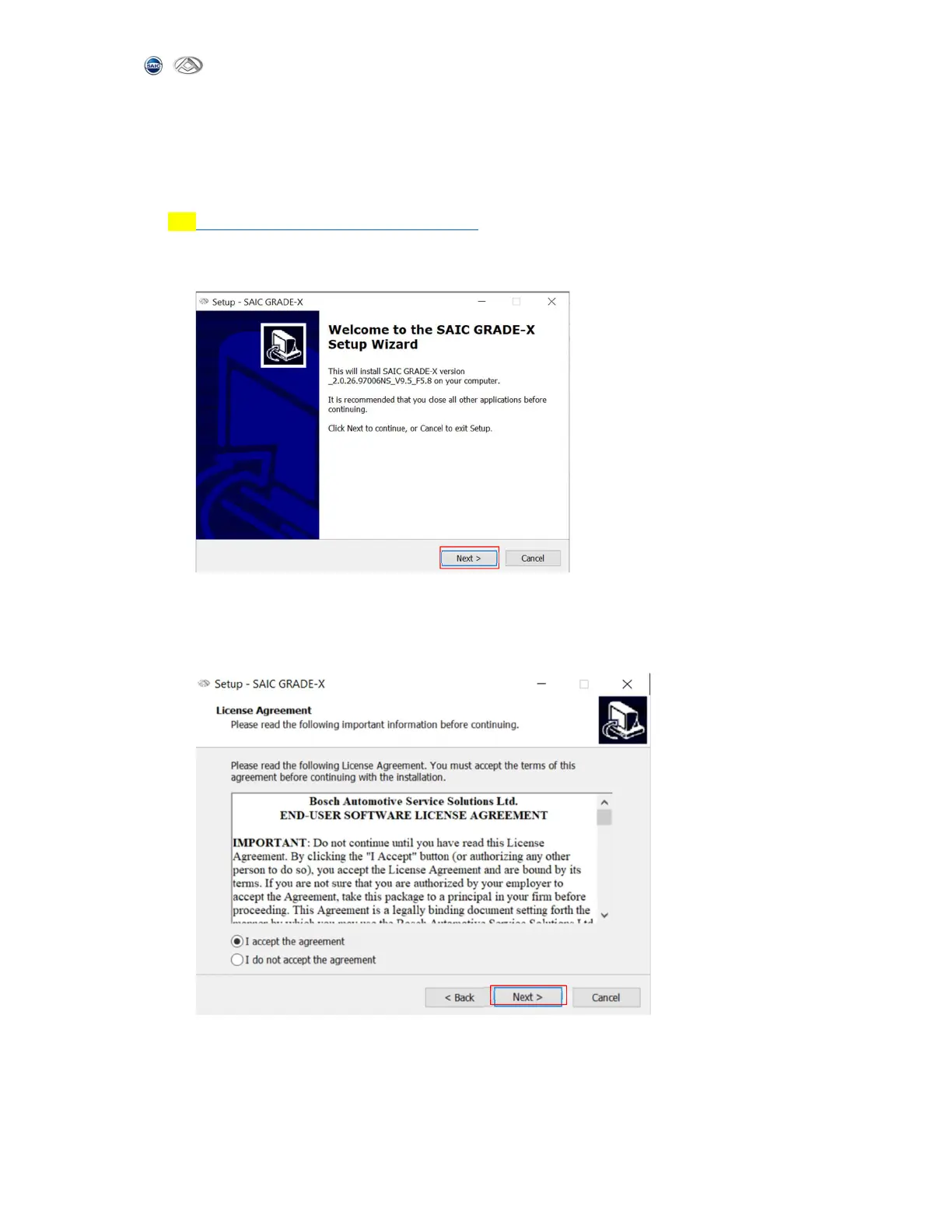
2) Double click downloaded SAIC GRADE-X package in the previous step and click
【Next】. Shown as below:
3) In SAIC GRADE-X installation page, please read license agreement carefully, and
you need to click【I accept the agreement】 to continue. And then click【Next】
to continue. Shown as below:



 To Next Page