SAIC GRADE-X
8
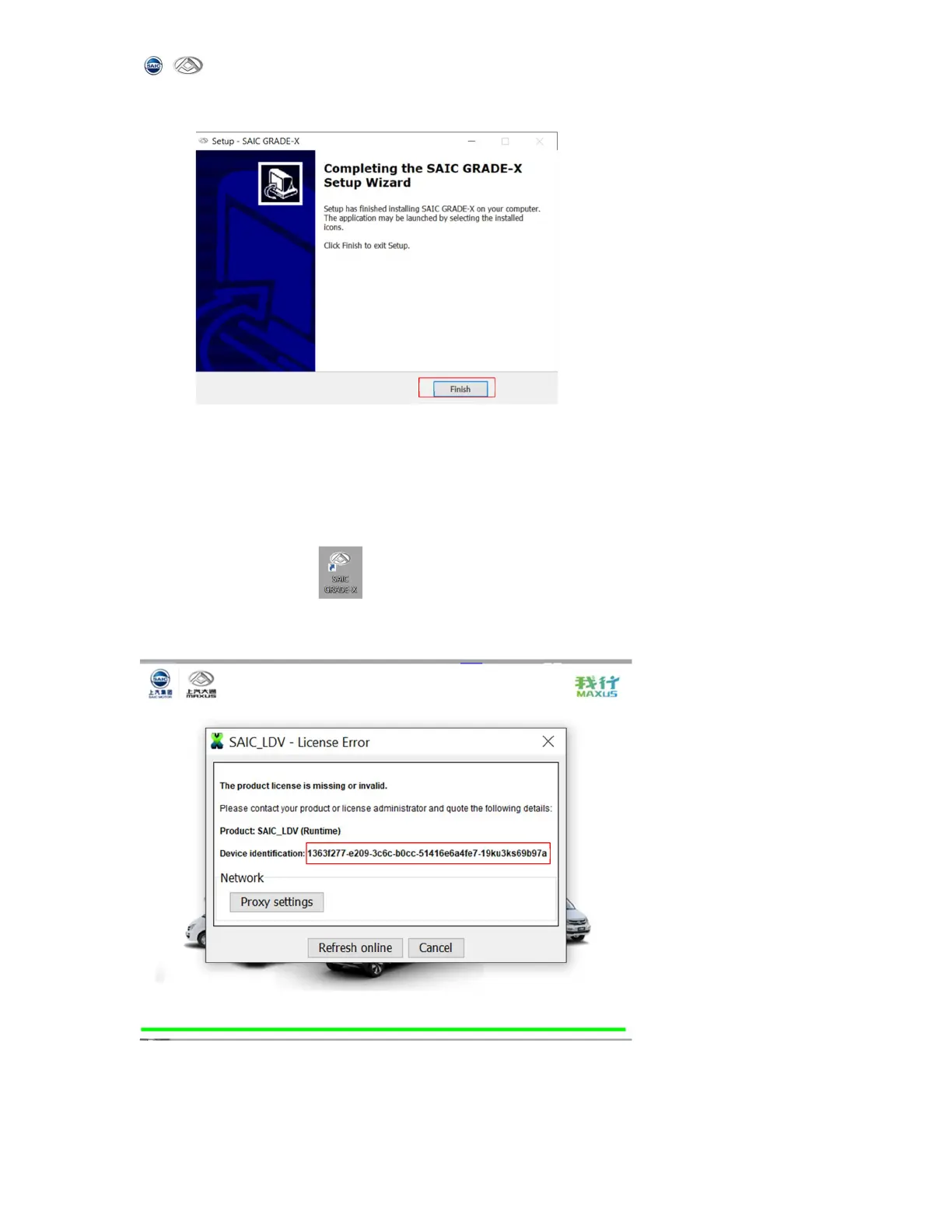
9) When the installation is complete, click 【Finish】 to exit
2. Software Registration
Please register SAIC GRADE-X software following the steps below.
(1) Make sure the computer connected to the Internet network correctly and normally.
(2)Start SAIC GRADE-X ,it will pop-up computer hardware information (this page
for the user run SAIC GRADE-X the first time. Users don’t need to register SAIC
GRADE_X again after registered successfully in the future). Shown as below.
(3)Please send computer hardware information (red info box above,copy this
identification) to Maxus administrator by mail or phone. Maxus administrator will
register your computer and inform you whether your computer is registered successfully



 To Next Page