SAIC GRADE-X
7
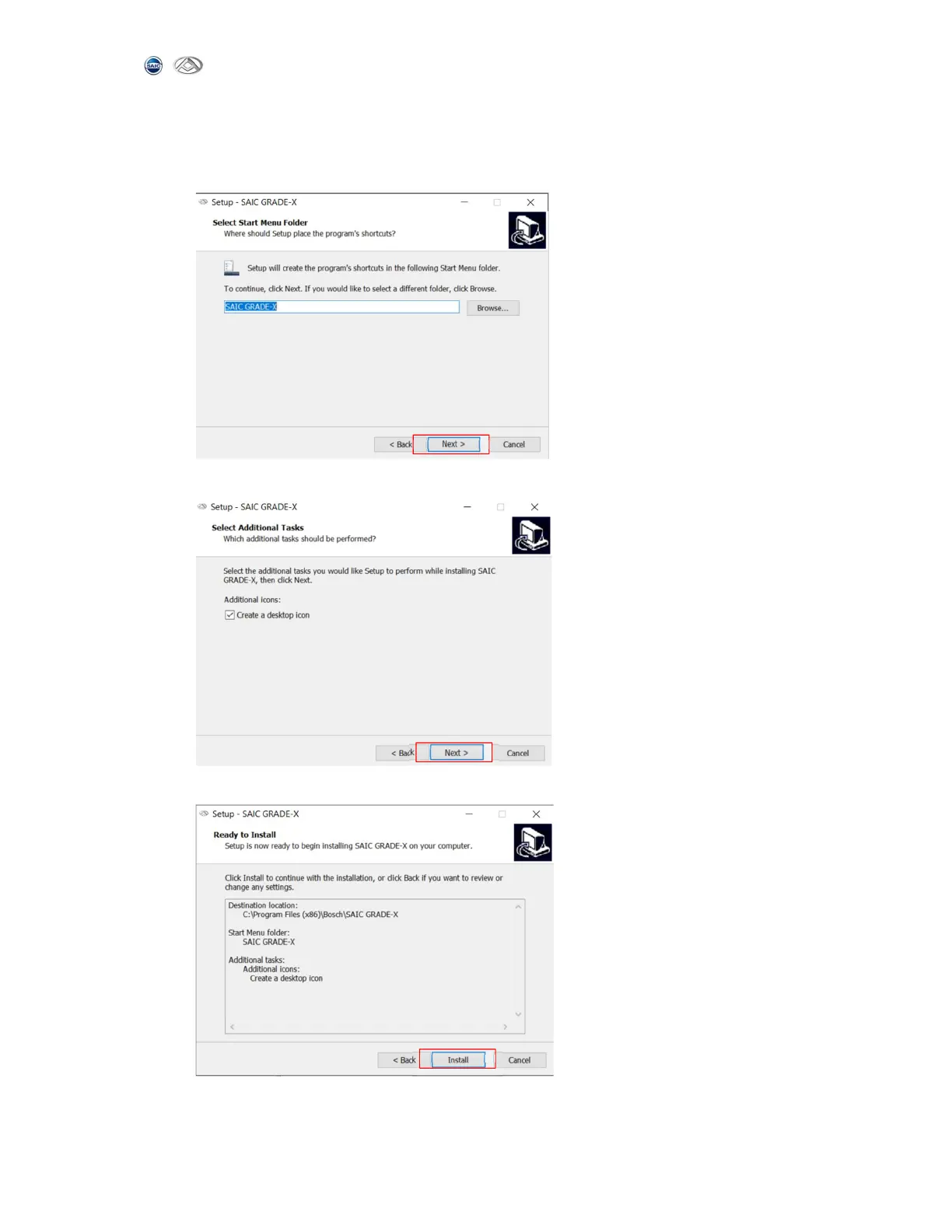
6) Choose where to put this in the start menu. You can change the menu name
manually. Or else the default value “SAIC GRADE-X”will be used. And then
click【Next】to continue. Shown as below:
7) Select the additional tasks and click 【Next】 to continue, shown as below:
8) Ready to install, click 【Install】to continue, shown as below:



 To Next Page