SAIC GRADE-X
4
0 SAIC GRADE-X OS Requirement
0.1 GRADE-X not support WinXP any more
GRADE-X will not support WinXP any more because:
Microsoft will not provide any service and support for WinXP any more
Diagnostic requirement becomes more and more complexed, GRADE-X need to use
latest new technology to meet new diagnostic requirement
WinXP can’t meet the new technical interface but Microsoft will not update
WinXP to support this
0.2 GRADE-X supported OS
Currently SAIC GRADE-X can run on Win7 and Win8. Win10 will be supported by the
end of this year. But the OS supported may change because of Microsoft’s strategy.
0.3 How to get OS Version(Take WinXP as an example)
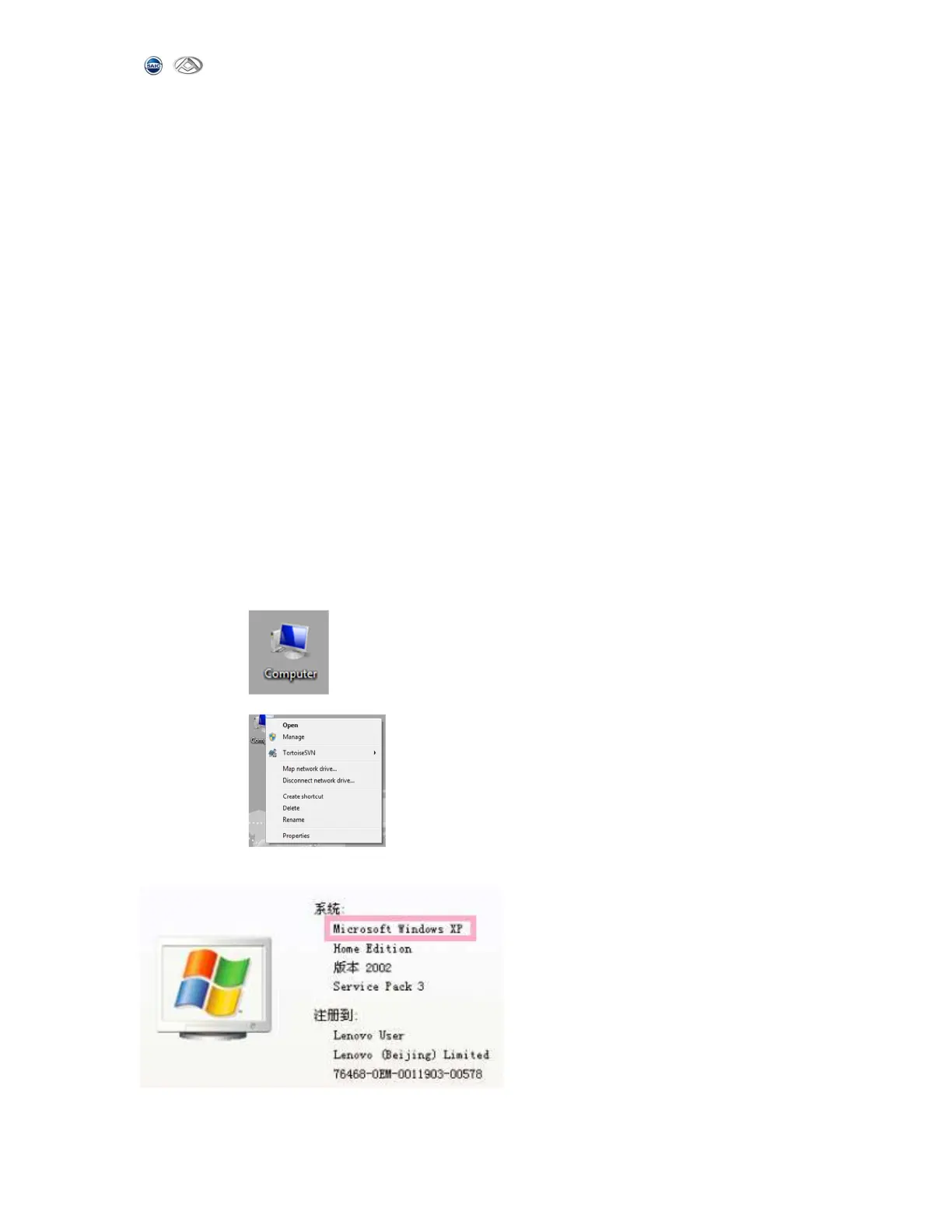
Step 1: Right click “My Computer” on the desktop
Step 2: Choose “Properties”
Step 3: You can get the OS version from the screen
Step 4: You will see the next Screen if your OS is WinXP.



 To Next Page