SAIC GRADE-X
10
3. Software Upgrade
Note: Software update notice can only be available after SAIC GRADE-X is registered
successfully.
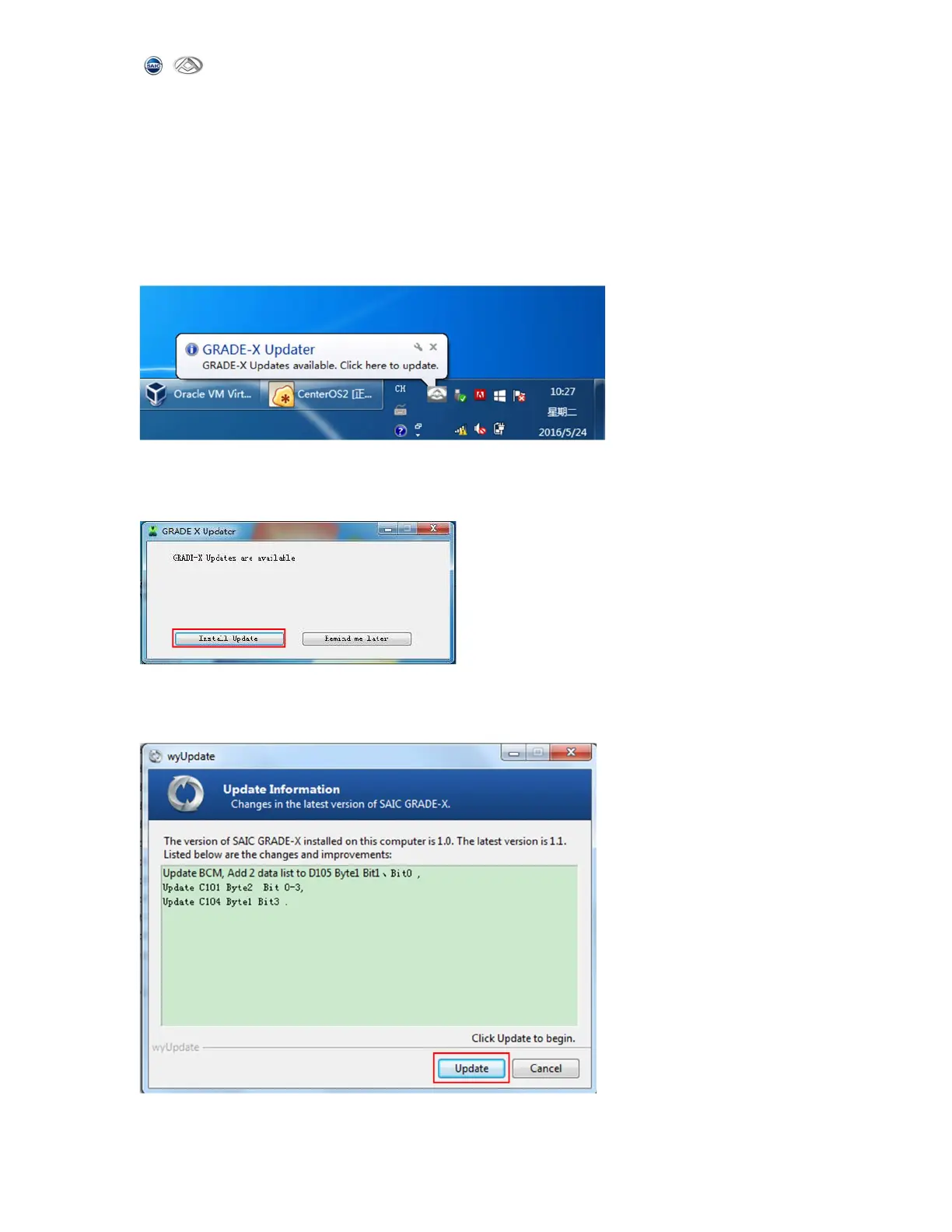
1)When your computer is connected to internet, if your computer is not installed the
latest version of the software, you will automatically receive software updates notice,
as shown below:
2)Click on the icon then the following page will appear. Click【Install Update】 to
start the upgrade. As shown below:
3)SAIC GRADE-X Update information, you will get the upgraded content from this page.
And then click【update】to get the latest software,as shown below:



 To Next Page