SAIC GRADE-X
6
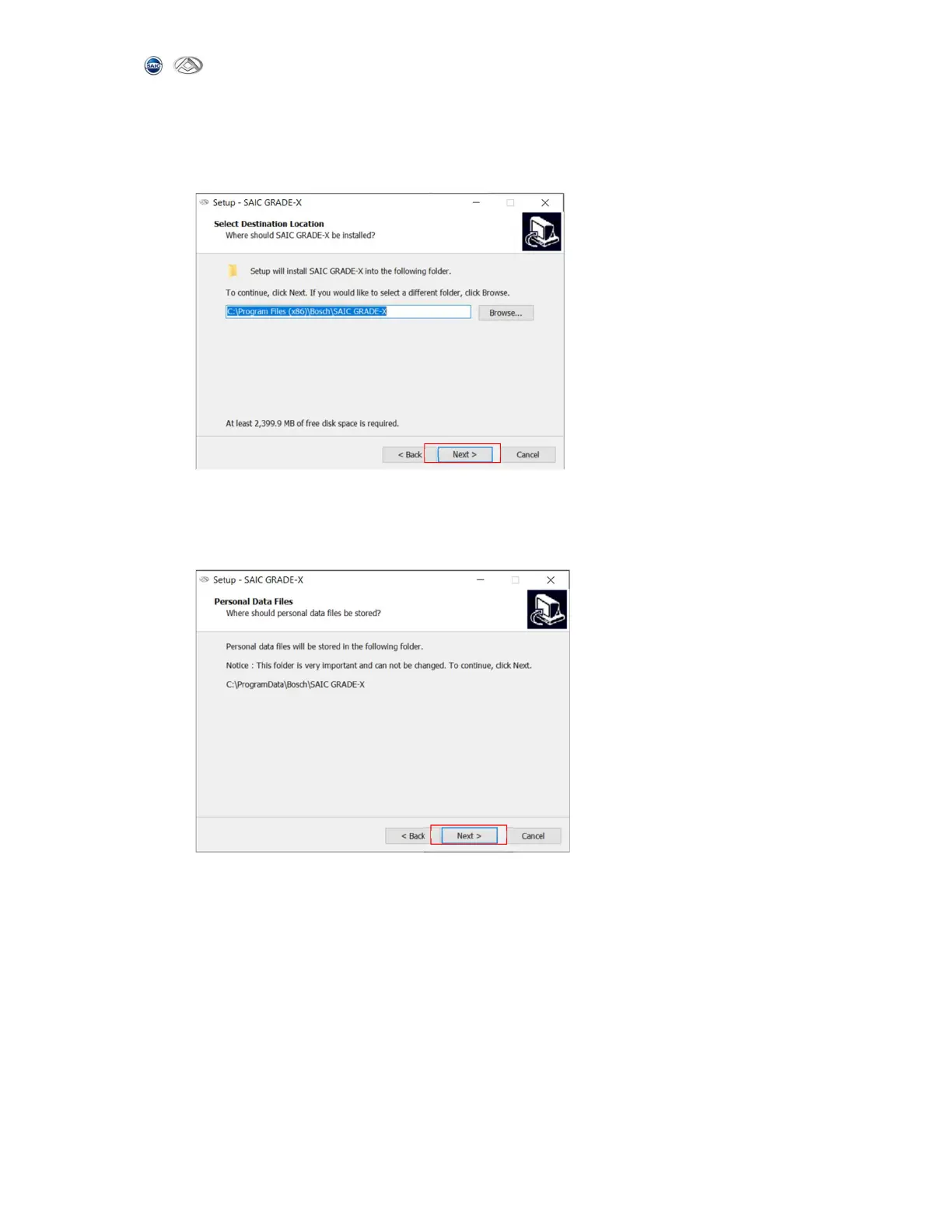
4) In the SAIC GRADE-X installation path page, click Browse to choose the path to
install SAIC-GRADE-X. Or else the default path will be used. For Win7 the
default path is C:\Program Files X86\Bosch\SAIC GRADE-X. And then click【Next】
to continue. Shown as below:
5) In the SAIC GRADE-X data path page, click Browse to choose the path to install
the data. Or else the data will be installed into the default path. For Win7
the default path is C:\Program Data\Bosch\SAIC GRADE-X. And then click 【Next】
to continue. Shown as below:



 To Next Page