EasyManua.ls Logo

Bosch VIA - Page 17

Bosch VIA
61 pages
Print Icon
To Next Page IconTo Next Page
To Previous Page IconTo Previous Page
Loading...
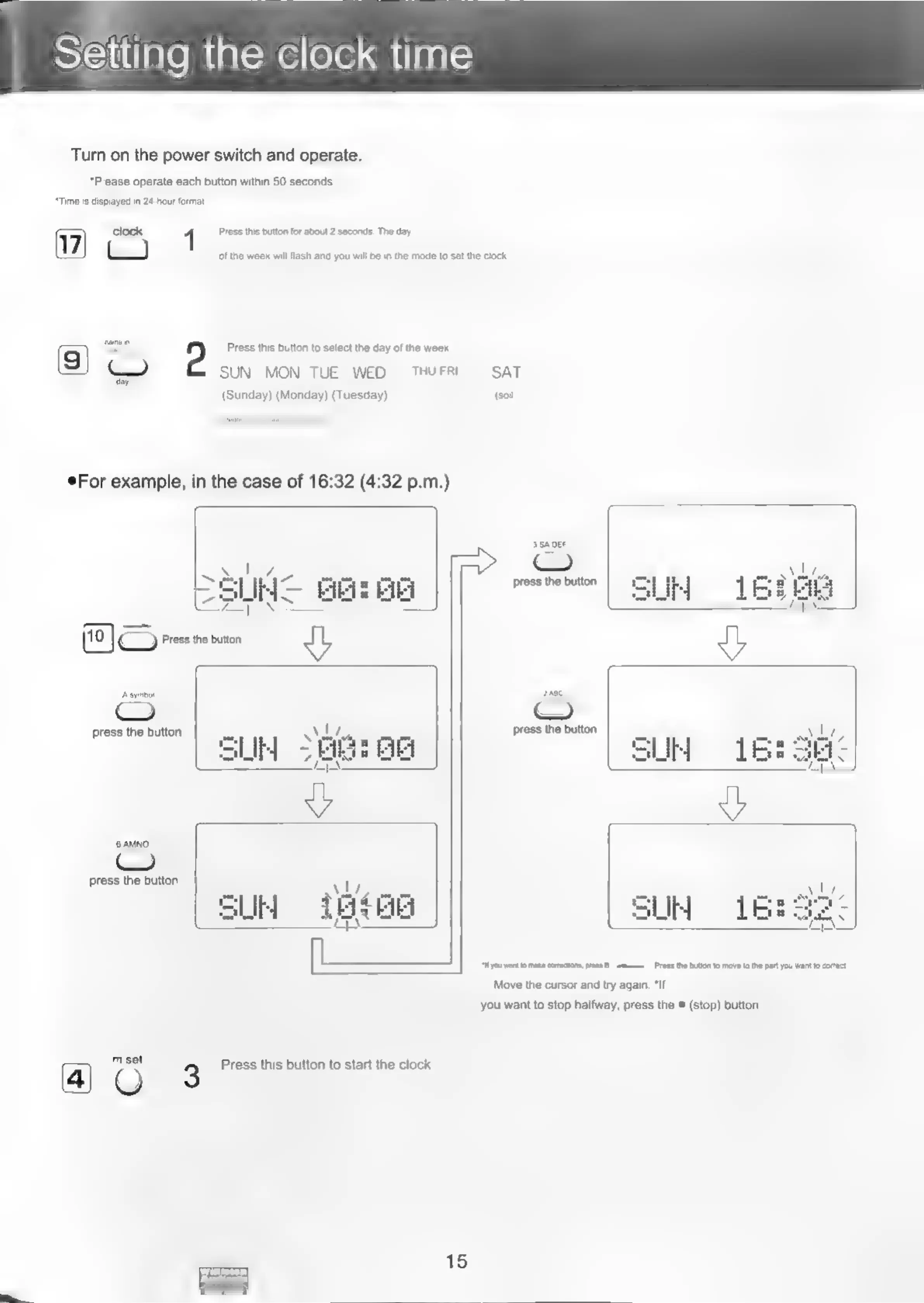
Turn
on
the
power
switch
and
operate.
*Please
operate
each
button
within
50
seconds.
“Time
is
displayed
in
24-hour
format.
clock
Press
this
button
for
about
2
saconds.
The
day
of
the
week
will
flash
and
you
will
be
in
the
mode
to
set
the
clock.
2
Press
this
button
to
select
the
day
of
the
week
SUN
MON
TUE
WED
THUFRI
SAT
(Sunday)
(Monday)
(Tuesday)
(soil)
eFor
example,
in
the
case
of
16:32
(4:32
p.m.)
3
SADEF
(=)
>
5
i]
z
Ae
press
the
button
\
10
}
>
Press
ne
button
gL
tAsymbat
2ane
C
CO
press
the
button
A
press
the
button
SUR
OG
press
the
button
®
AU,
cote
=
SUM
TES
SLIM
ar
=
sas)
“you
wantto
make
coecions
ress
8
-=a—
Press
the
butlon
1o
mave
tothe
part
you
wat
to
corto.
Move
the
cursor
and
try
again.
*If
you
want
to
stop
halfway,
press
the
®
(stop)
button.
mset
O
3
Press
this
button
to
start
the
clock.
15

Related product manuals