EasyManua.ls Logo

Bosch VIA - How to Use the Timer

Bosch VIA
61 pages
Print Icon
To Next Page IconTo Next Page
To Previous Page IconTo Previous Page
Loading...
How
to
use
the
timer
Ifyou
use
a
timer,
you
can
turn
on
the
power
at
a
specified
time,
so
you
can
play
your
favorite
song
as
an
alarm
clock.
This
unit
has
two
types
of
ON
timers:
daily
timer
(operates
at
the
same
time
every
day),
once
timer
(operates
only
once
on
a
specified
day
of
the
week),
and
a
sleep
timer
that
turns
off
the
power
after
a
set
time
has
elapsed.
ON
timer
settings
*Settng
ace
performed
using
the
remote
conta
“Be
sure
to
set
the
clock
before
starting
work.
If
you
try
to
set
the
timer
without
setting
the
clock,
“Set
CLOCK’
will
be
displayed.
“When
turned
‘on,
the
volume
will
be
the
same
as
when
you
were
listening
to
that
source
before
turing
it
off.
timer
]
Press
this
button
to
select
the
source.
press
this
button
The
display
changes
as
shown
below.
TIMER
CD,
is
Select
CD
+
TIMER
MD,
. .
Select
MD
HOUR
TUNER
Select
tuner
TIMER
OFF
-
Cancel
timer
mset
2
Press
this
button
for
the
desired
source.
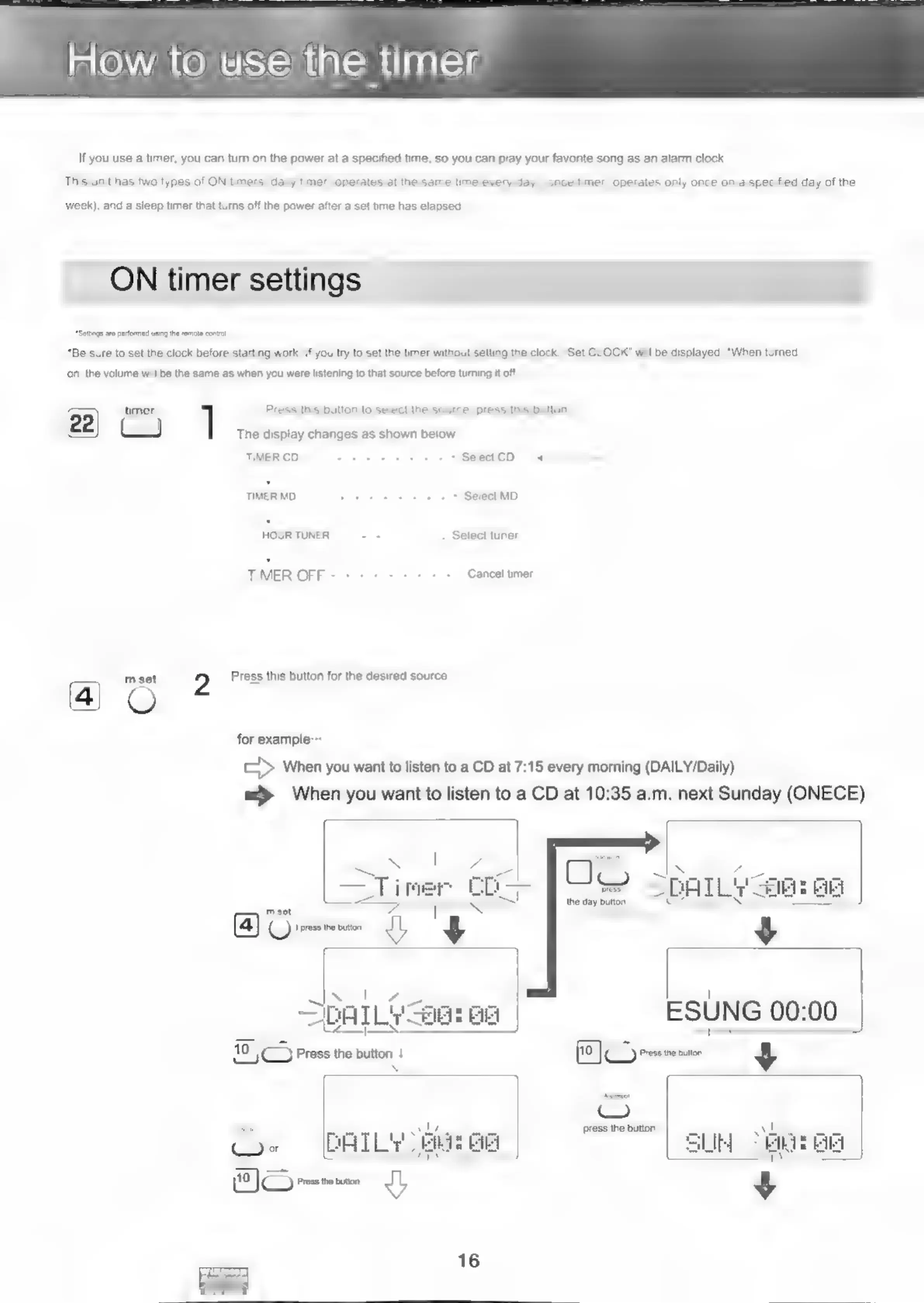
for
example:
[=P
When
you
want
to
listen
to
a
CD
at
7:15
every
morning
(DAILY/Daily)
=>
When
you
want
to
listen
to
a
CD
at
10:35
a.m.
next
Sunday
(ONECE)
~
s
!
7
ae
SDATLY
ae:
Bei
SAT
LY
SSI
BE
|
10
|
Press
the
button
4
S
CG»
(AILS
Hom
J

Related product manuals