EasyManua.ls Logo

Bosch VIA - CD Player Operation

Bosch VIA
61 pages
Print Icon
To Next Page IconTo Next Page
To Previous Page IconTo Previous Page
Loading...
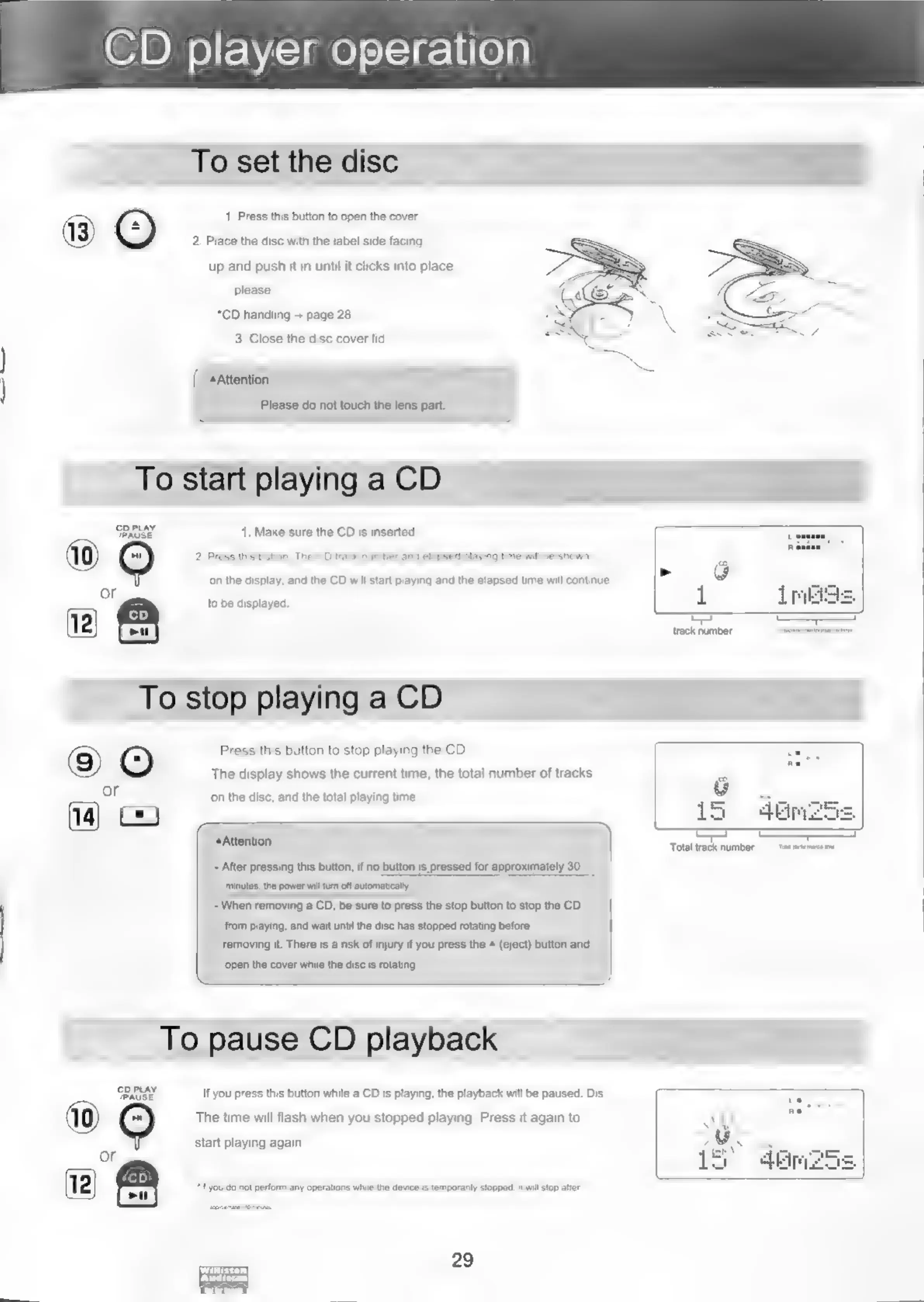
CD
player
operation
To
set
the
disc
1.
Press
this
button
to
open
the
cover.
2.
Place
the
disc
with
the
label
side
facing
up
and
push
it
in
until
it
clicks
into
place.
please.
*CD
handling
+
page
28
3.
Close
the
disc
cover
lid
/
aa
{
«Attention
|
Please
do
not
touch
the
lens
part.
To
start
playing
a
CD
Passe
1.
Make
sure
the
CD
is
inserted.
(10)
2.
Press
this
button,
The
CD
track
number
and
elapsed
playing
time
will
be
shown
on
the
display,
and
the
CD
will
start
playing
and
the
elapsed
time
will
continue
or
aa
to
be
displayed.
(12)
m
esuinies
To
stop
playing
a
CD
g)
©
Press
this
button
to
stop
playing
the
CD.
The
display
shows
the
current
time,
the
total
number
of
tracks
r
)
on
the
disc,
and
the
total
playing
time
Cy)
Attenti
——
2
a
Total
track
number
carta
te
-
After
pressing
this
button,
if
no
button
is
pressed
for
approximately
30
minutes,
the
power
will
turn
off
automatically.
-
When
removing
a
CD,
be
sure
to
press
the
stop
button
to
stop
the
CD
.
from
playing,
and
wait
until
the
disc
has
stopped
rotating
before
removing
it.
There
is
a
risk
of
injury
if
you
press
the
4
(eject)
button
and
‘open
the
cover
while
the
disc
is
rotating.
To
pause
CD
playback
Suv
If
you
press
this
button
while
a
CD
is
playing,
the
playback
will
be
paused.
Dis
The
time
will
flash
when
you
stopped
playing.
Press
it
again
to
start
playing
again
or
cD
29
ed

Related product manuals