EasyManua.ls Logo

Bosch VIA - Page 24

Bosch VIA
61 pages
Print Icon
To Next Page IconTo Next Page
To Previous Page IconTo Previous Page
Loading...
Tuner
(radio)
operation
continued
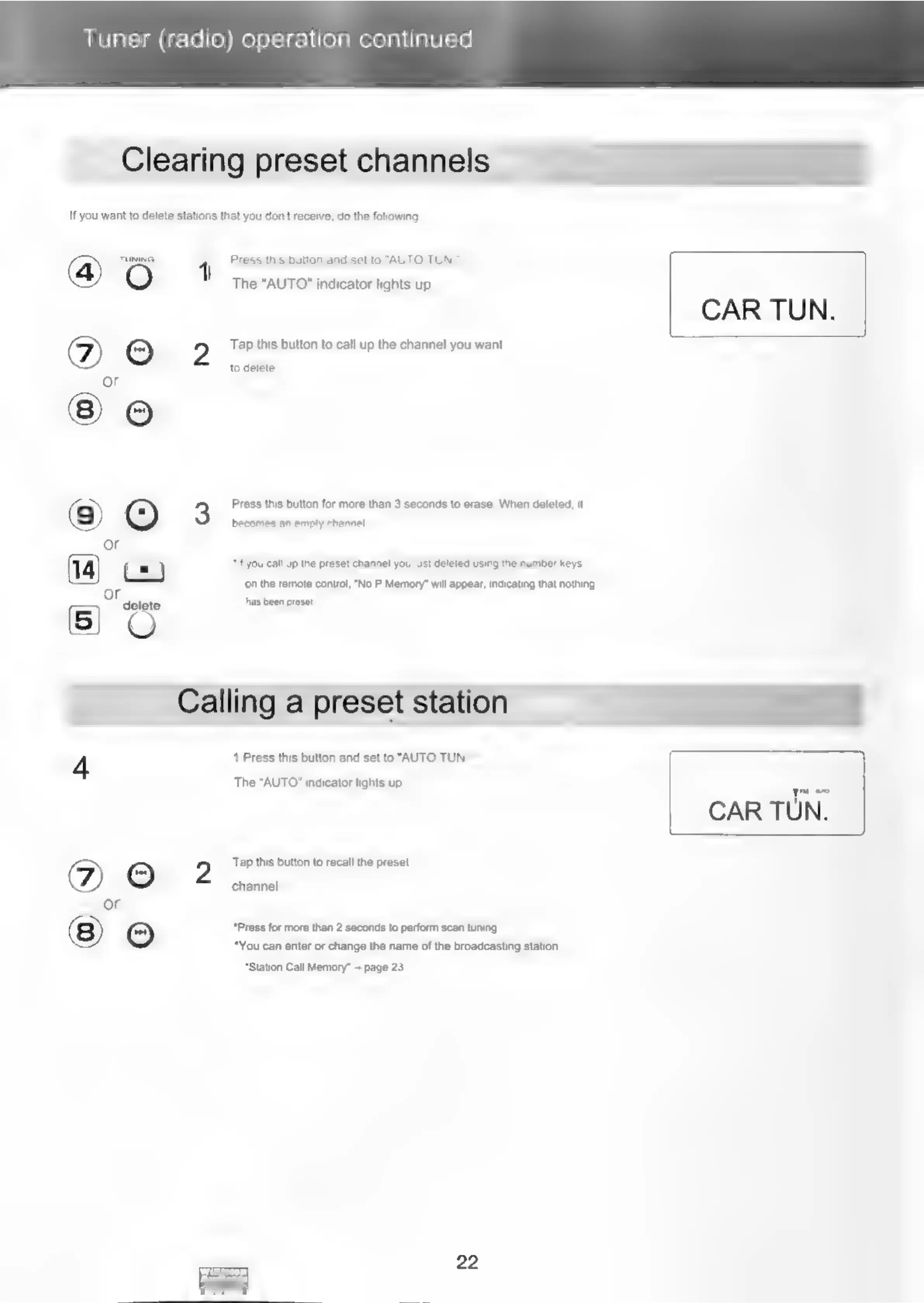
Clearing
preset
channels
If
you
want
to
delete
stations
that
you
don't
receive,
do
the
following
@)
TUNING
{
Press
this
button
and
set
to
"AUTO
TUN.":
The
“AUTO"
indicator
lights
up.
©)
©
2
Tap
this
button
to
call
up
the
channel
you
want
to
delete.
or
3
Press
this
button
for
more
than
3
seconds
to
erase.
When
deleted,
it
9
becomes
an
enply
channel
or
fe
=
)
“if
you
call
up
the
preset
channel
you
just
deleted
using
the
number
keys
ee
on
the
remote
control,
"No
P.Memory”
will
appear,
indicating
that
nothing
5)
O
has
been
preset.
Calling
a
preset
station
4
1
Press
this
button
and
set
to
“AUTO
TUN."*
The
“AUTO"
indicator
lights
up.
©
2
Tap
this
button
to
recall
the
preset
e))
aed
or
©
*Press
for
more
than
2
seconds
to
perform
scan
tuning,
You
can
enter
or
change
the
name
of
the
broadcasting
station.
*Station
Call
Memory”
+
page
23
22
CAR
TUN.
yr
a
CAR
TUN.

Related product manuals