EasyManua.ls Logo

Bosch VIA - Page 33

Bosch VIA
61 pages
Print Icon
To Next Page IconTo Next Page
To Previous Page IconTo Previous Page
Loading...
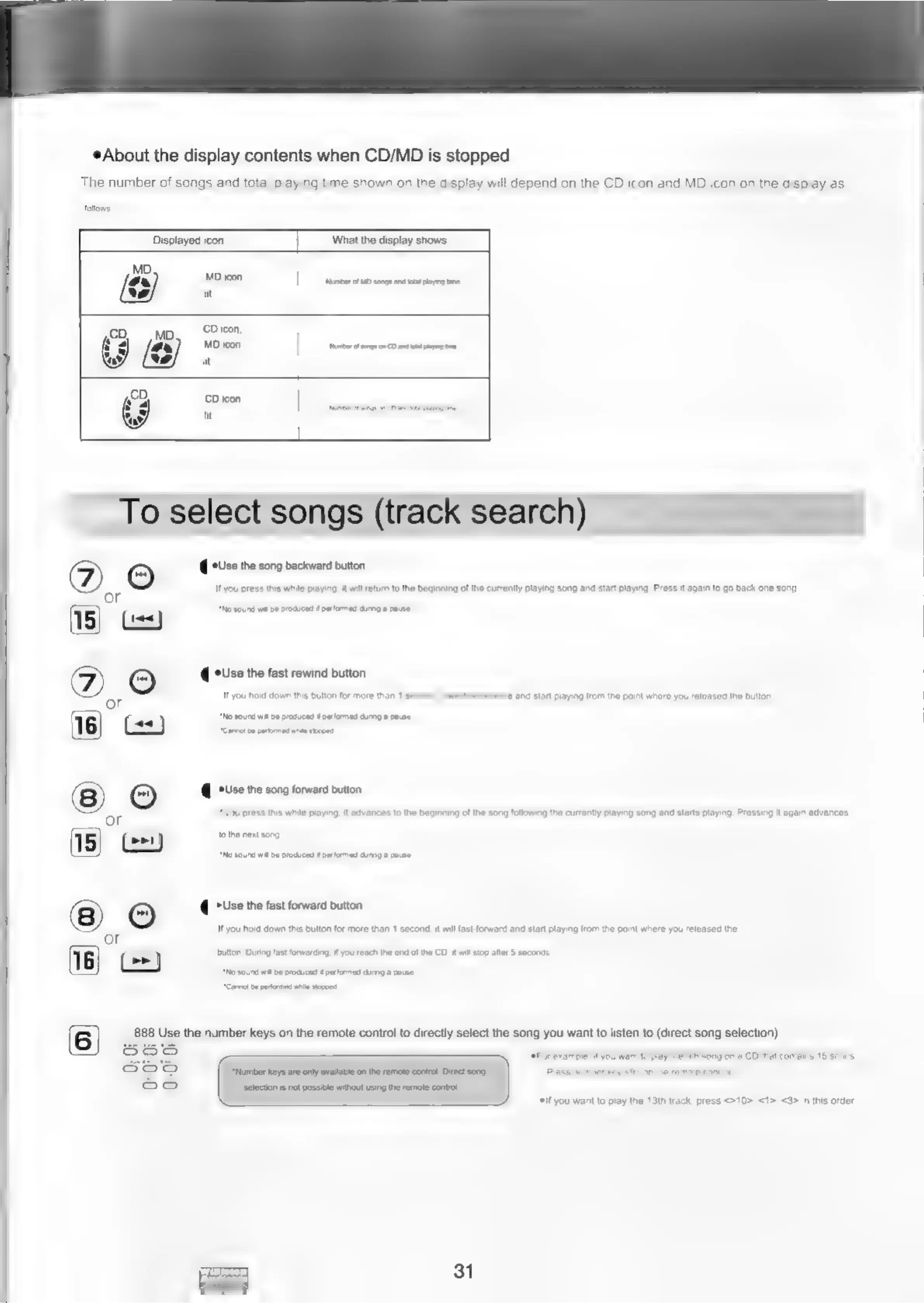
About
the
display
contents
when
CD/MD
is
stopped
The
number
of
songs
and
total
playing
time
shown
on
the
display
will
depend
on
the
CD
icon
and
MD
icon
on
the
display
as
follows
Displayed
icon
What
the
display
shows
MD
icon
|
nameer
au
songs
nd
tt
paying
te
lit
cO
OM
CD
jcon,
MD
icon
abet
sng
on
CD
a
pg
oe
CD
icon
|
it
_To
select
songs
(track
search)
2,0
ia<
(ese
the
song
backward
button
you
press
this
while
playing.
it
will
return
to
the
beginning
of
the
currently playing
song
and
start
playing,
Press
it
again
to
go
back
one
song,
*No
sound
wal
be
produced
f
perlomed
during
a
pause.
@
Use
the
fast
rewind
button
you
hold
down
this
button
for
more
than
1
s
and
start
playing
from
the
point
where
you
released
the
button,
*No
sound
wal
be
produced
M
performed
dung
a
pause
“Canvot
be
partrmes
nse
sapped
@
Use
the
song
forward
button
ou
press
this
while
playing,
t
advances
to
the
beginning
of
the
song
following
the
currently
playing
song
and
starts
playing,
Pressing
it
again
advances
to
the
next
song.
*No
sound
wil
be
producnd
Wperlammed
dung
a
pause,
@
"Use
the
fast
forward
button
you
hold
down
this
button
for
more
than
1
second,
it
will
fast-forward
and
start
playing
from
the
point
where
you
released
the
button.
During
fast
forwarding
if
you
reach
the
end
of
the
CD.
it
wil
stop
after
5
seconds.
*No
sound
wa
be
produced
performed
dung
a
pause
“Carrot
be
primed
whe
sorbet
888
Use
the
number
keys
on
the
remote
control
to
directly
select
the
song
you
want
to
listen
to
(direct
song
selection)
“Number
keys
are
only
avaitable
on
the
remote
conirol,
Direct
song
‘selection
is
not
possible
without
using
the
remote
control
*if
you
want
to
play
the
13th
track,
press
<>10>,
<1>,
<3>
in
this
order,
31

Related product manuals