EasyManua.ls Logo

Bosch VIA - Page 41

Bosch VIA
61 pages
Print Icon
To Next Page IconTo Next Page
To Previous Page IconTo Previous Page
Loading...
Adjusting
the
recording
level
(only
for
analog
recording)
During
analog
recording
or
during
REC
pause,
press
the
©
button
on
the
remote
control
to
decrease
the
recording
level,
and
press
the
10
button
to
increase
the
recording
level
To
record
from
a
CD
When
copying
a
CD
4,
_
Insert
the
MD
for
recording.
“To
set
an
MD
disc
+
page
35
2
Insert
the
CD
you
want
to
record.
*To
set
a
CD
disc
~
page
28
co
PLAY
TPAUSE
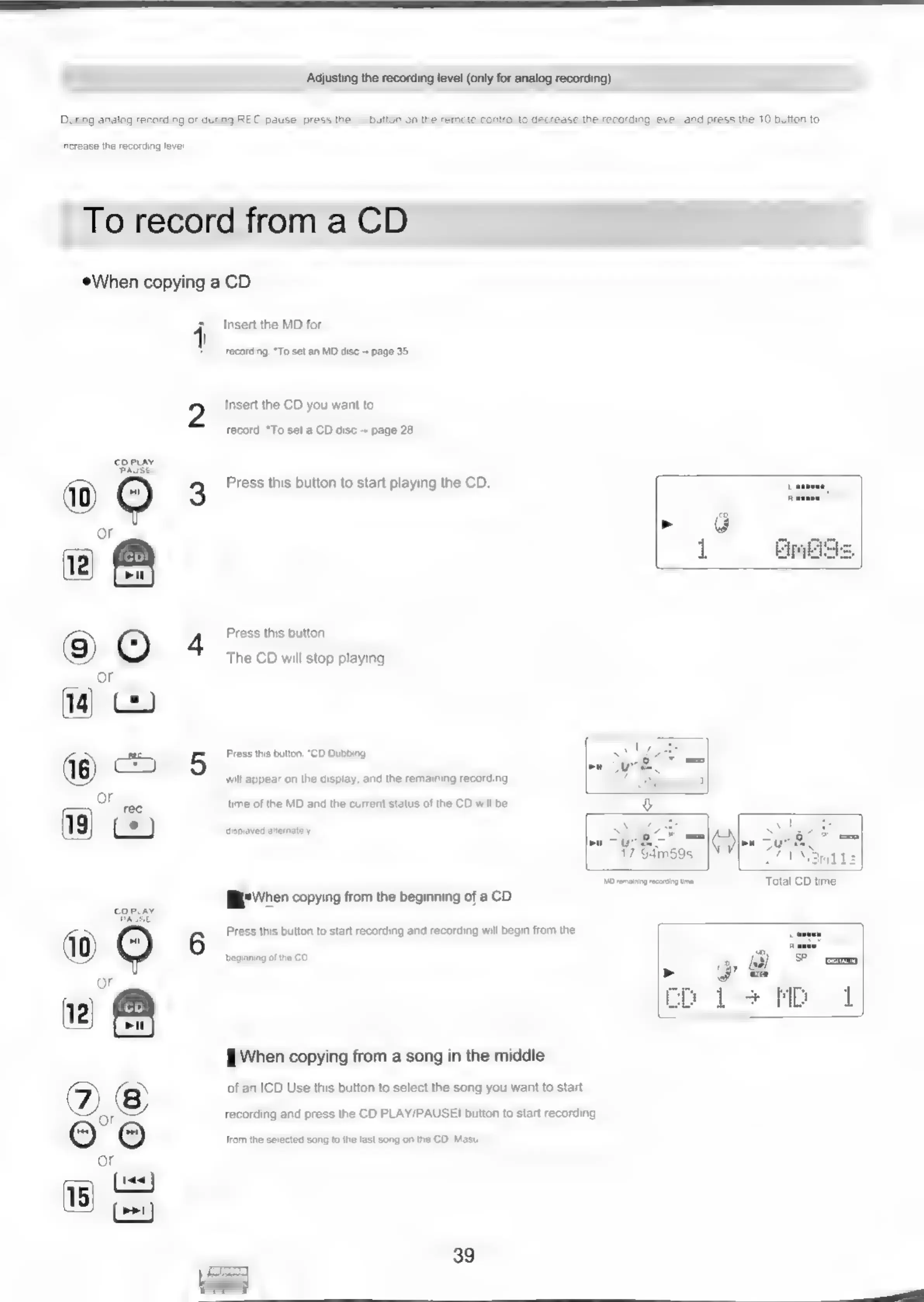
3
Press
this
button
to
start
playing
the
CD.
4
Press
this
button.
The
CD
will
stop
playing.
5
Press
this
button.
“CD
Dubbing
will
appear
on
the
display,
and
the
remaining
recording
time
of
the
MD
and
the
current
status
of
the
CD
will
be
displayed
alternately
smils
Mo
remaining
recording
time
Total
CD
time
E
When
copying
from
the
beginning
of
a
CD
6
Press
this
button
to
start
recording
and
recording
will
begin
from
the
beginning
of
the
CD.
When
copying
from
a
song
in
the
middle
of
an
ICD
Use
this
button
to
select
the
song
you
want
to
start
recording
and
press
the
CD
PLAY/PAUSE!
button
to
start
recording
from
the
selected
song
to
the
last
song
on
the
CD,
Masu.

Related product manuals