EasyManua.ls Logo

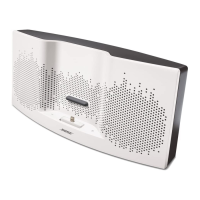
Bose SoundDock - User Manual

Bose SoundDock
17 pages
Print Icon
To Next Page IconTo Next Page
Loading...
DIGITAL
MUSIC
SYSTEM
PORTABLEM()D.EL
" "
Owner's
Guide
Brugervejledning
Bed
ienungsanleitung
Guia de
usa
rio
Kayttoohje
Notice
d'utilisation
Manuale
di
istruzioni
Gebruiksaanwijzing
Bruksanvisningen

Other manuals for Bose SoundDock

Questions and Answers

  • A
    Amy JohnsonSep 23, 2025
    What to do if there is no sound after quickly undocking or docking iPod on Bose SoundDock?
    • Z
      Zachary RodgersSep 23, 2025
      If there's no sound after quickly undocking or docking your iPod with your Bose Docking Station, remove the iPod, wait 5 seconds, and then return it to the dock. Alternatively, unplug the power cable for 1 minute and then plug it back in to reset the system.
  • L
    Lucas TaylorAug 23, 2025
    Why is there no sound from my Bose SoundDock?
    • L
      lori92Aug 23, 2025
      If you're not getting any sound from your Bose Docking Station, try the following: First, ensure the system is plugged in, your iPod/iPhone is on, and a music track is playing. Next, press the Play/Pause button on the remote. Also, increase the volume. Try removing and reseating your iPod/iPhone, and ensure your iPod/iPhone is running compatible software. You may need to reseat it a few times.
  • L
    lopezvickiAug 25, 2025
    Why is my Bose SoundDock not charging my iPod/iPhone and there is no sound?
    • P
      Penny JimenezAug 25, 2025
      If your Bose Docking Station is not charging your iPod/iPhone and there's no sound, verify that the power cord is securely connected to a working wall outlet, matching the symbol on the connector to the one on the SoundDock® system's back. Also, make sure your iPod/iPhone is a compatible model and is firmly seated in the dock.
  • M
    Megan DayAug 27, 2025
    What to do if my iPod/iPhone does not respond to the Bose SoundDock remote control?
    • S
      stephanie71Aug 27, 2025
      If your iPod/iPhone isn't responding to the Bose SoundDock remote, try these steps: * Remove and reseat your iPod/iPhone in the dock, possibly a few times. * Try using the remote from a different spot in the room. Strong lighting or room conditions might be interfering. * Ensure nothing is blocking the infrared (IR) signal between the remote and the SoundDock system. Clean the small lens on the remote's front. * Check that the remote battery is correctly installed with the + side up. * Replace the remote battery. * Make sure your iPod/iPhone is running the latest software. * Confirm your iPod is a compatible model (one without four buttons above the click wheel).
  • J
    Jeff SimsAug 27, 2025
    How to fix iPod/iPhone that does not dock properly with Bose Docking Station?
    • N
      Nicole DavisAug 28, 2025
      If your iPod/iPhone isn't docking correctly with your Bose Docking Station: * Take out your iPod/iPhone and inspect the connectors on both the dock and your device for any obstructions. Then, try docking it again. * Remove your iPod/iPhone, wait for about five seconds, and then firmly re-dock it. You might need to repeat this a couple of times. * Ensure that the insert provided by Apple with your iPod/iPhone is correctly placed in the dock. If you're missing this insert, get in touch with Apple for a replacement.
  • A
    Amy ZhangSep 18, 2025
    How to fix Bose SoundDock Docking Station remote control when it doesn't respond to my iPod?
    • A
      Alexander LamSep 18, 2025
      If your iPod isn't responding to the Bose SoundDock remote, remove and reseat your iPod, potentially a few times. Test the remote from a different location to rule out lighting or room conditions. Ensure nothing is blocking the infrared (IR) signal; wipe the small red lens on the remote. Verify the remote battery is correctly installed (+ side up) or replace it. You might also need to upgrade your iPod software.
  • N
    Nicholas ParkerSep 15, 2025
    What to do if my Bose Docking Station has no sound and my iPod/iPhone is not charging?
    • A
      Amanda ArnoldSep 15, 2025
      If you're experiencing no sound and your iPod/iPhone isn't charging, verify that the power cable is securely connected to a working wall outlet and that the symbol on the small connector matches the one on the back of the SoundDock® system. Also, ensure your iPod/iPhone is firmly seated in the dock.
  • T
    Tammy HessSep 16, 2025
    How to fix an iPod/iPhone that does not dock properly on a Bose SoundDock?
    • L
      littlemarcSep 17, 2025
      If your iPod/iPhone isn't docking correctly with your Bose Docking Station, first remove it and inspect the connectors on both the dock and your device for any obstructions. Then, firmly reseat it. If that doesn't work, remove it again, wait five seconds, and reseat it firmly, possibly repeating this a few times. Also, ensure the insert provided by Apple is correctly positioned in the dock; if you're missing this insert, contact Apple for a replacement.
  • A
    Ashley RobertsonSep 6, 2025
    Why is my Bose SoundDock Docking Station not responding to the remote or volume buttons?
    • J
      Jeffrey CastroSep 6, 2025
      If your Bose SoundDock system isn't responding to remote commands or the volume buttons, unplug the power cable for 1 minute, then plug it back in to reset the system.
  • D
    Dawn GarciaSep 3, 2025
    What to do if there is no sound after quickly undocking or docking my iPod/iPhone on my Bose Docking Station?
    • H
      Heidi SheltonSep 4, 2025
      If you experience a loss of sound after quickly undocking and docking your iPod/iPhone on your Bose Docking Station, remove your iPod/iPhone from the dock, wait five seconds, and then return it to the dock. Alternatively, unplug the power cable for one minute, then plug it back in to reset the system.

Summary

Important Safety Instructions

General Safety Warnings

Crucial warnings about fire, electric shock, and proper usage of the product.

Electrical Noise Information

Details on product compliance with FCC rules for digital devices and radio frequency interference.

Using Your SoundDock Portable System

iPod Connection and System Setup

Guide to connecting an iPod, unpacking, and initial system setup procedures.

Powering and Portability

Instructions on using AC power, battery charging, and taking the power supply along.

Battery Operation and Indicators

Information on system battery charging, usage, and interpreting indicator lights.

Docking and Remote Control

Instructions for docking an iPod and operating the system via the remote control.

Playing Audio Sources

How to play music from iPods, other connected devices, and understand system lights.

Other Care and Handling

System Maintenance & Cleaning

Guidelines for cleaning and general upkeep of the SoundDock system.

System Battery Replacement

Procedures for removing and installing the main system battery.

Remote Battery & Adapter Management

Instructions for replacing the remote control battery and removing the power supply adapter.

Troubleshooting Common Issues

Solutions for common operational problems encountered with the system.

Technical Information & Warranty

Key technical specifications, customer service contacts, and warranty details.

Bose SoundDock Specifications

General IconGeneral
CompatibilityiPod
Product colorBlack
Dimensions (WxDxH)302.6 x 168.9 x 164.7 mm
Weight and Dimensions IconWeight and Dimensions
Weight2070 g

Related product manuals