13
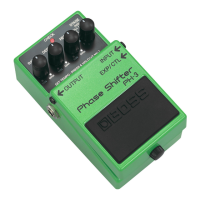
Setting the Tempo with the PH-3’s Pedal Switch
* RATE cycles for use with the tempo settings can be made in the range of 0.2–16 seconds.
1.
Step on, and continue depressing the
PH-3’s pedal switch for at least two
seconds.
If the pedal switch is pressed when the
effect is on, the CHECK indicator goes
out, and the effect is turned off for two
seconds.
If the pedal switch is pressed when the
effect is off, the CHECK indicator turns
red, and the effect is turned on for two
seconds.
* For switching without the normal stress
and hassle of turning effects on and off,
when you go into the tempo setting mode
while the effect is on, the effect is first
switched off for two seconds, and the PH-
3 switches to tempo setting mode.
2.
The CHECK indicator then flashes in
red and green, and the tempo can
then be set with the effect on.
* Here, the tempo is indicated by the value
set with the RATE knob.
3.
Press the PH-3’s pedal switch in tim-
ing with the tempo.
The CHECK indicator then flashes in red
and green in time with the tempo.
* When the pedal switch is pressed, the filter
is completely lowered (except when set to
RISE or FALL). When using this, even if
the RATE (as shown by the flashing
CHECK indicator) is off slightly from the
tempo, you can match the RATE to the
tempo with one step on the PH-3's pedal.



 To Next Page