Various Settings
13
Switching Between Direct Sounds (DIRECT MODE)
1.
Press and hold down the [TAP] switch, and turn on the power.
2.
Turn the [MODE SELECTOR] knob to the “9” setting.
Use the [MEMORY] button to select a sound.
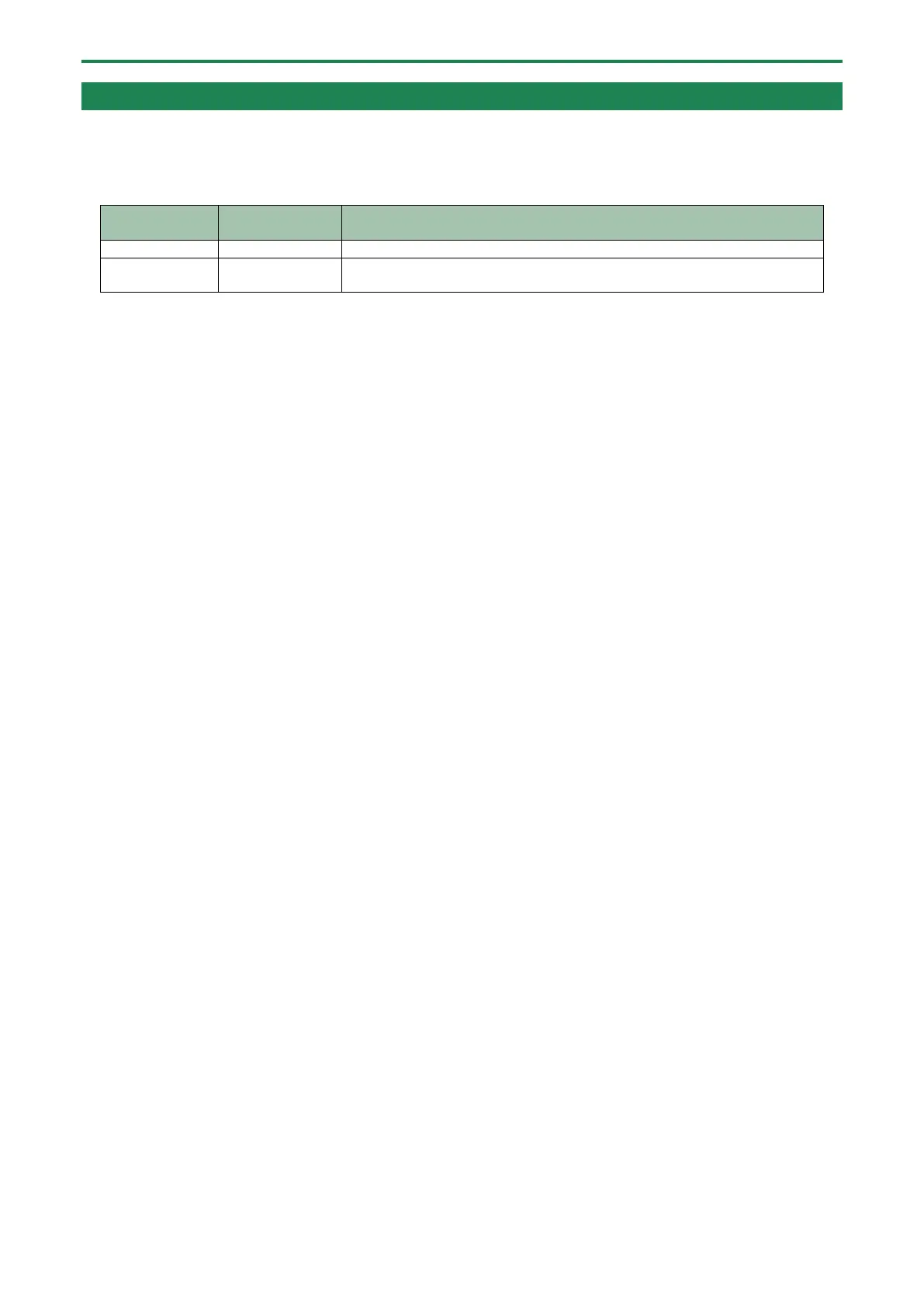
Function Explanation
The audio input is outputted without change.
1
Uses digital signal processing to recreate the sound of the direct sound going
through a RE-201 preamp.
3.
Press the [TAP] switch to exit the settings.
* When this is set to “RE-201 Simulation,” the simulation effect is still heard even when the effect is off.
* When this is set to “RE-201 Simulation,” the effect of the [SATURATION] knob when the effect is on adds preamp distortion to
both the echo sound and the direct sound at the same time.





 To Next Page