- SAT : The current TV/Radio list is for the channels searched in a satellite. If you
change the satellite with the SAT button, the list is updated with the channels
searched in the satellite. (The channel list is configured with the channels
searched in a satellite. If you set up the digital positioner to change the satellite,
a message wait moving dish is displayed. The SAT button is disabled in the
favorite channel mode because there can be a number of different satellites.)
- Numeric Key(0-9) : You can change channel by inputting channel number directly.
- Up/Down : Moves to the previous/next channel.
- Left/Right : Adjusts volume.
- LANG : Shows the list of the audio language available in the current channel. (The
selected audio language information is saved and applied when you watch
the channel.)
- FAV : The Favorite List is displayed.
- MENU : You can enter the Main Menu.
- OK : You can select an item in the SAT, SUBTITLE or LANG list.
Program list is displayed according to TV/Radio Mode.
- EXIT : The button makes a banner or other lists including SAT, SUBTITLE and LANG
disappeared.
- EPG : The EPG menu of the current TP is displayed.
- SUBTITLE : Shows the list of subtitle languages the current channel supports.
- PAUSE : Pause the video/audio output of receiver.
To clear pause press PAUSE button again.
- INFO : If you press the INFO button once, a banner is displayed on the upper part of
the screen, and if you press the button again before the upper banner is
disappeared, a new banner is displayed showing the details of the currents
channel.
Tips
TV/Radio/Favorite List is classified into the Simple mode and the Edit mode.
If you press TV/Radio/Fav at Normal, the Simple mode menu is displayed.
The simple mode provides fast channel move and fast display of basic
information, but does not provide the Edit function. If you want to edit, select
Channels Manager and Favorites Manager of Main Menu at Normal status.
The TV/Radio/Favorite menu displayed in this section is the Simple mode.
To use edit function, see 4.5 Channel Manager and 4.7 Favorites Manager.
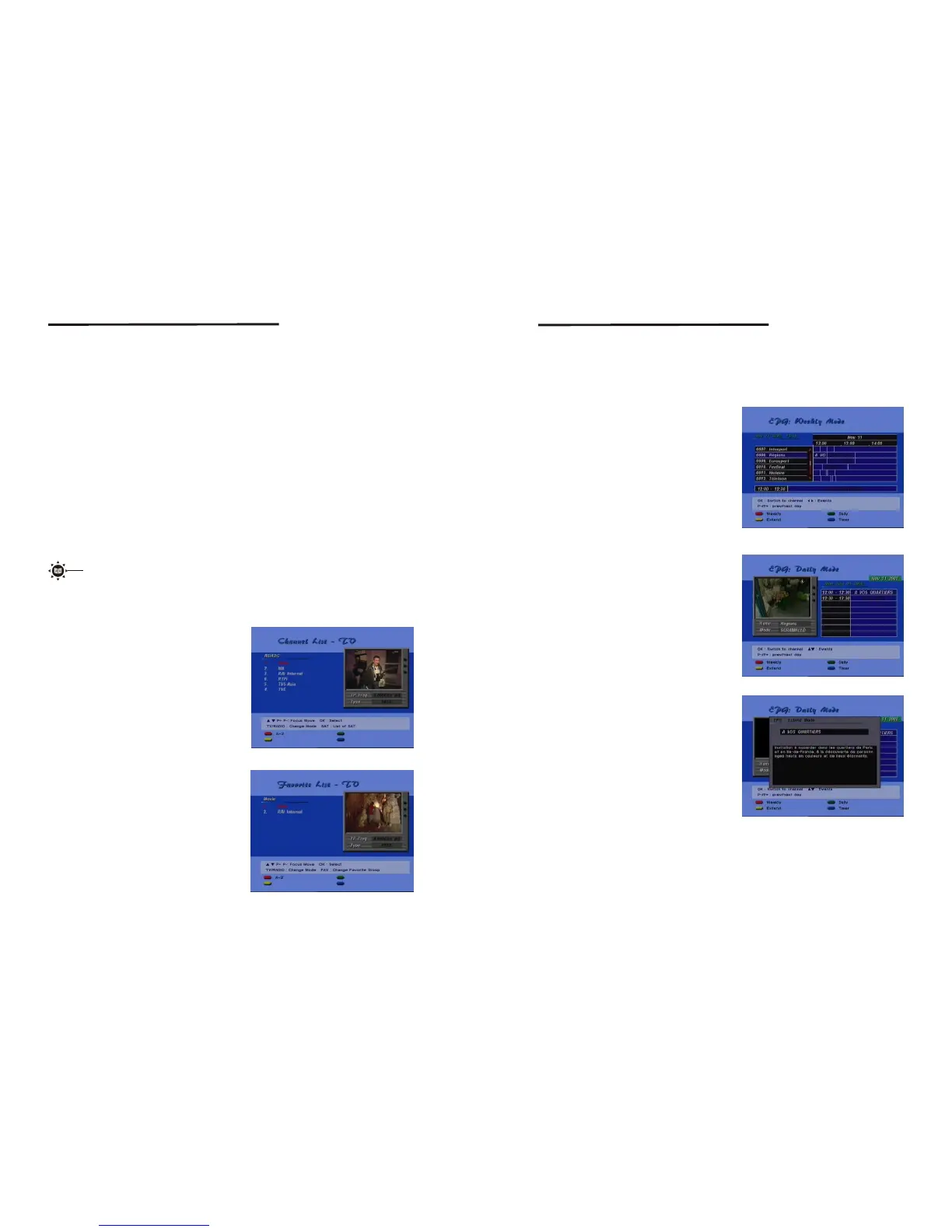
<TV/Radio List in Simple mode>
<Favorite List in Simple mode>
If you press TV/RADIO/OK on the remote
controller, at No menu state, the screen is
displayed as follows.
You can preview the channel and move the
channel fast with the P+/P- button.
If you press FAV on the remote controller
at No menu state, the screen is displayed
as follows.
You can preview the channel and move the
channel fast with the P+/P- button.
<screen 11>
<screen 12>
16
17
4.4 EPG
EPG shows the event information on the current TP channel by time Zone. EPG is
divided into Weekly mode, Daily mode, and Extend mode, an d provides tim er based
recording and automatic power ON/OFF. The event is displayed only at the channel
that have EPG information. If you press EPG, the Weekly mode is displayed as a default.
Weekly
The current TP channel list is displayed on
the left, and the event information is displayed
on the right by time zone. To view the detailed
information of an event in the Extend mode,
press Yellow(Extend) with the Left/Right/Up
/Down key. If you want to display the Daily
mode of the current channel, press Green
(Daily). Press EXIT to close the EPG menu.
<screen 13>
Daily
Extend
Shows the designated channel in PIG, and
displays the channel even t in det ail.
If you press Yellow(Extend), an Extend
window is displayed as in the Weekl y mode,
showing detailed information of the event.
Press EXIT to close the EPG menu.
Shows the detailed information of the cu rrent
event . To close the mode, press EXIT on the
remote controller.
<screen 14>
<screen 15>
Setting and Operations
Setting and Operations



 To Next Page
 Loading...