4 Preparation
900-001_IFU_V1.0_11270-S0-20130118-EN ARC PLUS Operating Manual 25
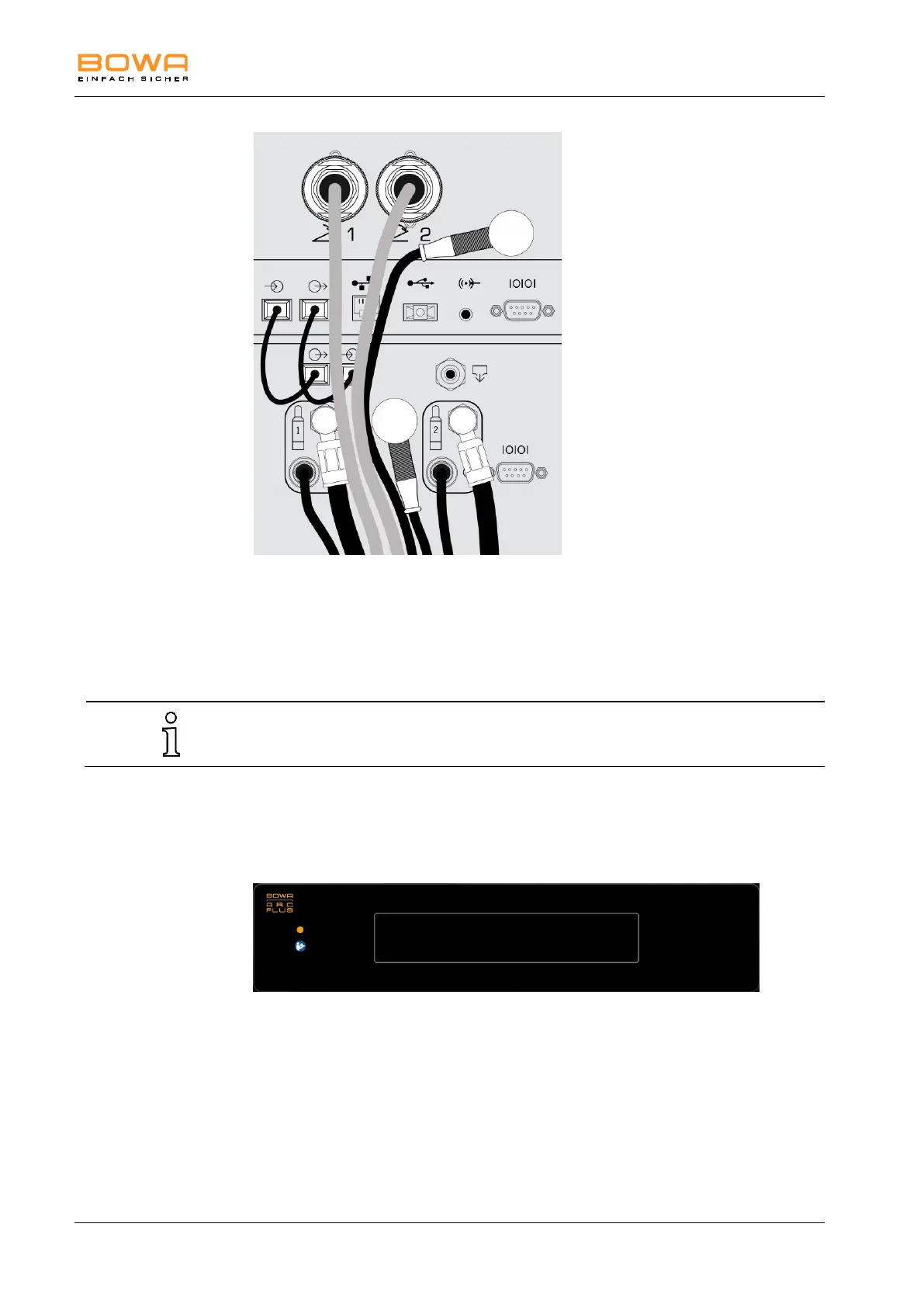
Figure 4-2: Example connections with an ARC 400, two gas bottles and pressure
reducers with electronic pressure sensors
4.2. Switching on the argon device
Do not use the argon device if the display components are not working. For fault
correction, see Section “Detecting and Correcting Faults“, page 34.
1. Connect the sterile filter, the argon interconnect cable and the instruments.
2. Switch on power switch 16 on the rear panel of the ARC PLUS.
3. Switch on the ARC 350 or ARC 400 and select an argon operating mode.
Figure 4-3: Sleep mode
4. The ARC PLUS is activated automatically, and the operating state indicator 2
changes from orange (Sleep) to green (Standby).
The argon device carries out a self-test: all illuminated indicators and the
internal pneumatic valves are tested.
5. Check that all indicators and LEDs on the front panel light up white.



 To Next Page