EasyManua.ls Logo

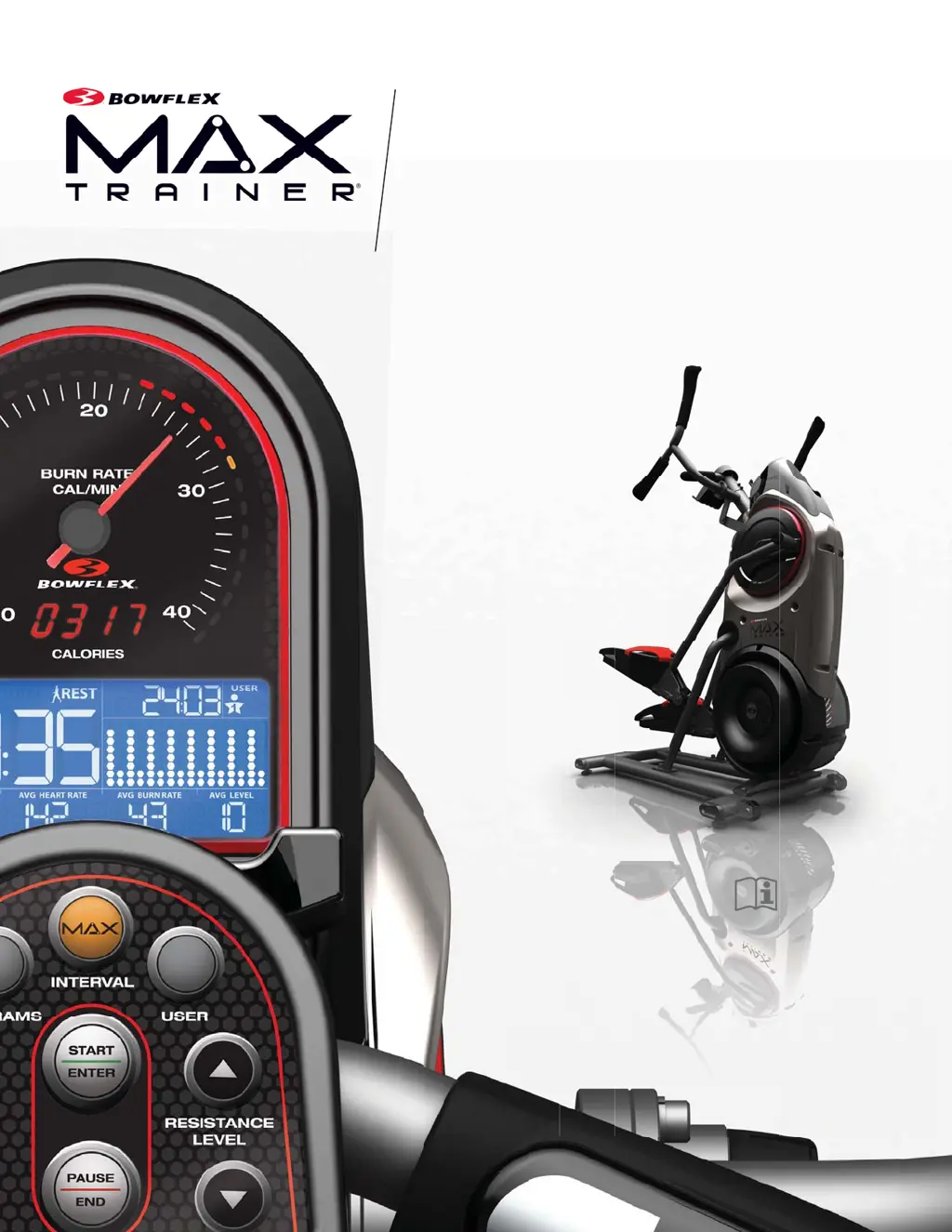
Bowflex Max Trainer M5 - User Manual

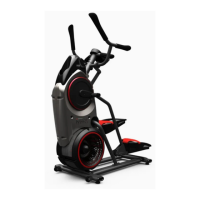
Bowflex Max Trainer M5
56 pages
Print Icon
To Next Page IconTo Next Page
Loading...
M5
OWNER’S / ASSEMBLY MANUALOWNER’S / ASSEMBLY MANUAL
Manual en Español
Latino Americano:
www.support.nautilus.com

Questions and Answers

  • B
    brendakingSep 10, 2025
    What to do if Bowflex Exercise Bike console buttons not responding?
    • M
      Michael ReeseSep 10, 2025
      If the console on your Bowflex Exercise Bike isn't responding when a button is pushed, first try other buttons to see if any elicit a response. Check the cable for any damaged wires and replace it if necessary. Ensure the cable is securely connected and properly oriented. Inspect the console display and console button assembly for any visual damage; replace them if damage is found.
  • S
    Samantha LewisAug 22, 2025
    What to do if Bowflex Fitness Equipment pedals will not move?
    • Q
      qphillipsAug 22, 2025
      If the pedals aren't moving, they may be “bottomed out.” To resolve this, safely grasp the Static Handlebars and apply your weight to the heel of the higher foot. While still holding the handlebars, lean back slightly, applying more weight onto your heel. Once the pedals begin to move, you can resume your workout.
  • P
    Peter AndersonAug 25, 2025
    Why Bowflex Fitness Equipment unit rocks or does not sit level?
    • T
      Tiffany HolderAug 25, 2025
      If your machine rocks or doesn't sit level, you can adjust the levelers until the machine is stable. Alternatively, try moving the machine to a more level area.
  • S
    Steven WilliamsonAug 26, 2025
    What to do if Bowflex Fitness Equipment foot pedals loose?
    • G
      gholmesAug 27, 2025
      If the foot pedals feel loose, tightly secure all hardware on the Pedal Arms and Handlebar Arms.
  • B
    Bobby FuentesAug 28, 2025
    Why won't the fan on my Bowflex Fitness Equipment turn?
    • J
      James DawsonAug 28, 2025
      If the fan won't turn, check for and remove any material obstructing it. Be careful not to move the handlebars, legs, or pedals while doing so.
  • S
    Sabrina MillerAug 29, 2025
    What to do if my Bowflex Exercise Bike has no display or won't turn on?
    • W
      Wendy AndersonAug 29, 2025
      If your Bowflex Exercise Bike's display is not working, is only partially on, or the unit won't turn on, first ensure the bike is plugged into a functioning wall outlet. Then, pedal the machine for a few seconds to activate the console. Check the adapter and connection at the unit for damage and ensure the cable is securely connected and properly oriented, with the small latch snapped into place. Inspect the cable for any crimped or cut wires, and if found, replace it. Finally, check the console and AC adapter for any visible damage; replace them if necessary. If the console shows a partial display and all connections are fine, consider replacing the console.
  • B
    Bradley HughesSep 18, 2025
    What to do if Bowflex Exercise Bike pedals will not move?
    • L
      Laura SanfordSep 18, 2025
      If the pedals on your Bowflex Exercise Bike will not move, they may be 'bottomed out'. Grasp the static handlebars and apply your weight to the heel of the higher foot, leaning back slightly while still grasping the handlebars. Once the pedals begin to move, resume your workout.
  • M
    Melinda ManningSep 12, 2025
    Why is telemetric HR not displayed on my Bowflex Exercise Bike?
    • C
      Christopher BaileySep 12, 2025
      If your Bowflex Exercise Bike operates, but the telemetric heart rate (HR) isn't displayed, make sure your strap is POLAR® compatible and uncoded. Ensure the strap is directly against your skin and the contact area is wet. Also, try moving the unit away from potential sources of interference like TVs and microwaves.
  • L
    lisacarterSep 8, 2025
    How to fix no speed/RPM reading on Bowflex Exercise Bike?
    • M
      Monique MorrisSep 8, 2025
      If your Bowflex Exercise Bike isn't showing a speed or RPM reading, check that all wires in the cable are intact, replacing it if any are cut or crimped. Ensure the cable is securely connected and oriented properly. Verify the magnet is in place on the pulley and that the speed sensor is aligned with the magnet and connected to the data cable. Realign the sensor if necessary, and replace it if damaged. If these steps don't resolve the issue, further assistance is needed.
  • J
    Justin HolmesSep 5, 2025
    What to do if my Bowflex Fitness Equipment seems to release pedals during operation?
    • C
      careydwayneSep 5, 2025
      If the machine seems to release the pedals momentarily during operation, contact Customer Care for further assistance.

Summary

Important Safety Instructions

Safety Warnings and Compliance

Safety Warning Labels and Serial Number

Identifies safety labels and the location of the serial number on the machine.

FCC Compliance

Ensures the machine and power supply comply with FCC rules for operation.

Specifications and Setup

Specifications

Details the machine's dimensions, weight limits, and power requirements.

Before Assembly

Guidelines for selecting the workout area and preparing for assembly.

Basic Assembly Tips

Provides fundamental advice for a smooth and safe assembly process.

Machine Mat

Information on the optional protective mat for the workout area.

Parts Identification

Box 1 Parts

Lists and illustrates components found in Box 1.

Box 2 Parts

Lists and illustrates components found in Box 2.

Hardware and Tools

Hardware List

Details all screws, nuts, washers, and caps used in assembly.

Tools Included

Lists the tools provided with the machine for assembly.

Assembly Instructions

Attach Rail Assembly to Frame

Connecting the rail assembly to the main frame.

Attach Frame to Stabilizer

Securing the frame assembly to the stabilizer base.

Attach Shroud and Caps

Installing the rear shroud and protective caps on the frame.

Attach Legs

Connecting the leg components to the main frame.

Attach Pedals

Mounting the pedal assemblies onto the leg components.

Connect Foot Pads

Attaching the foot pads and inserts to the pedal arms.

Attach Upper Handlebars

Connecting the upper handlebar assembly to the machine.

Connect Static Handlebar

Securing the static handlebar assembly to the console area.

Connect AC Adapter

Plugging in the power adapter for the machine.

Final Inspection

Ensuring all parts are secure and properly assembled before use.

Adjustments and Setup

Moving the Machine

Instructions on how to safely move the assembled fitness machine.

Leveling the Machine

Steps to ensure the machine is stable and balanced on the floor.

Machine Features Overview

Component Identification

Diagram and list identifying all major parts of the Bowflex Max Trainer.

Console Display Information

Burn Rate and Target Intensity

Explains Burn Rate display and Target Burn Rate LED Range.

Workout Metrics Displays

Covers Calories, LCD Data, and Time displays.

Indicator Lights

Details Maximum Burn Rate LED and Bluetooth® Synced Indicator.

Connectivity and Sensors

Bluetooth Connectivity

Details wireless syncing with the Bowflex Max Trainer App.

Fitness App Integration

Explains how to download and use the Bowflex Max Trainer 2 App.

Contact Heart Rate Sensors

How to use the handlebar sensors for heart rate monitoring.

Heart Rate Monitoring

Remote Heart Rate Monitor

Using chest straps for advanced heart rate tracking.

Chest Strap Usage

Instructions on wearing, cleaning, and maintaining the heart rate chest strap.

Heart Rate Calculations

Information on typical heart rate ranges and factors affecting them.

Fitness Basics and Apparel

Frequency and Consistency

Guidelines for establishing a regular workout routine and staying motivated.

Recommended Apparel

Advice on suitable clothing and footwear for using the machine.

Warm-Up Stretches

Dynamic Knee Hug

Instructions for a dynamic stretch focusing on the knee and hip.

Dynamic Knee Bend

A stretch to improve hamstring flexibility and balance.

Dynamic Knee Kick

A dynamic stretch targeting quadriceps and hip flexors.

Dynamic Twist

A stretch to improve torso rotation and core flexibility.

Additional Warm-Up Stretches

Dynamic Bent Knee Heel Press

A stretch for calf and Achilles tendon flexibility.

Dynamic Side Reach

A stretch for the obliques and side body.

Workout Types and Principles

Steady State Workouts

Describes workouts focused on maintaining a consistent intensity.

Interval Training Workouts

Explains high-intensity interval training for calorie burn and fitness.

After Burn Rate (EPOC)

The physiological effect of increased calorie expenditure post-workout.

Workout Log and Cool-Down

Workout Log

A template for tracking workout progress and achievements.

Lying Leg Raise

A cool-down stretch for the hamstrings and lower back.

Cool-Down Stretches

Lower Body Stretches

Includes side lying knee bend, figure four, and heel drop stretches.

Torso and Hip Stretches

Includes seated twist and seated figure four stretches.

Operations and Usage

Exercise Frequency and Intensity

Guidance on how often and how intensely to exercise.

Hand Placement (Grip Selection)

Advice on positioning hands on handlebars for varied workouts.

Mounting and Dismounting

Instructions on how to safely get on and off the machine.

Getting Started and Modes

Getting Started

Initial steps for setting up and preparing to use the machine.

Power-Up;Idle Mode

The console's state when powered but not in use.

Auto Shut-Off (Sleep Mode)

The console automatically powers down after inactivity.

Workout Programs - Manual & Interval

Manual (Quick Start) Program

An open-ended workout for tracking total time and control.

MAX Interval Workout Program

Alternates intense 'ACTIVE' and recovery 'REST' segments.

Workout Program Types

Standard Workouts

Programs based on resistance levels: Calorie Burn, Stairs, Fat Burn.

SMART Workouts

Programs based on burn rate: Calorie Goal, Steady State.

Fitness Test and Smart MAX Interval

Fitness Test

Measures physical fitness level by comparing power output to heart rate.

SMART MAX Interval

MAX Interval with console-adjusted resistance for target burn rate.

Console Operation Modes

Paused; Results Mode

How to pause workouts and view results.

Edit a User Profile

Customizing user settings for accurate calorie and burn rate tracking.

Customize MAX Interval Program

Adjusting interval times and burn rates for MAX Interval workouts.

Customizing Workout Goals

Customize Workout Goals

Adjusting time and calorie targets for Standard and Calorie Goal workouts.

Console Setup Mode

Console Setup Mode

Controlling sound settings and viewing maintenance statistics.

Maintenance Schedule and Procedures

Daily Maintenance

Checks and cleaning required before each use.

Weekly Maintenance

Tasks to perform weekly for optimal machine condition.

Monthly Maintenance

Checking bolts and screws for tightness.

Replace Chest Strap Battery

Procedure for replacing the battery in the heart rate chest strap.

Maintenance Parts Identification

Maintenance Parts List

Diagram and list of parts for maintenance and repair.

Troubleshooting Common Issues

No Display; Unit Not Turning On

Solutions for power or display problems with the console.

No Response on Console

Troubleshooting steps when console buttons do not work.

No Speed;RPM Reading

Diagnosing issues with speed or RPM sensor detection.

Unit Operates, HR Not Displayed

Resolving problems with telemetric heart rate display.

Troubleshooting Machine Issues

Power and Display Problems

Solutions for console power, display, and responsiveness issues.

Movement and Sound Issues

Addressing problems with pedals, fan, leveling, and noise.

Connectivity and Sync Issues

Resolving problems with workout data syncing via Bluetooth.

Bowflex Body Weight Loss Guide

Introduction and Overview

Purpose and benefits of the weight loss guide.

Results & Expectations

Typical outcomes and factors influencing weight loss.

Tips for Long-Term Success

Strategies for maintaining weight loss and fitness progress.

How to Use this Guide

Instructions on applying the guide's principles for healthy eating.

Meal Planning Guidance

Meal Plan Overview

General guidelines for calorie intake and meal composition.

Breakfast Recommendations

Advice on starting the day with a balanced meal.

Snack Strategies

Tips for choosing snacks to manage hunger and energy levels.

Lunch and Dinner Options

Suggestions for balanced midday and evening meals.

Meal Plan Examples

Breakfast Options

Specific meal ideas for breakfast, including ingredients and preparation.

Lunch & Dinner Options

Specific meal ideas for lunch and dinner.

Snack and Treat Options

Snack Options

List of healthy snack choices.

Optional Treats

Guidance on incorporating occasional 100-150 calorie treats.

Sample 3 Day Plan

A sample daily meal plan for three consecutive days.

Portion Size Guide

Portion Size Guide

Visual and descriptive guide for serving sizes of various food groups.

Grocery List Recommendations

Grocery List

Categorized list of recommended food items for healthy eating.

Maintaining Progress and Resources

Tips for Continued Success

Advice for maintaining weight loss and fitness goals long-term.

Downloadable Resources

Links to helpful forms and guides from the Bowflex website.

Questions & Support

Information on how to get help and engage with the community.

Recipes and Online Logs

Resources for healthy recipes and food tracking tools.

Product Warranty Details

Warranty Coverage and Support

Details who is covered, what is covered, and how Nautilus supports warranty.

Warranty Obligations and Exclusions

Outlines purchaser duties, exclusions, and limitations of the warranty.

Obtaining Service and Legalities

Procedures for service, state law variations, and expirations.

Bowflex Max Trainer M5 Specifications

General IconGeneral
Type-
Product colorBlack, Red, Silver
Bluetooth version4.0
Number of programs10
Maximum user weight136 kg
Variable resistanceYes
Mobile device compatibilityTablet
Number of resistance levels16
Standard heart rate measurementChest belt, Hand grip sensors
Display typeLED
Weight and Dimensions IconWeight and Dimensions
Depth660.4 mm
Width1244.6 mm
Height1600.2 mm
Weight64863.7 g

Related product manuals