86
Calibrating the Resistance:
Note: During the calibration process no one should be pedaling the machine. Standing on the pedals is okay dur-
ing the calibration process.
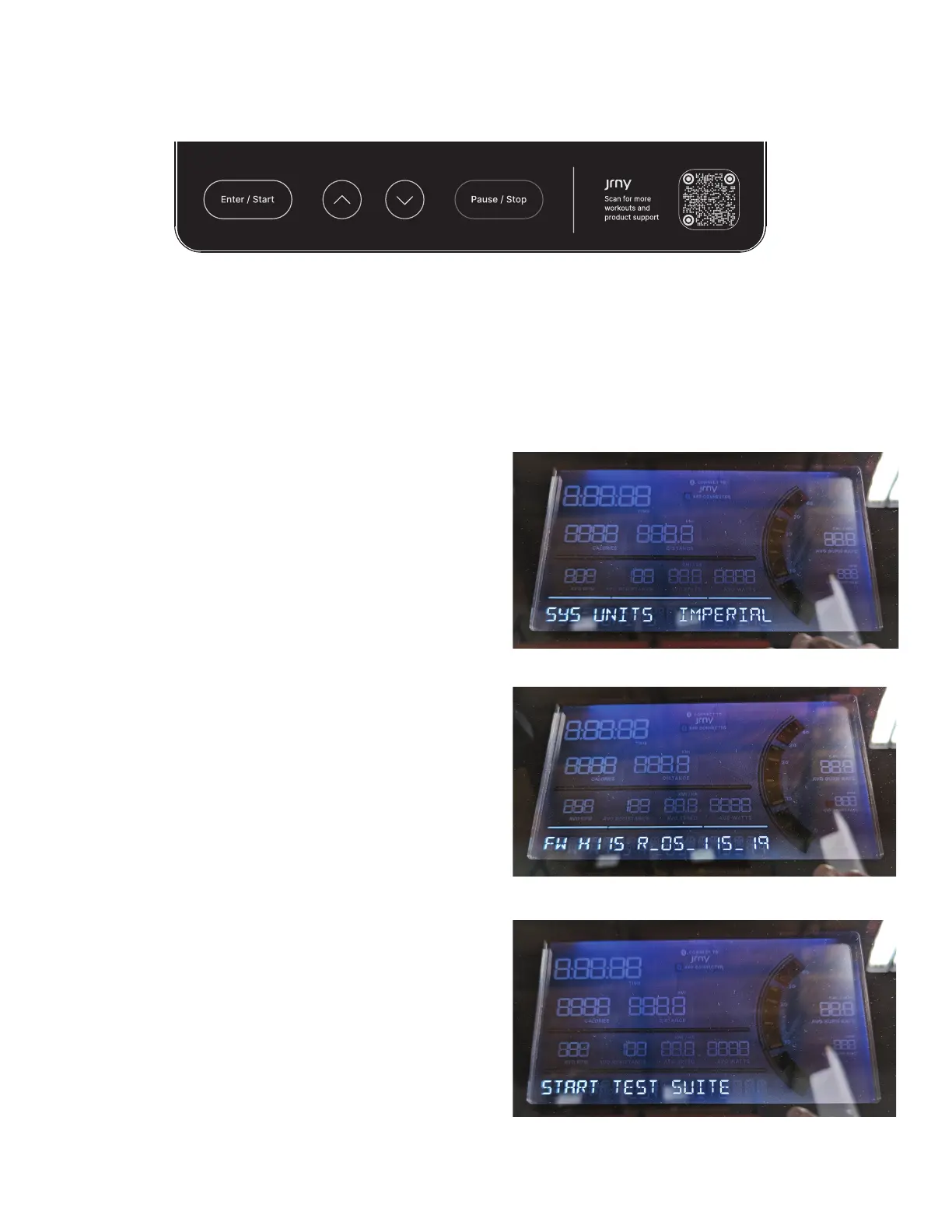
8. Push the Enter/Start button and hold for 3
seconds while in the Power-Up Mode to go into the
Console Setup Mode (System Menu).
Note: To exit the System Menu and return to the Pow-
er-Up Mode screen, push the Pause/Stop button.
9. The Console display shows the System Units
prompt with the current setting. Tap the Enter/
Start button 6 times to advance through the
System Menu.
10. The Console display shows the Hardware Variant
& Console Firmware Version.
Push and hold for 3 seconds the Pause/Stop
button to go to the Manufacturing Test Menu.
11. The Console display shows the START TEST
SUITE menu option. Push the Down () button 2
times to advance to the AUTO CAL_RESISTANCE
(Automated Calibrate Resistance) option.














 To Next Page