14
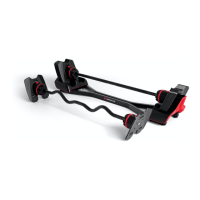
Note:Yourmachinemaynotmatchtheimagesprovidedexactly.
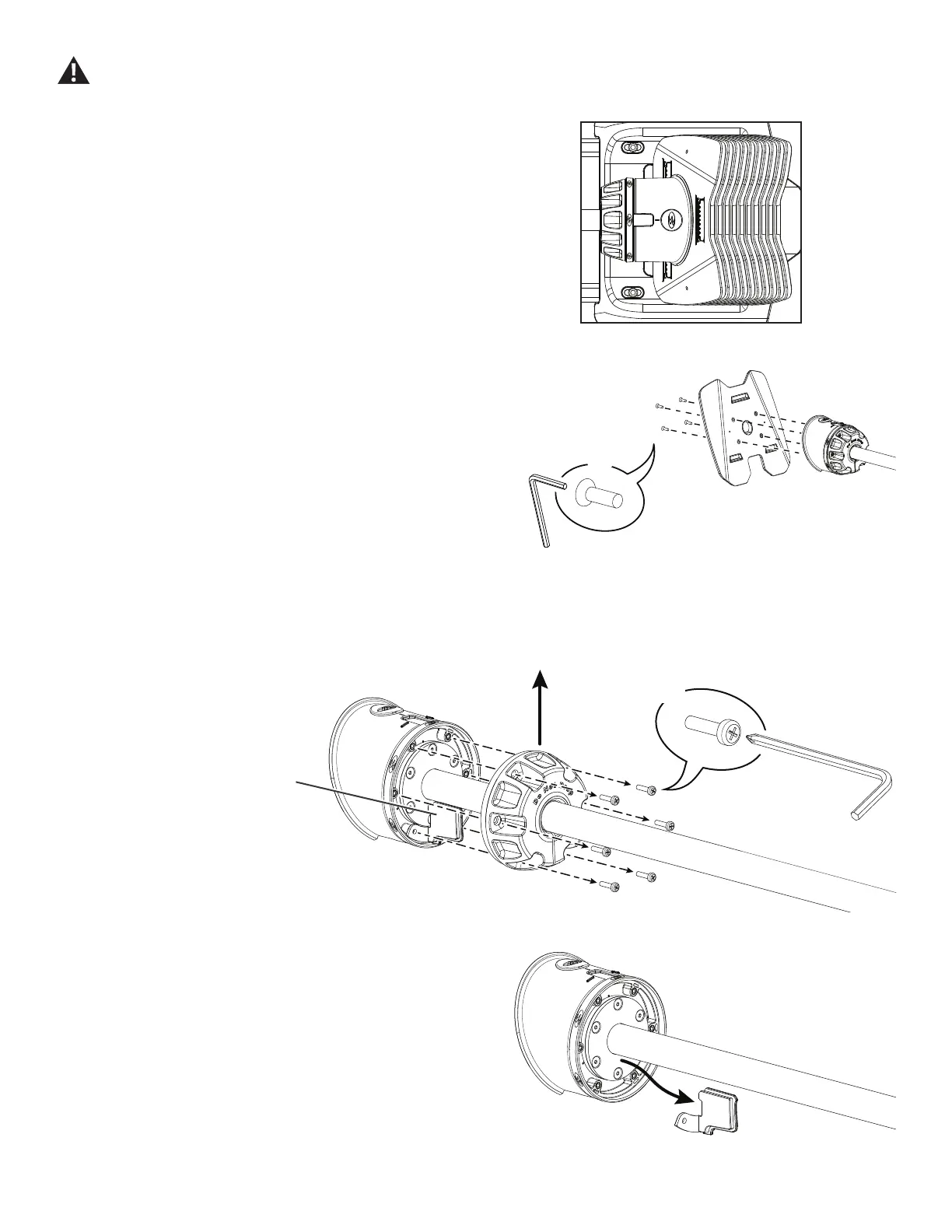
1. Turn both Adjustment Knobs to the number 20. Remove the barbell
assemblyfromthebaseandsetitcarefullyontheoor.
2. Usinga3mmhexwrench,loosenandremovethehardwarethat
attaches the Adapter Plate to the Selection Knob/Housing assembly. Set
the Adapter Plate and hardware safely aside for reassembly.
NOTICE: Hold the Adapter Plate and the end of the Barbell Handle
assembly so that they do not fall. This step may require
two people.
3. Using a #2 Phillips screwdriver, remove the hardware that attaches
the Adjustment Knob to the Selection Housing. Set the hardware safely
aside for reassembly. Remove the Adjustment Knob and discard. Observe
the position of the Filler Insert.
Remove the Filler Insert and discard.
Some components of the machine can be heavy or awkward. Use a second person when doing the assembly steps involving these
parts. Do not do steps that involve heavy lifting or awkward movements on your own.
Filler insert
9.1
20
X4
3mm
X6
#2




 To Next Page