25
Manual TreadClimber
®
Mode
The Manual TreadClimber
®
Mode allows the machine to be used without affecting the G.O. Coach
™
weekly goal.
Manual Mode lets other users workout on the TreadClimber
®
machine besides the main user. No result informa-
tion is tracked from the manual mode.
At the end of a Manual Mode workout, the Console will display your results, erase them, and be ready for the next
manual workout.
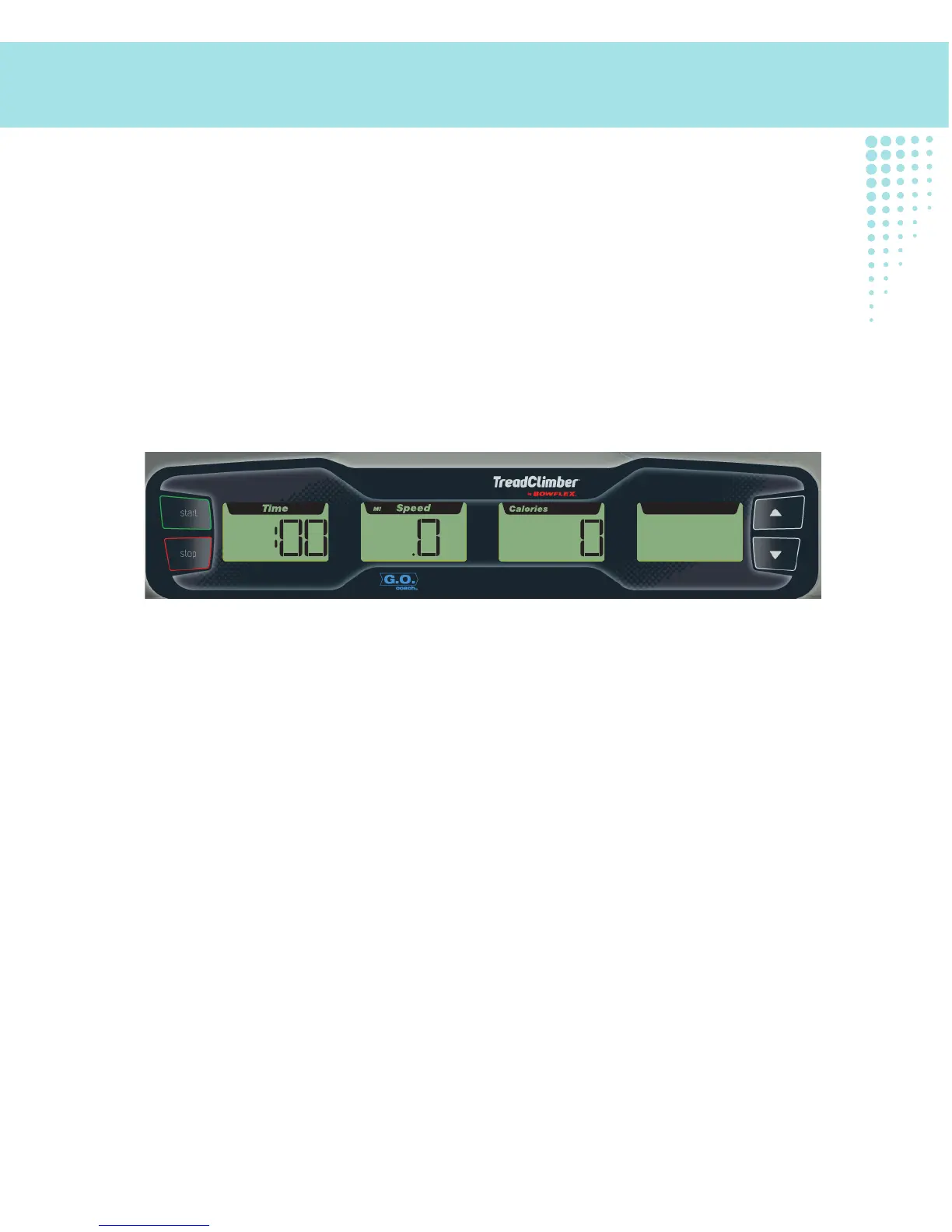
Note: The G.O.Coach
™
display is blank when in this mode. If the G.O. Coach
™
display is visible, push and
hold the START button for two seconds until the display is blank.
To begin a manual TreadClimber
®
workout:
1. Check and be sure the Console is in the Manual TreadClimber
®
Mode (G.O. Coach
™
display is blank).
2. If the display is blank, push START.
3. Your Manual TreadClimber
®
Workout will begin after the three second, audible beep countdown.
Operations












 To Next Page