30
DEMONSTRATION MODE
During Demonstration Mode, the Console will display a video presentation that highlights the key features of the machine and the JRNY™ membership.
The machine ships with Demonstration Mode inactive.
Note: The Console must be on the Log In screen without a User
logged into it to activate Demonstration Mode.
To activate the Demonstration mode:
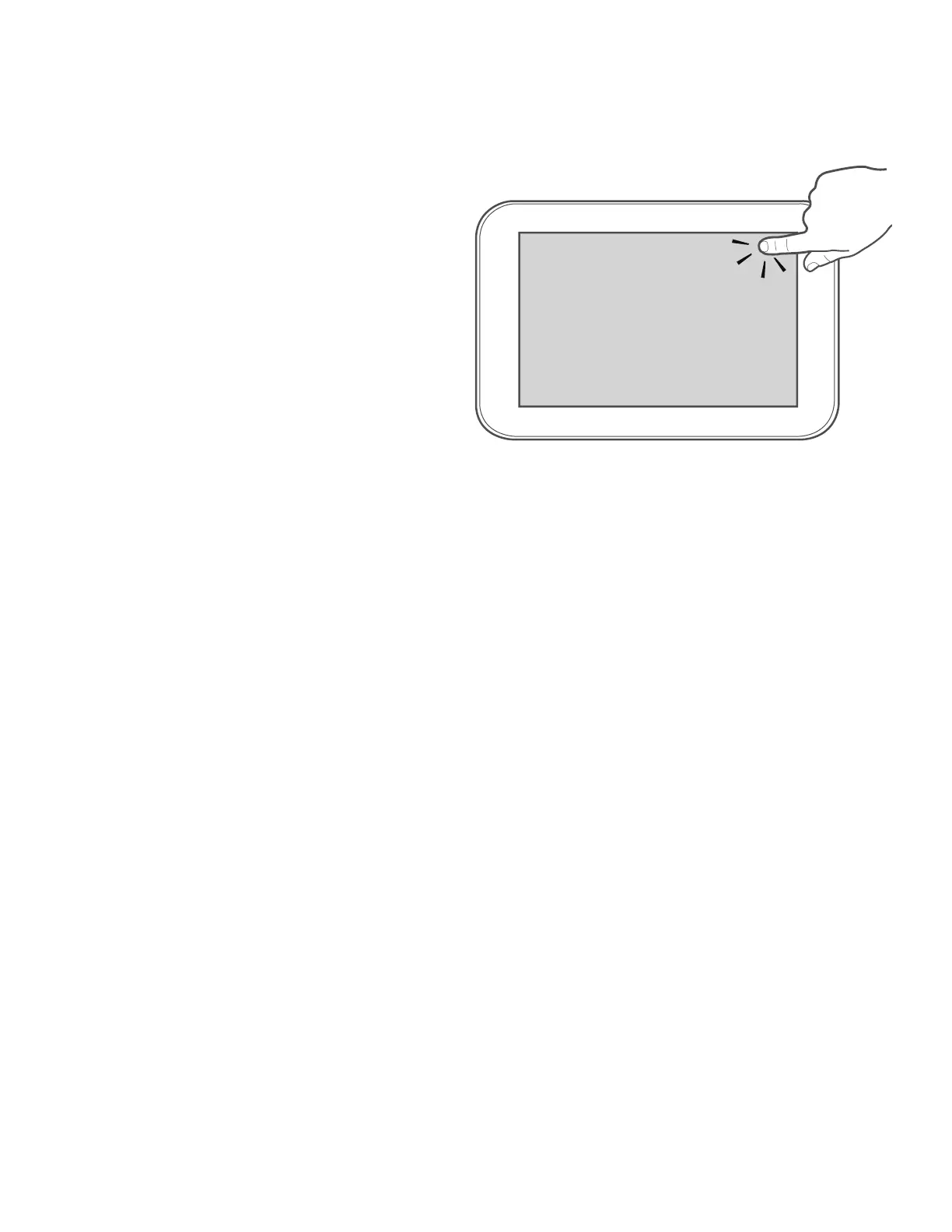
1. With the machine activated, tap ten times in the upper-right corner of
the Console Display. The Console will display the “Advanced User
Actions” menu.
2. Tap on the “Demo mode app” option.
Note: This is where Demo mode is activated and de-activated.
3. Tap on the “Activate Demo mode” option.
4. Inspect the Console to be sure that Demo mode is active and running
on the Console Display.
5. Adjust the volume with the volume controls on the back of the Console Display to the middle volume level. Observe how the volume works in the
environment, and adjust it accordingly.
To exit Demonstration mode, perform the above steps but select “De-Activate Demo Mode”.
X10












 To Next Page