- 19 -
4.4.7 Bypass Volt-Lo setting
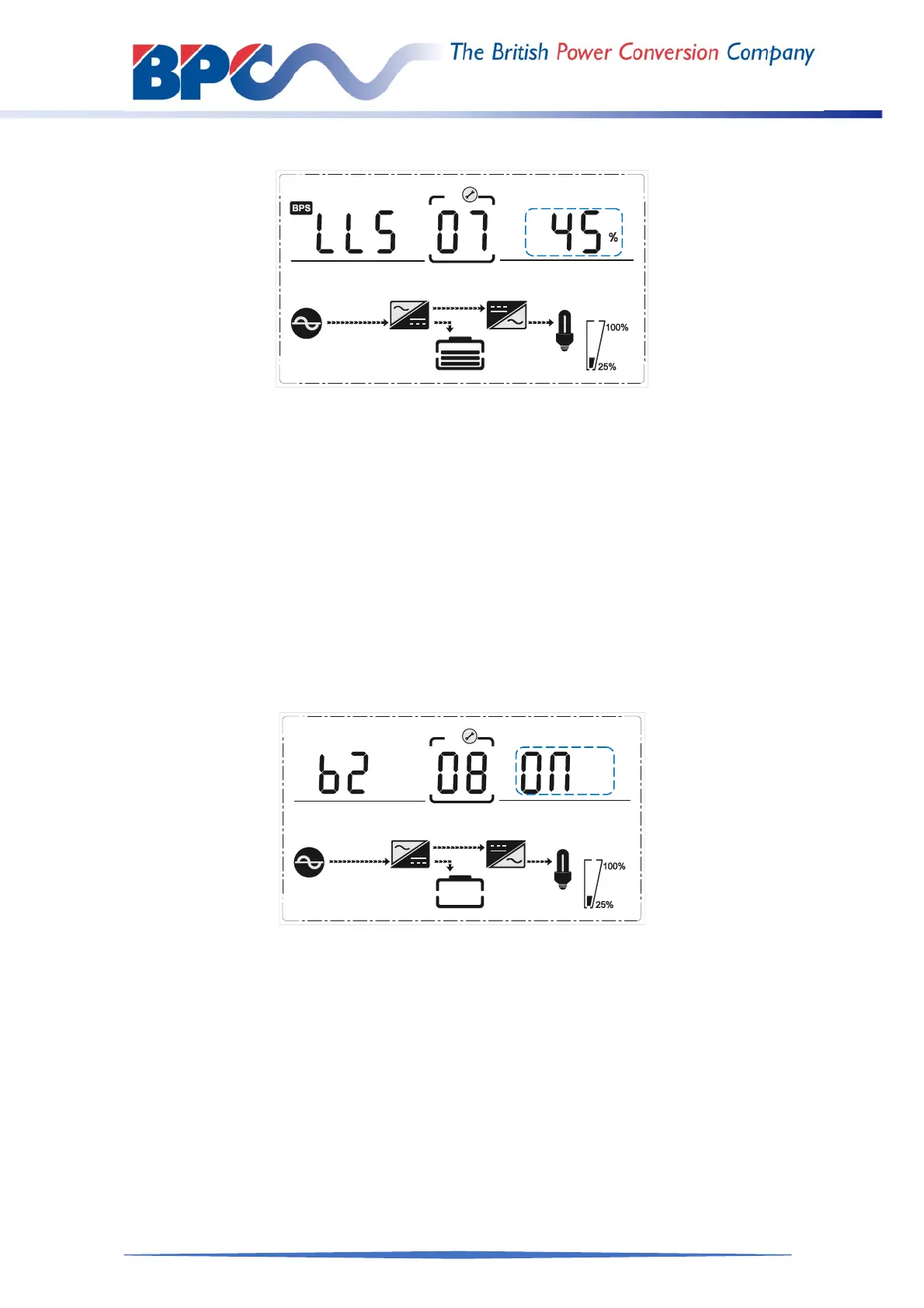
Bypass voltage lower limit setting
(Note: Inside the broken-line is the flashing part.)
When under the bypass voltage upper limit setting press DOWN or when under parallel ID
setting press UP, it goes to the bypass lower limit setting. The bypass lower limit line
flashes as in above picture.
Use button ENTER/ON ( to set the different bypass voltage lower limit. The bypass
voltage lower limit range is 20%,30%,45%.
Press ESC/OFF button to exit the bypass voltage lower limit setting (save the
bypass voltage lower limit setting) and goes to bypass upper limit setting or parallel
ID setting.
4.4.8 Buzzer Mute Setting
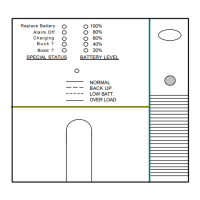
Buzzers mute setting (Note:flashing part in dashed box)
Press DOWN under bypass voltage lower limit setting or press UP under the parallel ID
setting can ENTER the buzzer setting. Now the setting status is flashing as the Figure
shows (NOTE: on=mute; off= no mute).
When press, it shows the mute cycle setting, the selection includes ON and OFF. ( Press
the up button or down button can exit the mute setting (save the mute setting status) and
switch to bypass voltage lower limit setting or parallel ID setting (note: when in stand-alone
mode, press down button to exit and save the settings, then the settings is completed for
stand-alone unit).



 To Next Page