11
9
10
EXIT OK
Aux 3
Aux 4
Aux 5
Aux 6
Aux 7
Aux 8
Aux 9
STANDARD FUNCTIONS
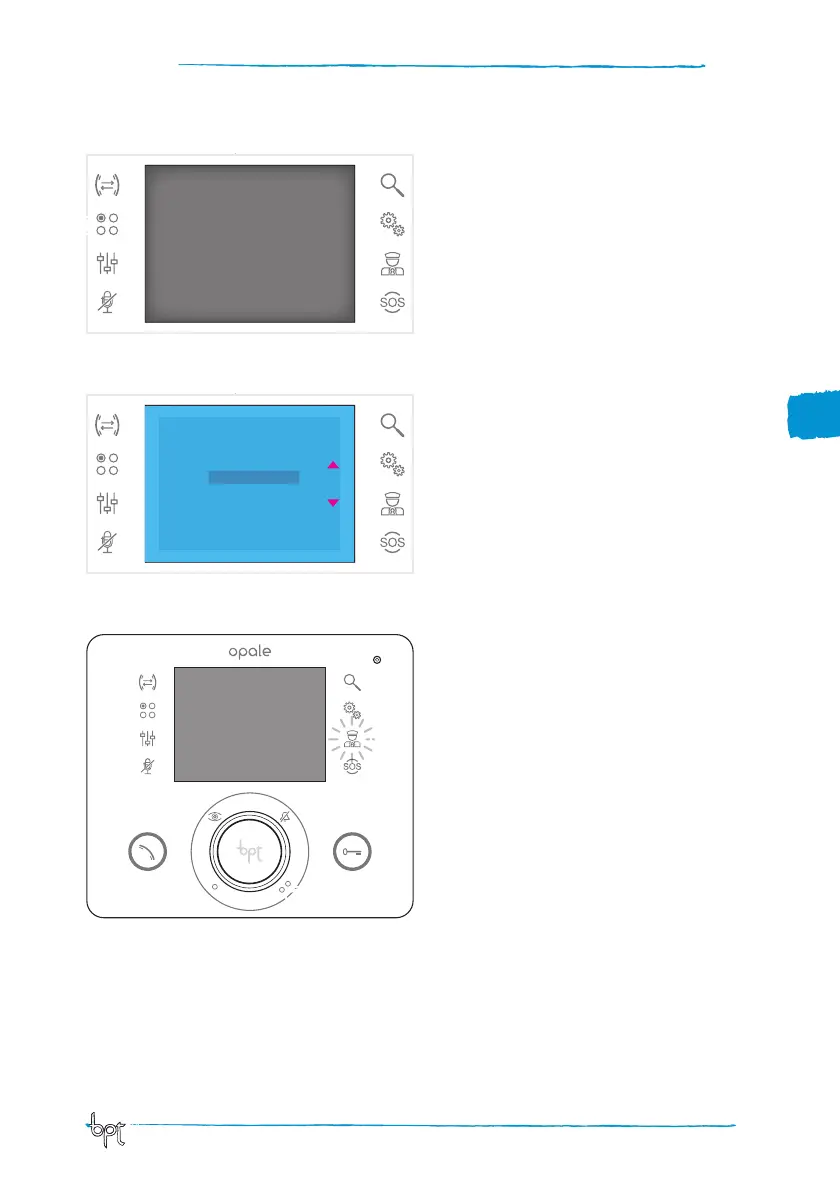
Auxiliary commands
Function is active only if contemplated in system layout.
Activate an auxiliary command
Regardless of whether a call is open or not, press
button F.
Select the auxiliary command to activate by press-
ing buttons ws then press OK.
F
Communicating with the porter
Porter Call
If the video entry control system includes a porter
switchboard, button G can be pressed to call the
porter.
Porter call list
Icon H on (red) indicates the presence of unan-
swered calls made from the porter's office to your
receiver.
Press buttons G or H to inform the porter you can
be called back; the luminous signal will be turned
off when the next call from the porter is answered.
11
G
H



 To Next Page