15
GB
4.1 - Press the button (fig. 13) twice.
The message d 0.2°C appears on the display for
about 10 s.
4.2 - Press button (fig. 14) until you reach the
desired value. After approx. 10 s, or if you press
the button, the display will feature the time
and room temperature again.
Note. When reset button R is pressed, the tempera-
ture differential returns to the ± 0.2 °C default setting.
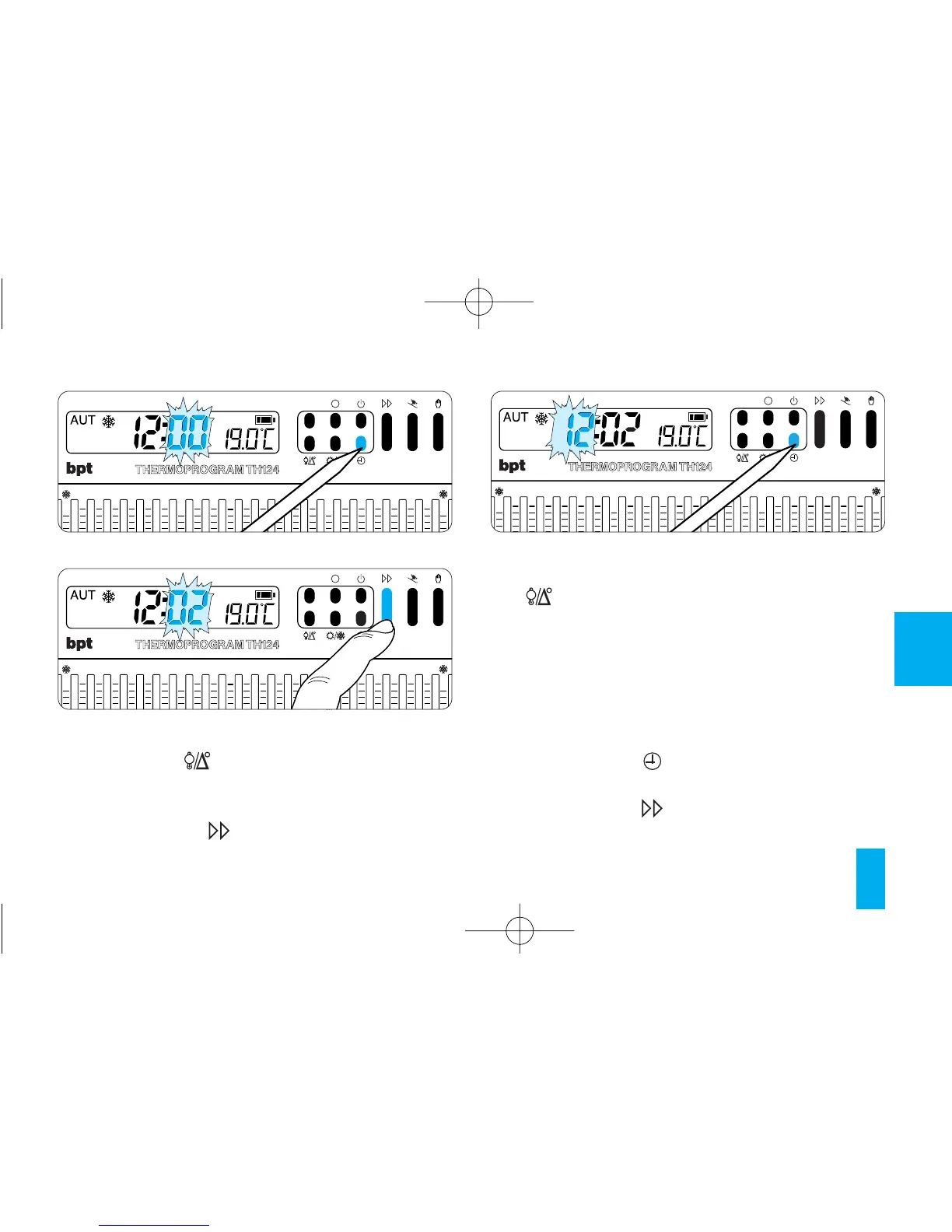
5 - SETTING THE CLOCK
5.1 - Press button (fig. 15).
The minutes digits flash.
5.2 - Press button (fig. 16) until you reach the
exact value of the minutes.



 To Next Page