5
BMP®61 Quick Start Guide
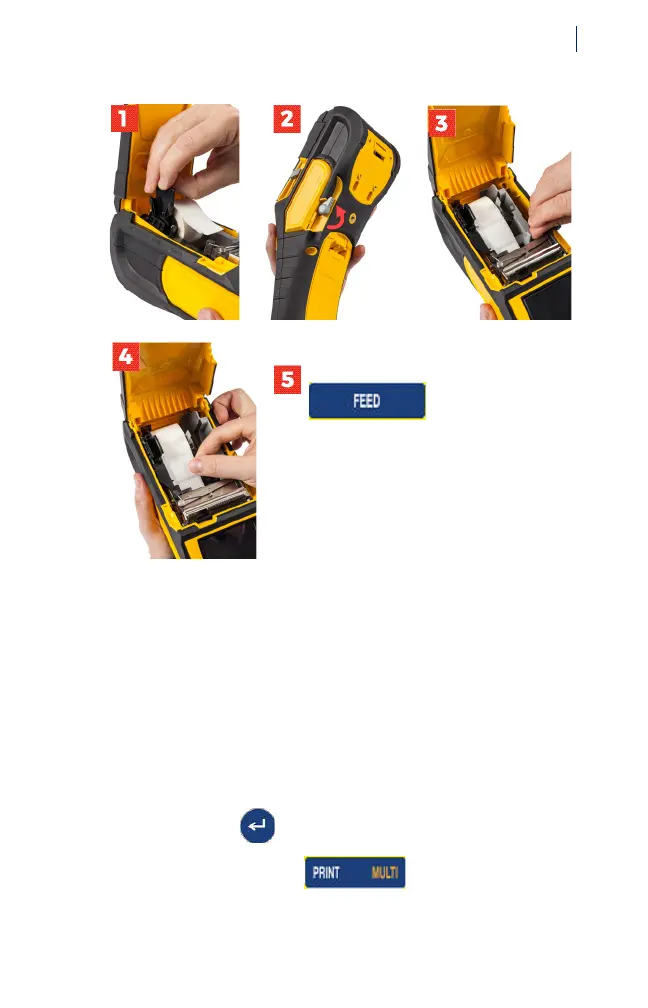
Install Labels
For bulk or fanfold label instructions see the User’s Manual
located on the USB flash drive.
Creating and Printing Labels
To create and print a basic text label:
1. Make sure the printer is on and the cover is closed. After
booting up, the printer displays the data entry screen for
a text label.
2. Type the desired text. To add another line of text, press
the enter key .
3. Press the PRINT key .



 To Next Page