Autonomous mode
16 DIGIMIC® wireless
The factory (default) settings are as follows:
Setting Default value Page
RF Power mode High-Low Power See page 16
PRIOrity mode Prio Off See page 16
LS Intern/Extern LS Extern See page 16
Protocol Selection 1+ standard latency See page 17
Room no. (Multiroom operation ) Room 0 See page 31
Register open See page 19
Operation in autonomous mode
RF Power mode
If DSpark is used for wall or tripod mounting the option “HIGH POWER” increases the RF output power.
When DSpark is used as desktop the RF output power should not be increased.
PRIOrity mode
If a DChair unit is to be used, PRIO mode is available with this setting.
Press button PRIO to enable this option. Maximum 2 DChair units are supported as chairpersons at the
same time. They will be identified automatically. With 2 DChair units 2 active Delegate units DMic are
possible at the same time.
This means:
0 DChair Æ max 4 active delegates’ are possible
1 DChair Æ max 3 active delegates’ are possible
2 DChair Æ max 2 active delegates’ are possible
LS INTERN
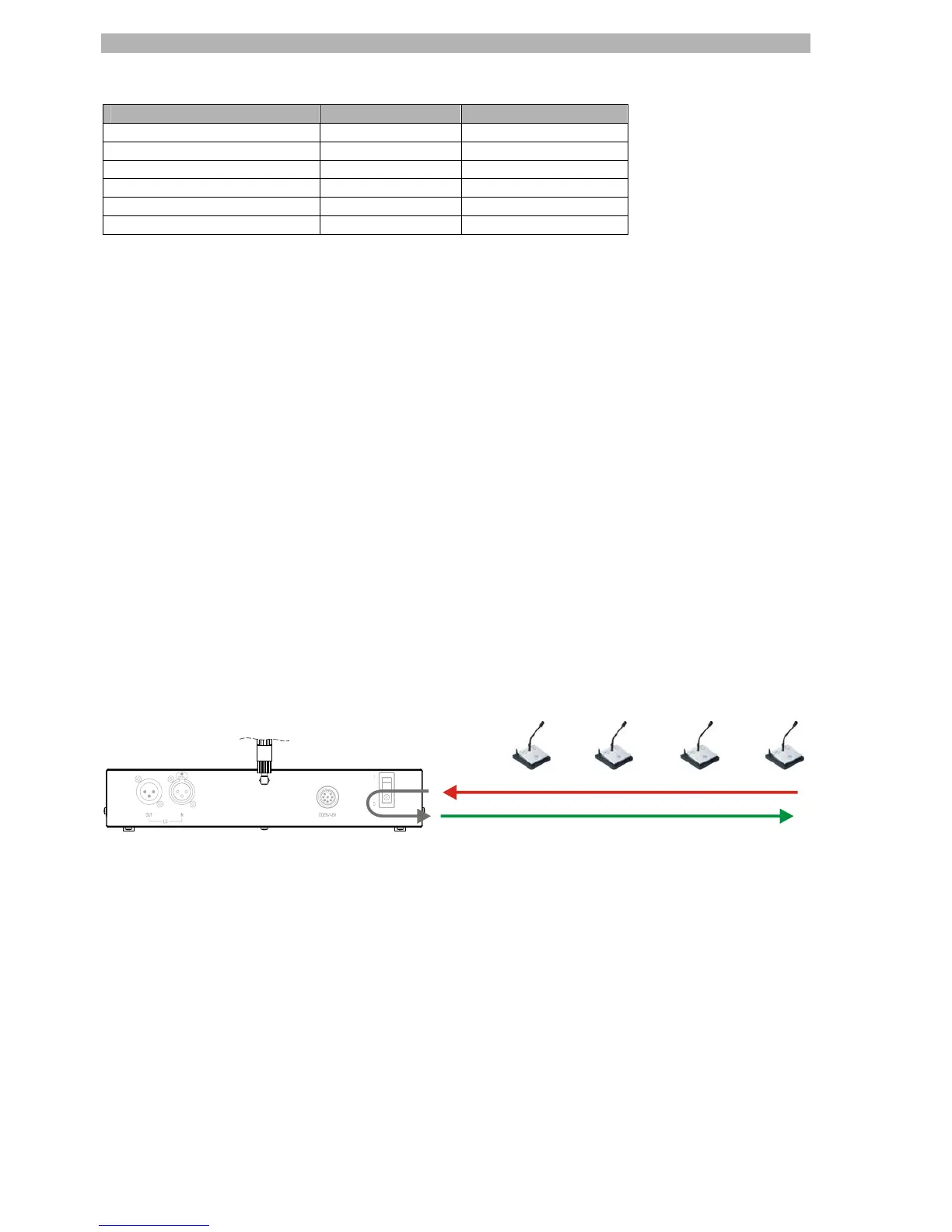
When active (LED on) the audio signals from the DMic units are directly routed to the DMic loudspeakers.
Audio from DMic micro
Audio to DMic loudspeakers (LS)
Figure 7


 To Next Page