DDoc Docking Unit
DIGIMIC® wireless 21
DDoc Docking Unit
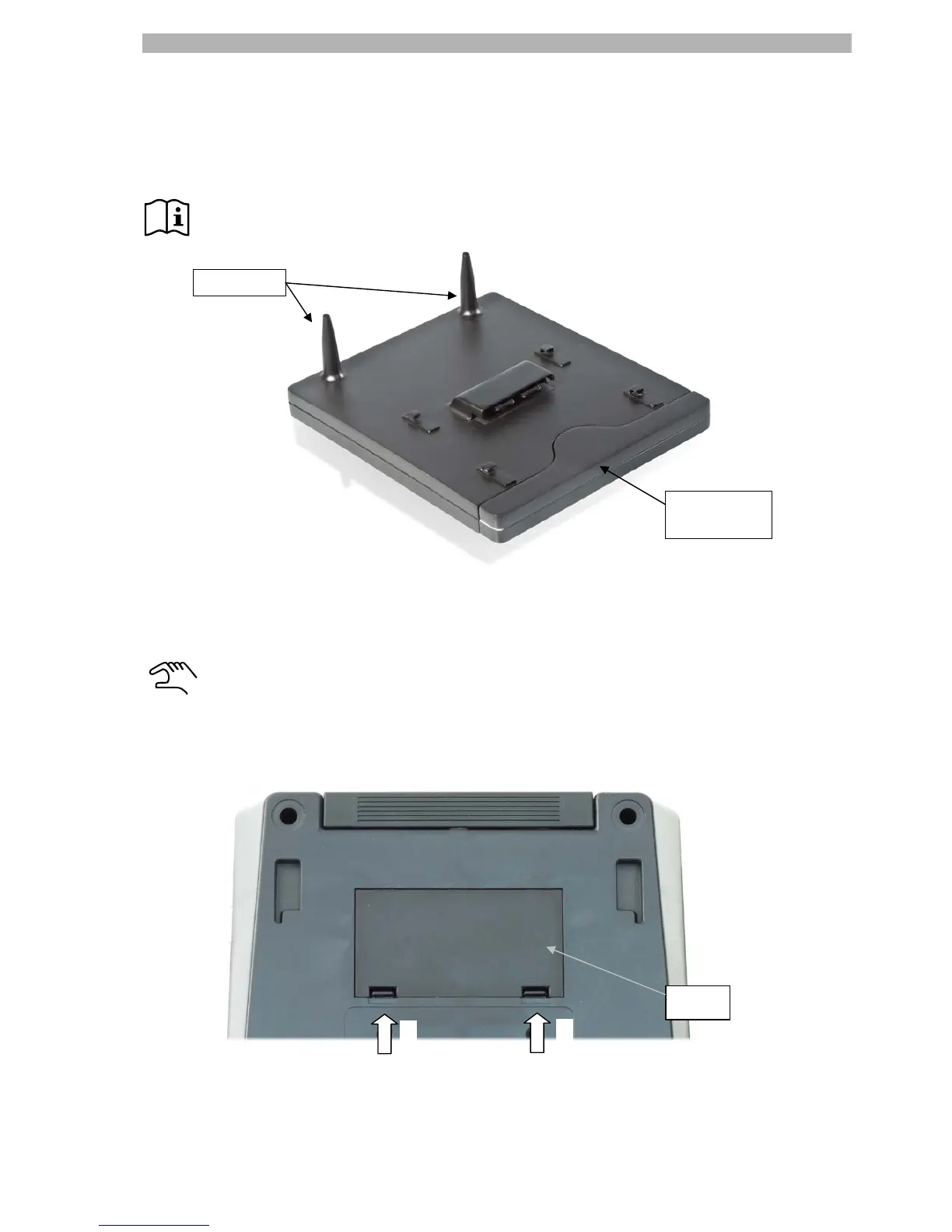
The docking unit DDoc transforms the delegate unit DMic into a wireless discussion unit, replacing the tasks
of a cable by its powerful rechargeable battery and the reliable and stable wireless communication protocol.
DMic and DChair are delivered with a cover to protect the contact bar.
Before using the DDoc the first time we recommend to check the rechargeable batteries. (please
refer to page 27)
The transformation of the wired DIGIMIC delegate units is easily be done by unplugging the cable and sliding
the DMic on the docking station DDoc.
But before sliding the DMic onto the docking station DDoc, it is necessary to remove the cover of
the contact bar on the bottom side. This is done in the way shown below:
1. Unplug the microphone, if any, turn the DMic upside down.
We recommend handling on a soft surface.
2. Press the two clips in the shown direction.
3. Turn the DMic on top, the covering should fall down.
4. Slide the DMic onto the docking station DDoc.
Rechargeable
battery pack
Antennas
2.
2.
Cover


 To Next Page