Single operation mode
26 DIGIMIC® wireless
Mode flashing or permanent Æ receiving status
Color red or blue Æ status of rechargeable batteries
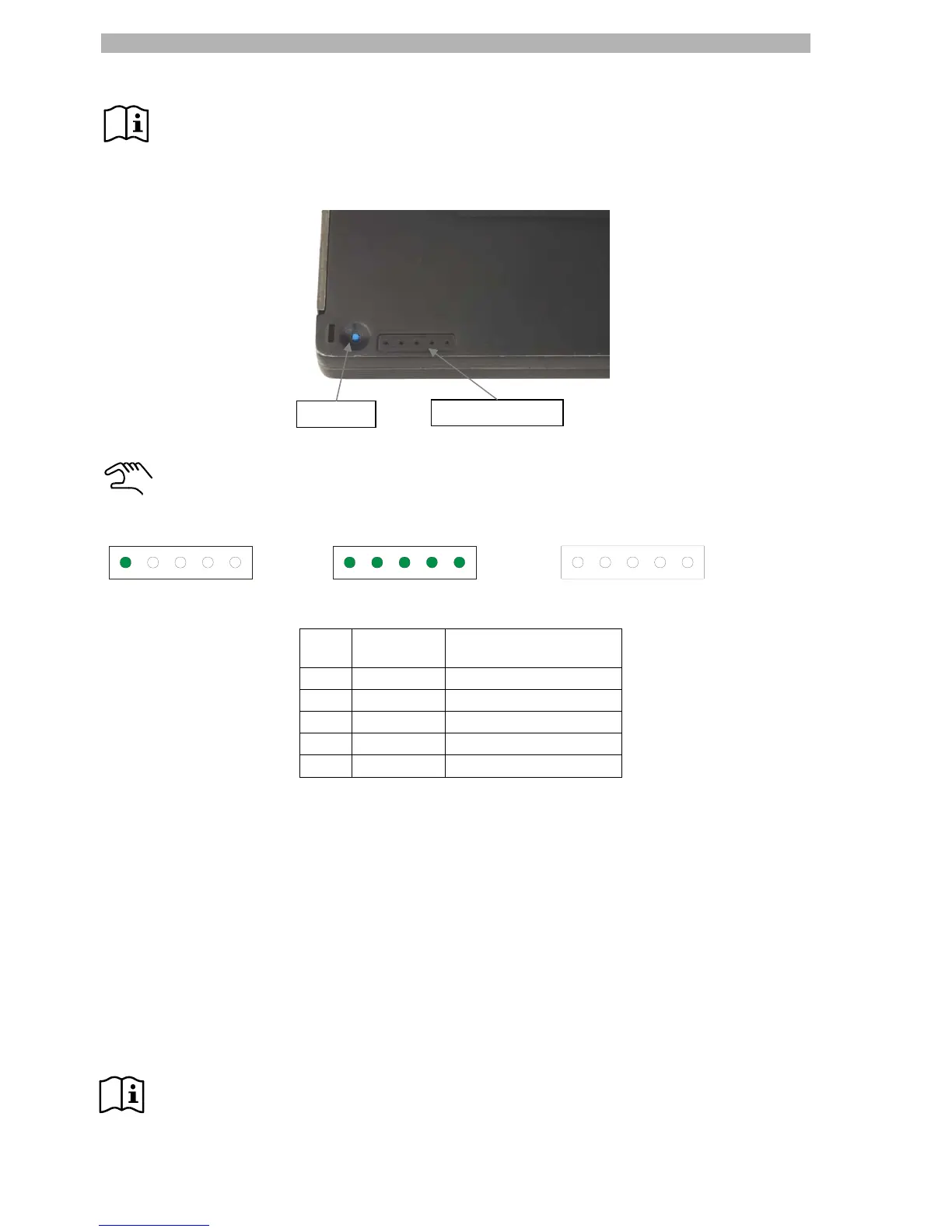
2) Not in operation Æ by a test key at the bottom of the battery pack.
Press and hold the blue test key with a peaked object or your fingernail. The green LEDs will then
indicate the current battery status in 20% increments.
For example:
Low battery power > 80% battery power Full battery, end of charging (DTray)
LEDs
on
Battery
power
Operating time
1* 20% up to 4h
2 20 – 40% up to 8h
3 40 – 60% up to 12h
4 60 – 80% up to 16h
5 80 – 100% up to 20h
* If one LED is flashing, the battery is almost empty.
3) Not in operation Æ by charging in the DTray charging tray.
The status indication of the battery power is the same as shown above. During charging in the DTray the
LED indicators of the battery pack are permanently illuminated, showing the actual charging status.
When the batteries are fully charged the status LEDs switches off.
Automatic switch off
The DDoc switches off automatically, if:
- the DMic will be disconnected from DDoc (immediately switching off)
- the battery pack is removed from the DDoc unit
- a switch off signal arrives (RF power off) from the DSpark (immediately switching off)
- there is no radio communication for 30 seconds (e.g. outside the radio range)
- the battery is empty
Note: If you switch off the Radio transceiver unit DSpark, all registered DMic / DDoc units will switch
off immediately.
Test key
Indicator lights


 To Next Page