15
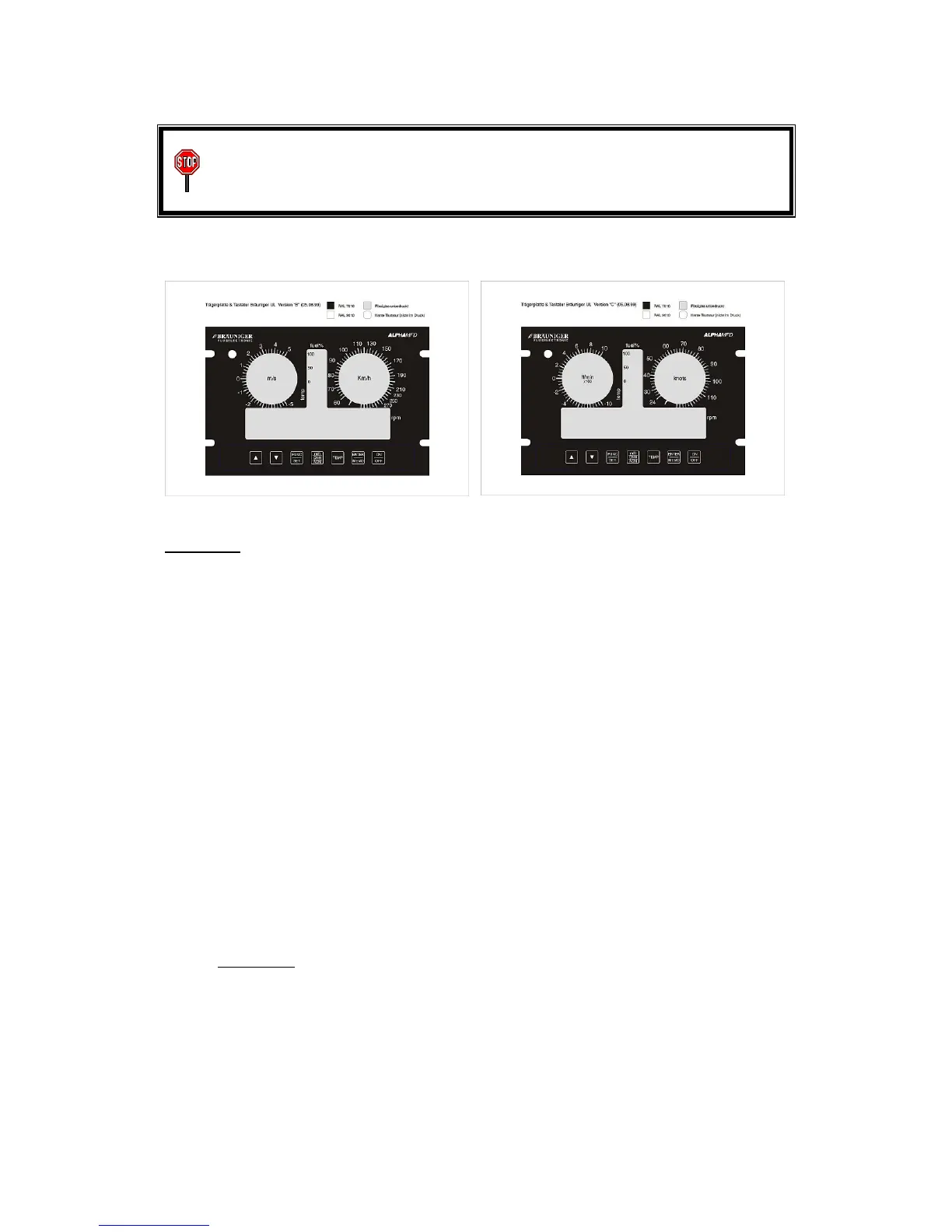
WARNING: To get a precise indication of the air speed, some scales are
"stretched". Please note the different resolutions of the scales. The
increment between two marks can indicate speed differences from 2.5 km/h to
10 km/h!
Example:
ALPHA
ALPHAALPHA
ALPHAMFD version B (340 km/h) uses the following "stretching scheme":
• From 60 km/h to 110 km/h every mark indicates a speed resolution of 2,5 km/h
(important for precise indication of speed for landing or to prevent stalling)
• From 110 km/h to 210 km/h every mark indicates a speed resolution of 5 km/h
• From 210 km/h to 340 km/h every mark indicates a speed resolution of 10 km/h
Additional details in section 11 "Technical data"
In SET-Mode 17 two different pointer styles can be chosen according to personal
preferences: Sectional pointer or single pointer. More in section 4.4.1 and 4.4.2
Because it is very important to comprehend the different speed ranges at a single
glance, self adhesive coloured marker rings in white, green, yellow and red are
included with every ALPHAMFD. These rings can be mounted to the speed indicator
corresponding to the speeds of the individual aircraft (Vno, Vne, Vso, Vs1, etc.)
4.1.3 Stall-Alarm
Stall-Alarm: In SET-Mode 6 the visual and audio warning for stall speed in landing
configuration (Vso) can be programmed. After switching to SET-Mode by pressing the
>FUNC/SET< key (SF = special functions) for a few seconds, select SET-Mode 6 =
STALL ALARM by pressing the >ARROW<-keys. After pressing the >ENTER/MEMO<
key the <SET< icon will start flashing. Now the speed of the stall alarm can be
adjusted. By pressing >ENTER/MEMO< again, the new value is stored. Pressing the
>FUNC/SET< key leaves the SET-Mode. To change the value for stall alarm can be
blocked by the aircraft manufacturer.


 To Next Page