Operation Manual IQ-BASIC-GPS 22
Bräuniger GmbH
3.4.1.2 > Delete alle WP of the Route
Pressing the OK key on the position delete Route enables the
delete function. For data safety the IQ-BASIC-GPS prompts
once again: „delete all WP?“. By use of the OK key the deletion
can be confirmed or it can be cancelled with the ESC key and
return is performed to the previous level.
3.4.2 Flying Routes
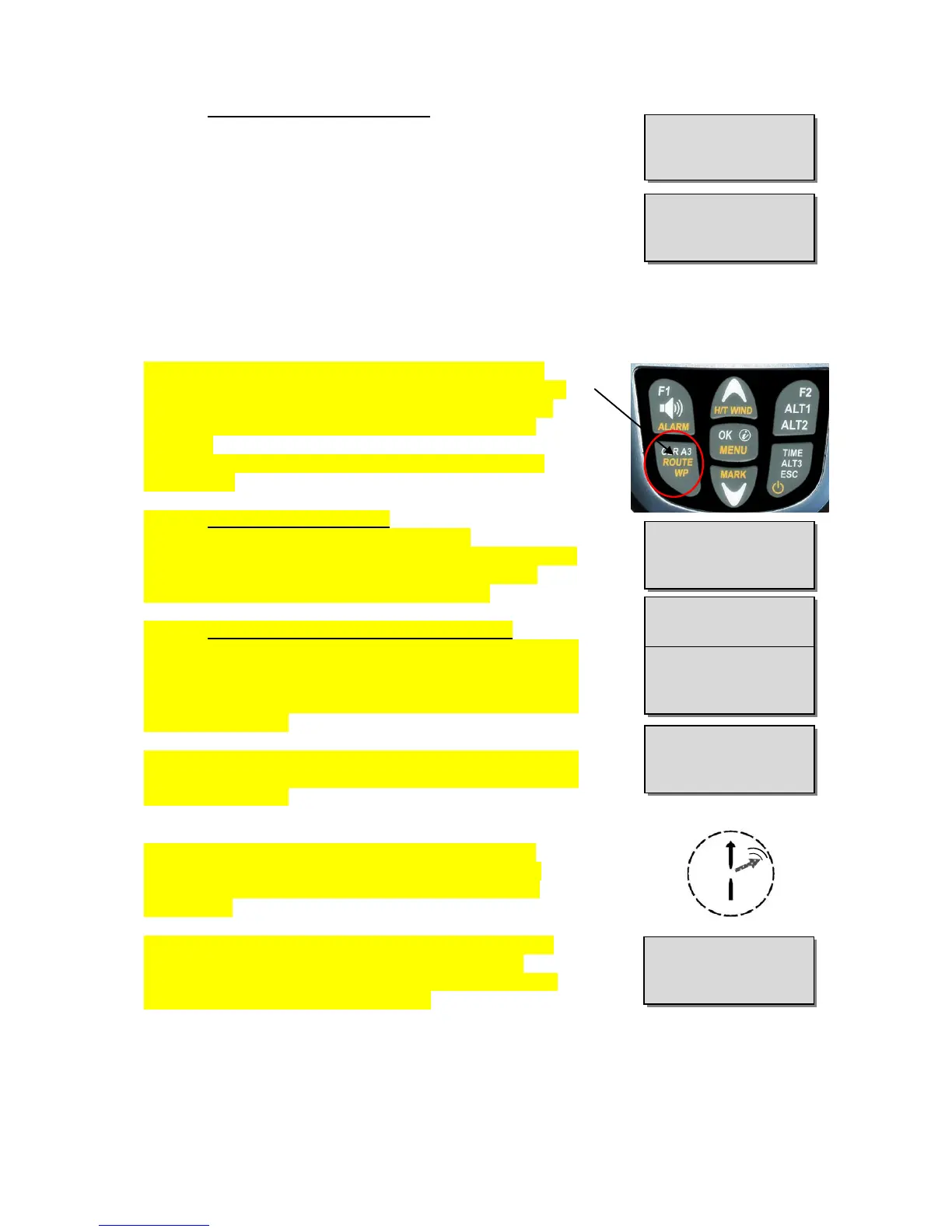
Selection and activation (Start) of a Route created in the
Menu is performed by prolonged pressing of the Route key
and confirmation with the F2 key. After acknowledgement
with the F2 key appears the prompt “Enter start time”
> No/Yes
By use of the UP or DOWN key you can switch between
Yes and No.
3.4.2.1 Starting a normal Route
(without entering start time and start cylinder).
Press the OK key, if No is selected in field „Start Time“. After
activation the arrow pointing to the first (next) Waypoint
appears in the compass rose, see picture below.
3.4.2.2 Competition Route - Definition and start
Press the OK key, if Yes is selected in field „Start Time“.
After activation appears the input field for definition of start
time, number of Startgates (G:1) and the flight mission, such
as entering- or flying out of the Start Cylinder. (O = flying
out) (O = flying in)
Remark: the setting of cylinder circumference and of WP-
altitude can be entered in Main Menu
Edit Route
select
Waypoint
OK key.
After complete entry the Route is started. Now appears
in the compass rose the arrow pointing tot he first (next)
Waypoint and a small flashing arrow ponting to the next
but one WP.
If the Route has been activated, it remains in active mode
even after switch-off and –on again of the instrument.
It can only be deactivated at this position by the command
Route (Stop) by pressing the F2 key!
Tip: on page 2 and 3 “Navigation” are displayed Navigation-data, such as the
distance and the direction to the next Waypoint!


 To Next Page