AWT35-501815 Issue AB C3236_u_en_501815.docx Page 15
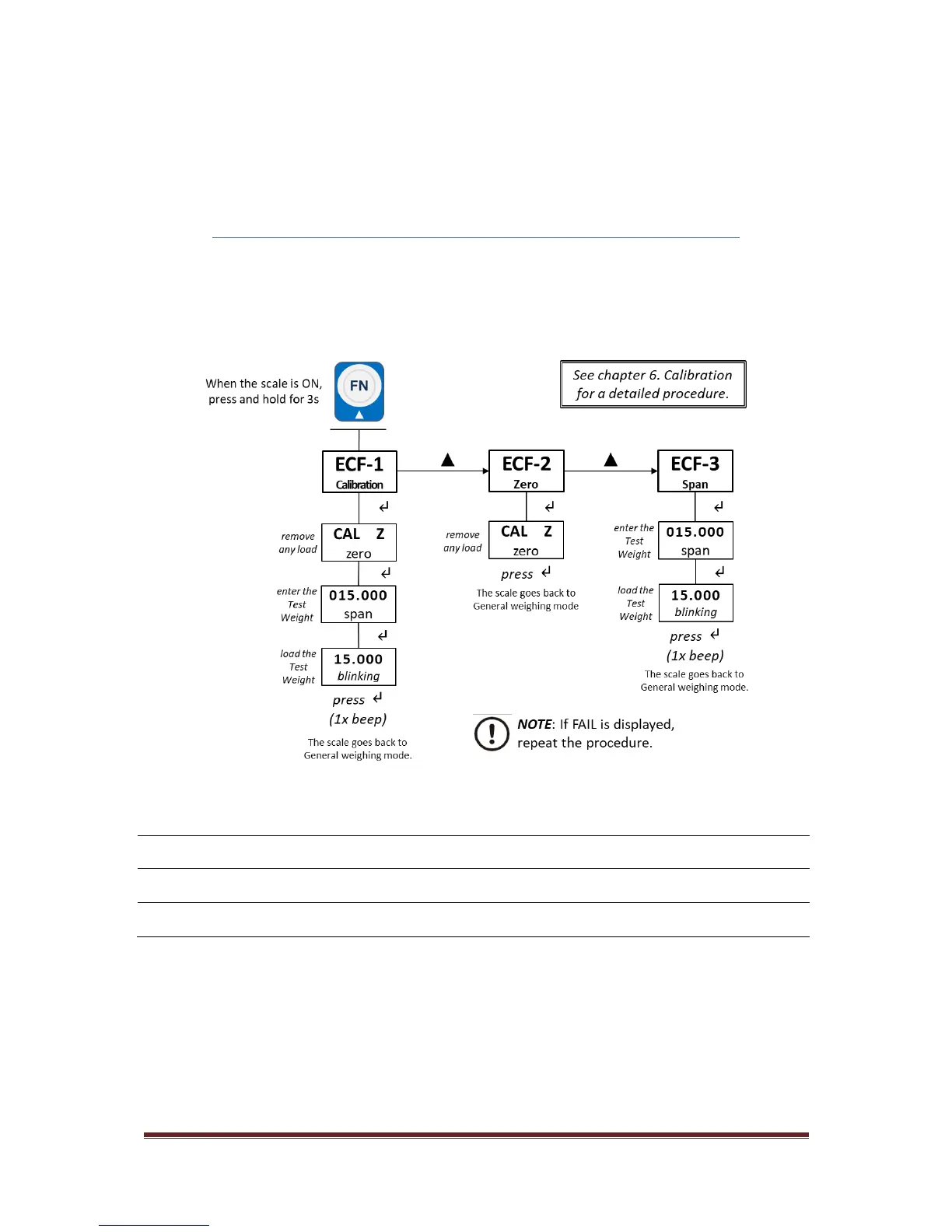
4.3. Quick Calibration Menu
See chapter 6. Calibration on page 17 for a detailed procedure.
NOTE: Default calibration units are in kg. To change this to lb please refer to
Scale configuration LF 2 on page 16.
4.3.1. Quick Calibration Menu Levels [ECF]
Navigate the menus and increase a numeric value by pressing FN (▲) key. Use ON/ZERO/TARE (↵)
key to confirm and/or move to the next option or numeric value position. Press UNIT (ESC) key to exit
the option or the menu.



 To Next Page