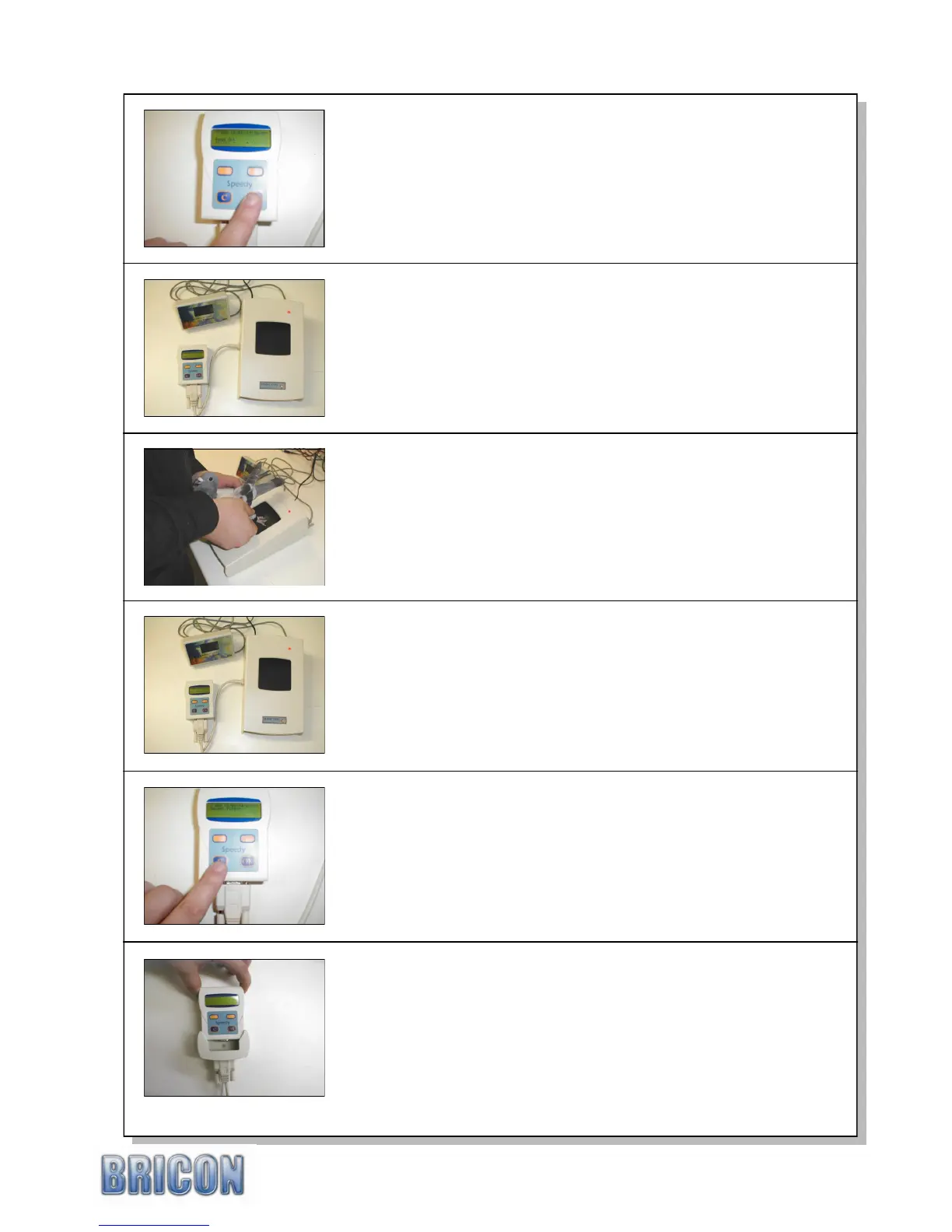
.
SPEEDY 15
The Speedy will then synchronised itself against the time
signal on the club basketing system and the first pigeon can
then be race marked.
Place the chip-ring of the pigeon to the club-antenna. You will
hear a beep and the light on the antenna will blink.
The ring-number of the pigeon will appear on the Speedy
display for checking. After confirming that the ring number of
the pigeon is correct, press <OK> to confirm its entry.
The pigeon can then be basketed for the race.
Repeat this process for each pigeon.
To end the basketing process, press <C> on the Speedy and
two basketing lists will be printed.
The Speedy can then be disconnected from the club-unit.
If additional basketing lists are required, repeat the basketing
process for the race to re-activate the print command.
Speedy is now locked into clocking mode and is ready to time
birds. All other functions on the Speedy are now unavailable.
At the loft, simply fully push the Speedy into its wall holder.
The Speedy should automatically start-up in clocking mode.
Ensure that the Speedy shows „Clocking with xx Ant.‟ where xx
is the number of pads that are connected in your system.
NB : If the icon menu appears then in its search the Speedy
has failed to find any antenna pads and will not record birds.
When a pigeon-ring number has not been linked to the chip,
the Speedy will indicate ‟Pigeon not found‟ and will request
that an „Emergency basket‟ is carried out.
Use <PREVIOUS> and <NEXT> to select the required pigeon
ring number, pressing <OK> to confirm each letter or number.
After also adding the colour, press <OK> to confirm the link.
This action is explained in sect 3.1 on page 12 (Linking birds).
The display of the Speedy shows „Choose Race:‟ followed by
a racepoint name or race number. (eg RA01).
Select the required racepoint (or RA nr) by pressing the
<PREVIOUS> and <NEXT> and confirm with the <OK>.
A flight number „1‟ will then appear following the racepoint.
If more than one race is being flown from that racepoint,
select a higher flight number with <PREVIOUS> & <NEXT>.
Press <OK> on the Speedy to confirm your choice.



 To Next Page