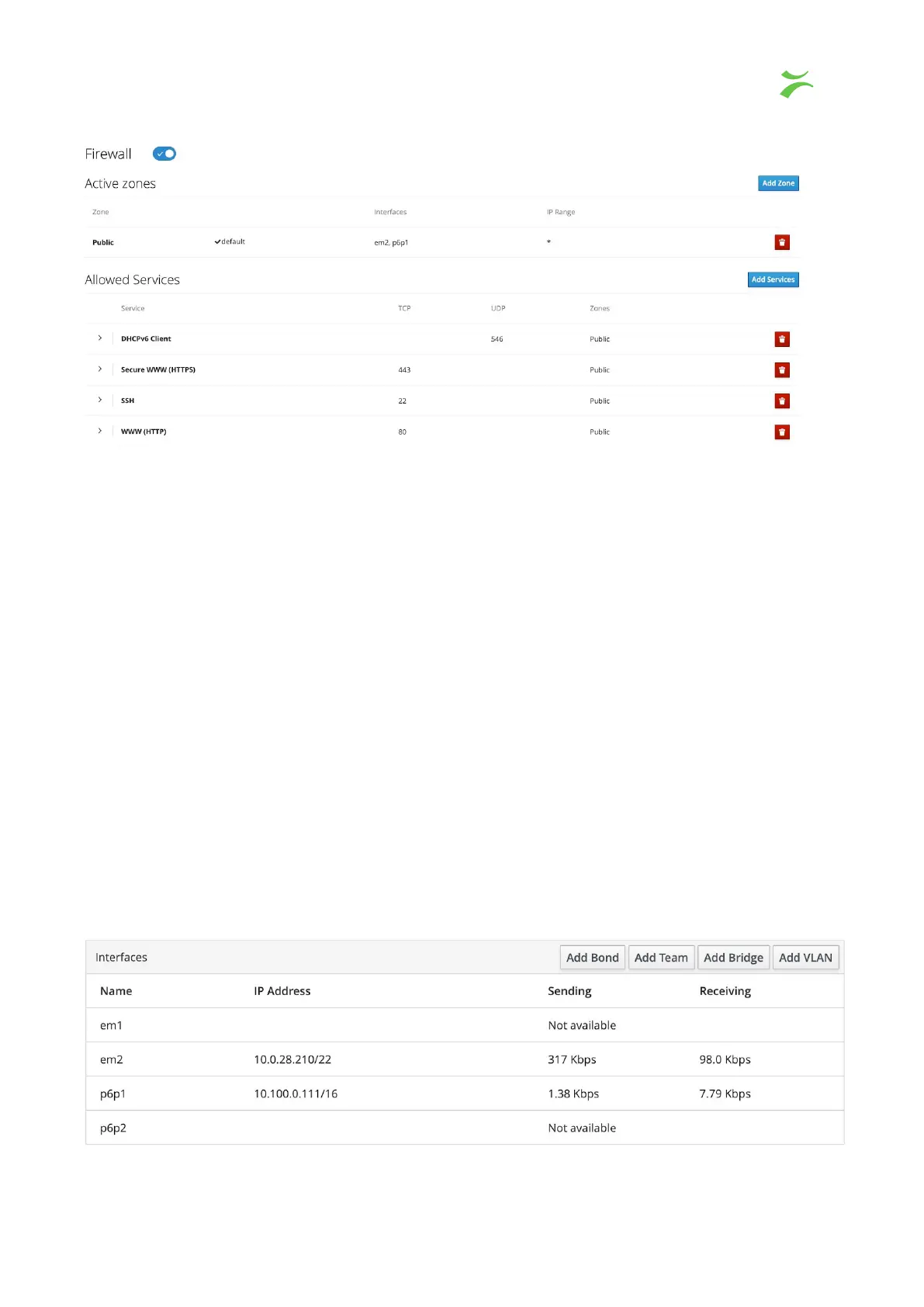
The firewall configuration page is accessed by clicking the ”firewall” link in the firewall
section. The page gives you options to assign zones to specific interfaces and services to
be configured to those zones.
To add a zone, click the “Add Zone” button and a popup window will appear. First choose
the trust level for your zone. A short description will be displayed together with included
services or ports that are allowed for that zone. Assign one of the available interfaces to the
zone, then select allowed addresses. There are two options, to give access to the “Entire
Subnet” or specify a “Range” of IP-addresses.
To allow other services than those who are pre defined, click Add Services. A New popup
window will open in which there is an option to search/filter for a service. By selecting the
custom ports, there are options to enter the port number into the TCP and/or UDP fields.
There is also a possibility for an optional name to label the rule.
Interfaces
Lists all interfaces assigned to the system. From the main view, the Name of the interface,
IP addresses and the activity statistics for sending and receiving data is displayed.
VB440 Studio Probe User’s Manual v6.0 © Bridge Technologies Co AS 41



 To Next Page