37
Appendix 3: System Information Screen
The System Information screen contains the information regarding which versions of firmware have been loaded to
the BN360-300-ECU.
The base system operating software
The display configuration version
The calibration configuration file used
The calibration data from the Calibration Software Tool
The software that controls the system operation, i.e. triggers, speed
signal, delays etc.
There are two methods to the check the system version information for the BN360-300 system:
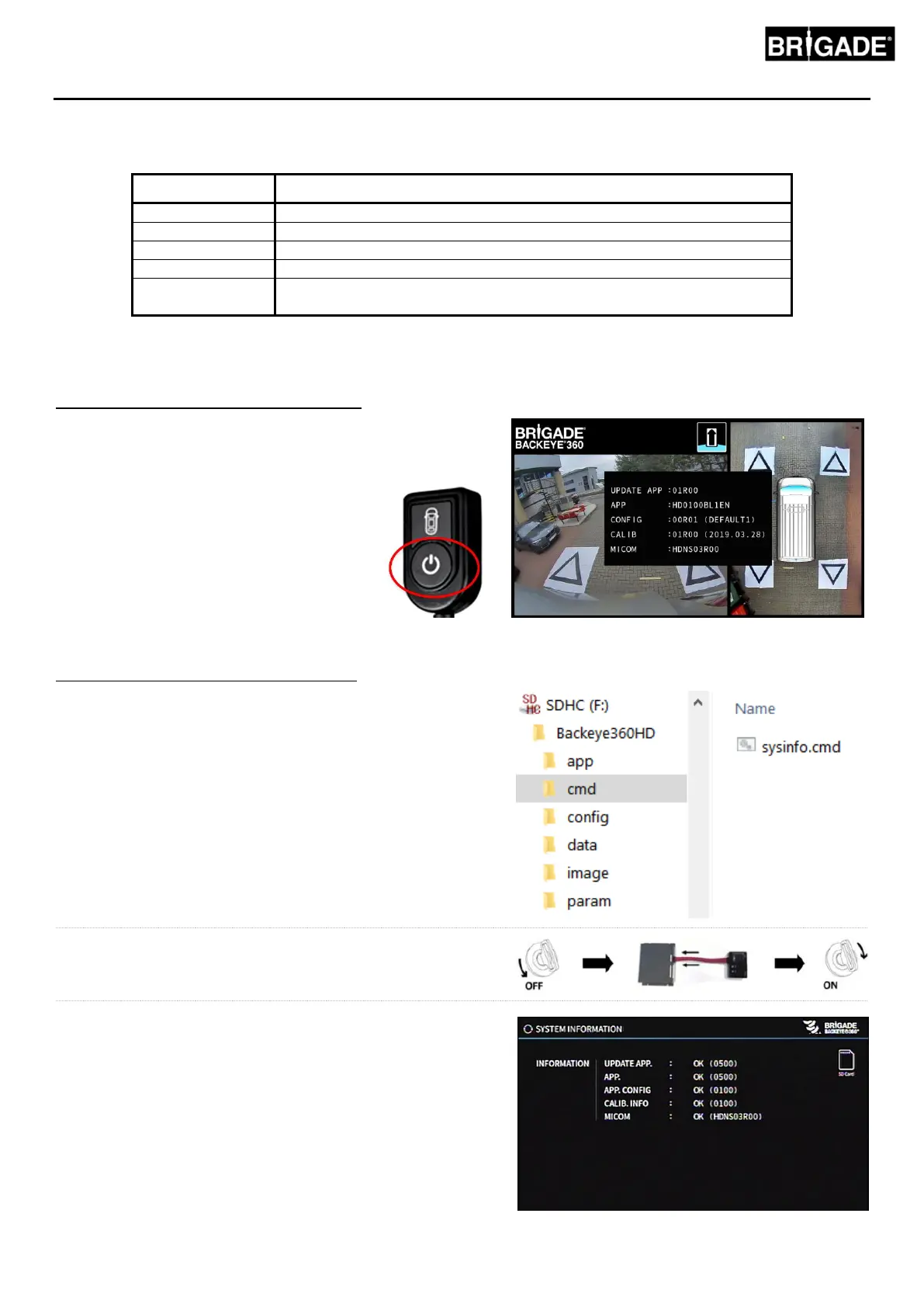
System Information - View Select Button
The system information screen can be displayed any time
the system is powered on by pressing and holding the
“Power” button on the “Set Up and View Select Button”.
Brigade recommends using this as the
preferred method for checking the System
Information because there is no need for
any additional equipment, e.g. this can be
checked by the driver in the vehicle.
System Information Screen – “cmd” File
If not done so already, copy the “Backeye360HD” folder from
the desired configuration on the BN360-300-USB to the SD
Card. Refer to section 4.1 for more information on the SD Card
contents.
Ensure the “Backeye360HD” folder is at the root of the SD
Card and the file inside the “cmd” folder is named
“sysinfo.cmd”.
Insert the Calibration Tool into the ECU and switch the system
on. The Update System Screen will load.
Insert the SD Card into the Calibration Tool, the System
Information Screen will display the current version of software
loaded to the ECU. A description of the different items and their
functions is given in the table below.
Note: the version numbers shown in the image may not be
the most up to date software. Please refer to
https://brigade-electronics.com/ for most up-to-date data
on all products


 To Next Page