7
2.6 Crossing Traffic View
The Crossing Traffic View simulates cameras mounted on the corners of the vehicle which brings increased
awareness to the front or rear of the vehicle e.g. when approaching intersecting traffic (especially useful when the
driving position is set back from the front of the vehicle).
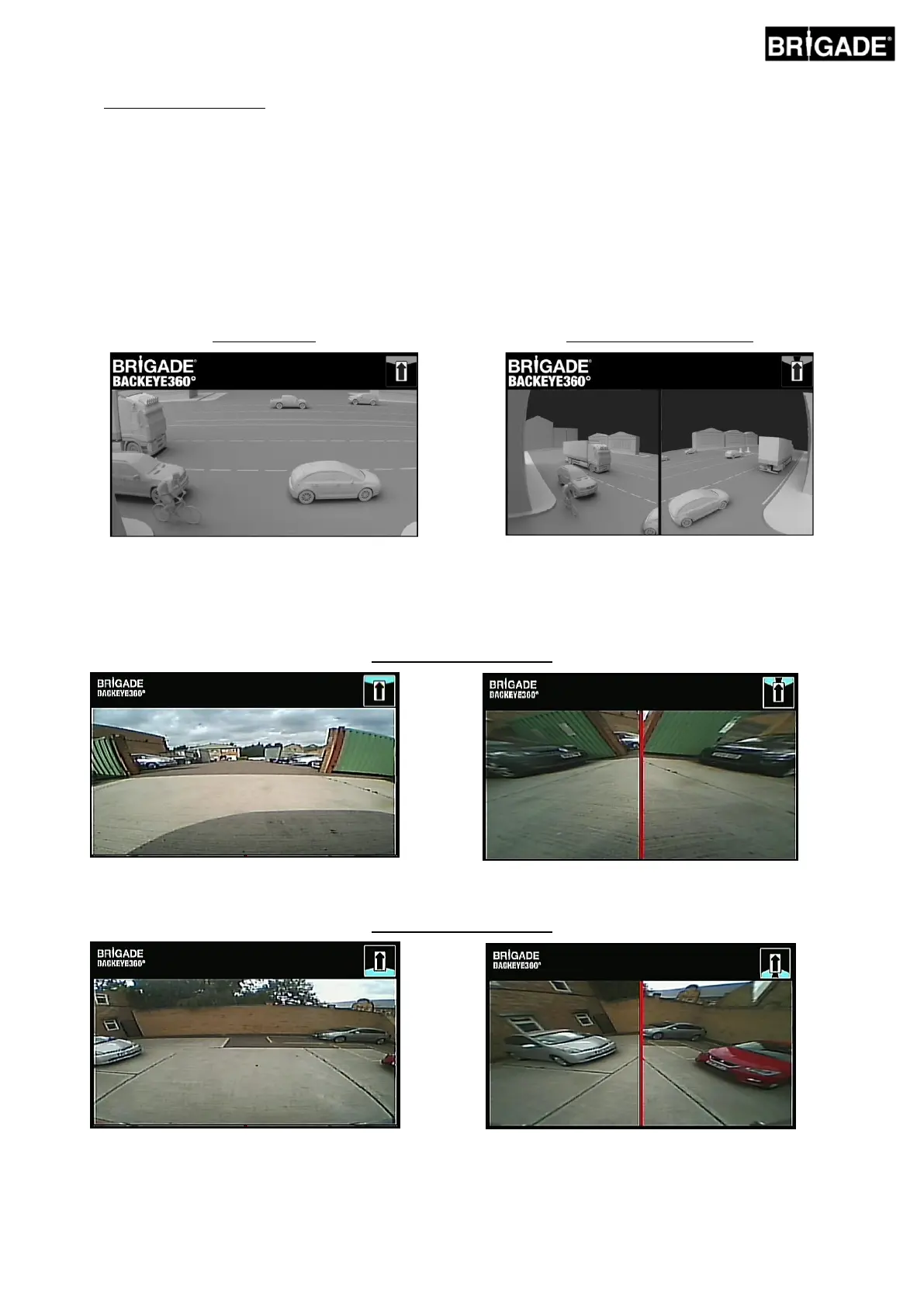
The view is generated by extracting and processing the front or rear single camera images and removing the middle
section of view. The two “corner” images are then placed side-by-side with a red border indicating to the driver that the
view is not a normal front/rear camera view.
As these views use only the corner sections of the single camera image the middle field of view (typically the
zone directly in front/behind of the vehicle) is removed creating a large blind spot. The extreme corners of the
camera image can appear heavily distorted. Brigade recommends that this view is not used for manoeuvring
the vehicle, this should only be used only to monitor the corner areas before switching to a normal view.
Front Crossing Traffic View
Note: the image above is an example only and shows how the view might appear for ideal camera mounting
locations. Cameras mounted lower to the ground will reduce the effectiveness of this view.
The examples below show how this view might appear, cars were parked in front and behind a vehicle at similar
distances.
Camera mounted at 0.6m:
View is low to the ground, low visibility of extreme
corners, vehicles not in view.
Vehicles appear in view, heavily distorted but objects
are clear. Large blind spot in middle field of view.
View is clearly higher off ground, objects in extreme
arears are more visible although still unclear/not
obvious, red vehicle to right of image is almost
invisible.
Vehicles appear clearly in the middle of the screen,
objects are distorted but are clear and significantly
more obvious. Red vehicle is clearly in the view.



 To Next Page