35
Appendix 2: Creating Custom Guide Lines
Guide Lines can be applied to up to five of the single camera views
and allow custom shapes or guides to be applied to different single
camera views.
Guide Lines are scaled based on the “Vehicle Dimensions” and
cannot be resized after they are applied to the single camera view.
In this example the Vehicle Dimensions are given as 5000 x
2200mm. Guide Lines are scaled such that approx. 1px = 1cm so the
vehicle size on the guide line should be 500px x 220px.
Use a tool such as Paint or Paint.net to create or modify the Guide
Line. Create a canvas that is larger than the vehicle size e.g. 600px x
800px
Create a rectangle in the middle of the canvas that is the size of the
vehicle in pixels, e.g. 500px x 220px.
The Backeye 360 HD Calibration Tool will align the Overlay
Guide Line with the middle of the vehicle position in the “Apply
AVM” window. If the vehicle position in the “Top” view has been
changed this also needs to be changed in the overlay design
e.g. if the “Vehicle Position” has been moved by 100px towards
the top of the view then the vehicle position in the Overlay
Guide should be moved to 100px above the center point.
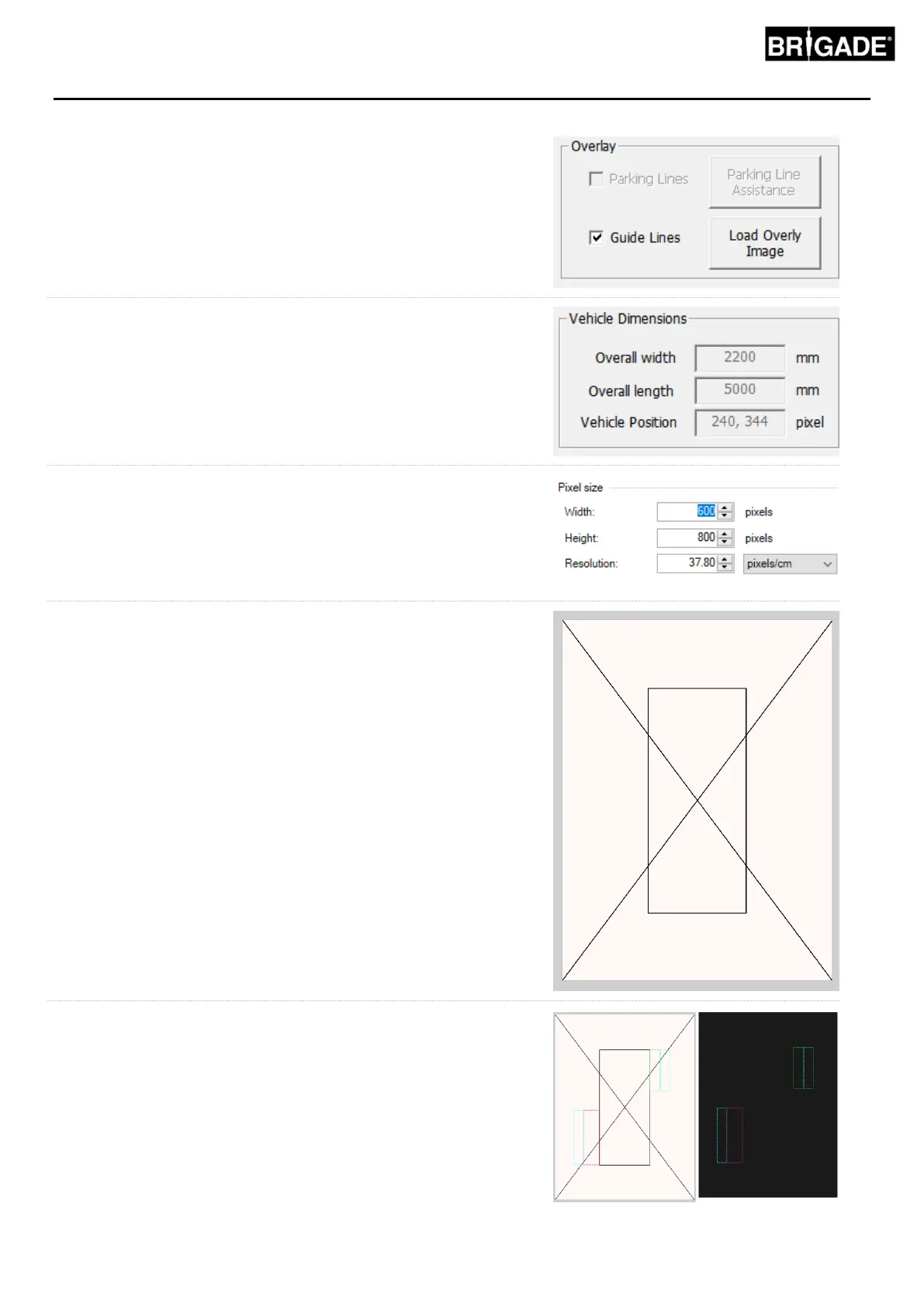
Some image editing tools will have an option to set guides or grid
lines however some will not. For software that does not have guides
simply draw a straight line from one corner to the diagonally opposite
corner as shown in the example to the right.
As with the vehicle images, the canvas size must be in multiples of 4
e.g. 200px x 400px, 400px x 800px etc
Create the guides as desired and fill the background, including the
vehicle size rectangle in black (RGB 0,0,0). Any colour that is RGB
0,0,0 will be deleted by the Backeye 360 HD Calibration Tool.
In this example, the Guide Lines have been drawn to the left and
right side of the vehicle.
If everything is correct, save the file in 24bit .bmp format.
Note: the appearance of the Guide Lines will vary depending on
the line colour and line weight. In this example various colours
have been used with a 4px line weight.



 To Next Page