EasyManua.ls Logo

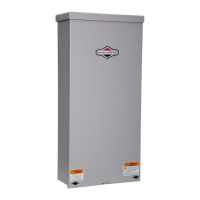
Briggs & Stratton 100 AMP AUTOMATIC TRANSFER SWITCH - User Manual

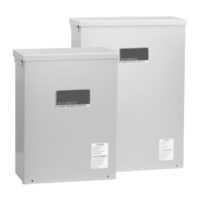
Briggs & Stratton 100 AMP AUTOMATIC TRANSFER SWITCH
76 pages
Print Icon
To Next Page IconTo Next Page
Loading...
100/200 Amp Automatic
Transfer Switch
with Service Disconnect and
Symphony™ II Power Management System
Installation & Operator’s Manual
Questions?
Help is just a moment away!
Call: Transfer Switch Helpline
800-743-4115 M-F 8-5 CT
Not
for
Reproduction

Table of Contents

Questions and Answers

  • S
    Susan GonzalesJul 29, 2025
    What causes relay modules to not open during transfer and retransfer in Briggs & Stratton Switch?
    • M
      michaelpierceJul 29, 2025
      If the relay modules do not open during transfer and retransfer, a communication interruption may be the cause.
  • T
    Todd GarciaAug 2, 2025
    What to do if my Briggs & Stratton Switch doesn't transfer to the generator?
    • V
      Vanessa KellyAug 2, 2025
      If your Briggs & Stratton Switch isn't transferring to the generator, there could be a few reasons: * The generator breaker might be open. Try resetting it. * The generator voltage may not be acceptable. Refer to the generator manual for troubleshooting. * The generator disconnect circuit breaker in the transfer switch might be open. Reset it.
  • J
    Johnny CollinsAug 7, 2025
    Why won't my Briggs & Stratton Switch transfer to utility power?
    • C
      crystal94Aug 7, 2025
      If your Briggs & Stratton Switch isn't transferring to utility power, it could be due to: * An open utility disconnect circuit breaker in the transfer switch. Try resetting it. * The utility voltage not being acceptable. Wait for the utility voltage to return to normal.
  • N
    Nicole GrayAug 11, 2025
    Why is my Briggs & Stratton generator still running after utility power is restored?
    • L
      lisa58Aug 11, 2025
      If your generator continues to run after utility power returns, it might be because: * The minimum engine run time hasn't elapsed. Wait five minutes for the transfer switch to retransfer to utility power. * A fuse in the transfer switch is defective.
  • R
    Richard AndersonAug 15, 2025
    What to do if generator or supervised loads operate improperly when Briggs & Stratton 100 AMP AUTOMATIC TRANSFER Switch supplies power?
    • S
      Samantha BradfordAug 15, 2025
      If the generator or supervised loads are operating improperly when the generator is supplying power via the Briggs & Stratton Switch, consider the following: * The remote modules might not be operating correctly. * The five-minute delay timer may not have expired. * There might be too much load on the generator. Decrease the load. * Communication lost due to power line noise. Verify fluorescent ballasts are rated for residential use only. If not, replace with residential ballast. Install a noise filter in series and close to the problematic device. Rewire the remote module to the opposite power line (L1 or L2) from that of the problematic device.
  • D
    Denise HarrisAug 19, 2025
    What to do if relay modules do not close after five minutes in Briggs & Stratton 100 AMP AUTOMATIC TRANSFER Switch?
    • A
      Amber WolfAug 19, 2025
      If the relay modules on your Briggs & Stratton Switch don't close after five minutes, it could be due to: * Too much load on the generator. Decrease the load to the generator. * A communication interruption. Reset the utility disconnect circuit breaker in the transfer switch and wait five minutes (turn OFF the breaker for ten seconds, then turn it back ON). * The priority being set to 9 or 10. The appliance will not turn on during standby power.
  • E
    Eric HuntAug 23, 2025
    How long will my Briggs & Stratton generator run after the switch transfers to utility power?
    • E
      Edward WrightAug 23, 2025
      The engine should stop after 1 minute, as there is an engine cool down period.

Summary

Important Safety Instructions

Safety Symbols and Meanings

Explains safety symbols and signal words used in the manual.

Electrical Hazard Warnings

Details shock hazards, grounding, high voltage, and electrical safety precautions.

Installation

Home Owner Responsibilities

Outlines homeowner's role in understanding manual and arranging installation.

Owner Orientation

Familiarizes users with installation options and factors affecting installation cost.

Installing Dealer;Contractor Responsibilities

Lists duties for installers, including safety, codes, and owner discussion.

Equipment Description

Details the transfer switch and Symphony II system components and functionality.

Delivery Inspection

Instructions for checking shipment contents for damage upon arrival.

Mounting Guidelines

Provides advice on securely mounting the transfer switch enclosure indoors or outdoors.

Power Wiring Interconnections

Details the steps and precautions for connecting power wiring to the transfer switch.

Supervisory Control Terminals

Explains the purpose and connection of supervisory control terminals for system operation.

System Setup

Steps required before operating the system, including generator warm-up and dipswitch settings.

Remote Module Setup

Instructions for setting priority selectors on remote modules for load management.

Testing the Automatic Transfer Switch

Procedure for testing the transfer switch sequence during utility failure and restoration.

Testing the Symphony II Power Management System

Steps to test the Symphony II system's load management and priority sequencing.

Controls

Symphony II Power Monitor (Optional)

Describes the optional power monitor for visual status of managed loads.

Enclosure Door

Instructions on how to open, close, and latch the transfer switch enclosure door.

Status LEDs

Explains the meaning of various LED indicators on the control boards and power monitor.

Remote Module LED Status Indicators

Details the LED status indicators for Low Voltage (Single and Dual) remote modules.

Maintenance

When Calling for Assistance

Provides information on what details are needed when contacting support.

Installation Inspection

Guide for inspecting the installation before putting the system into service.

Troubleshooting

Transfer Switch Schematic Diagram

Transfer Switch Wiring Diagram

Limited Warranty

About Your Warranty

Details warranty coverage, exclusions, and conditions for repairs and service.

Product Specifications

Briggs & Stratton 100 AMP AUTOMATIC TRANSFER SWITCH Specifications

General IconGeneral
Amperage100 Amp
TypeAutomatic Transfer Switch
Voltage120/240V
EnclosureNEMA 3R
Number of Poles2
Frequency60 Hz
PhaseSingle-phase

Related product manuals