BrightDrop Zevo 600 Owner Manual (GMNA-Localizing-U.S./Canada-
16569273) - 2023 - CRC - 11/3/22
54 Instruments and Controls
Clock
Set the time and date using the
infotainment system. See "Time/Date" under
Settings 0 101.
Power Outlets
12-Volt Direct Current
The accessory power outlet can be used to
plug in electrical equipment, such as a
mobile phone or MP3 player. The accessory
power outlet only works with the vehicle
turned on.
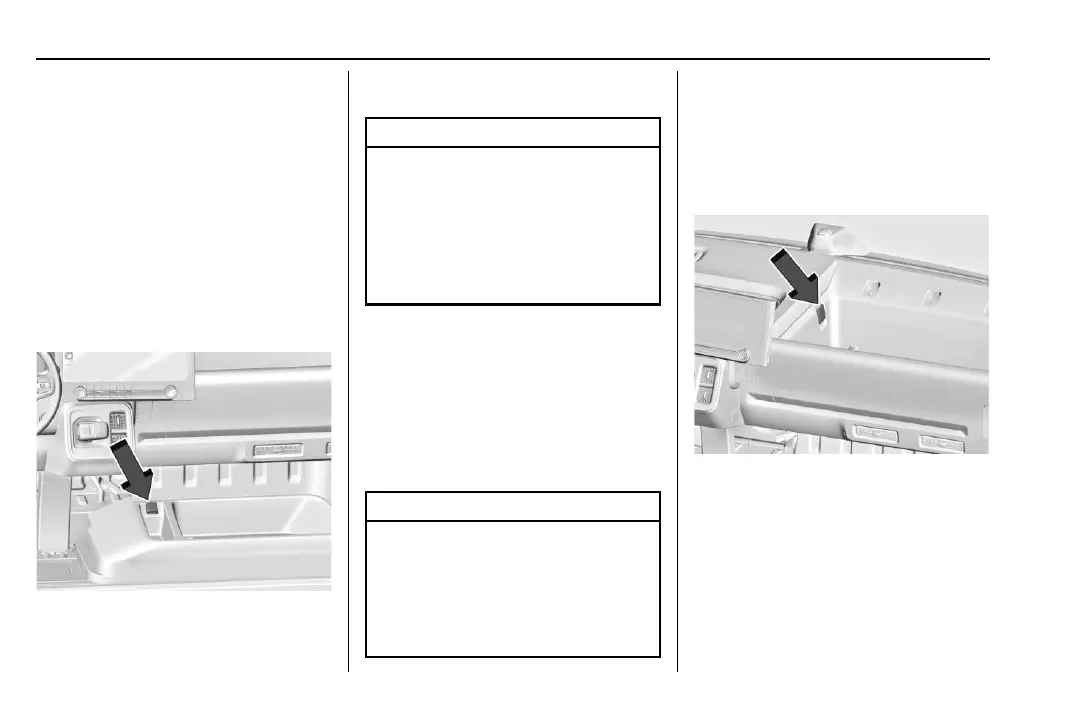
The vehicle has an accessory power outlet
on the lower center stack below the climate
control.
Open the cover to access and replace when
not in use.
Caution
Leaving electrical equipment plugged in
for an extended period of time while the
vehicle is off will drain the battery.
Always unplug electrical equipment when
not in use and do not plug in equipment
that exceeds the maximum 20 amp
rating.
Certain accessory power plugs may not be
compatible with the accessory power outlet
and could overload vehicle or adapter fuses.
If a problem is experienced, see your dealer.
When adding electrical equipment, be sure
to follow the proper installation instructions
included with the equipment. See Add-On
Electrical Equipment 0 168.
Caution
Hanging heavy equipment from the
power outlet can cause damage not
covered by the vehicle warranty. The
power outlets are designed for accessory
power plugs only, such as cell phone
charge cords.
110-Volt Alternating Current
The power outlets can be used to plug in
electrical equipment that uses a maximum
limit of 400 watts. Open the cover to access
the outlet.
There are two 110-Volt power outlets:
Upper Instrument Panel



 To Next Page