BrightDrop Zevo 600 Owner Manual (GMNA-Localizing-U.S./Canada-
16569273) - 2023 - CRC - 11/3/22
Lighting 79
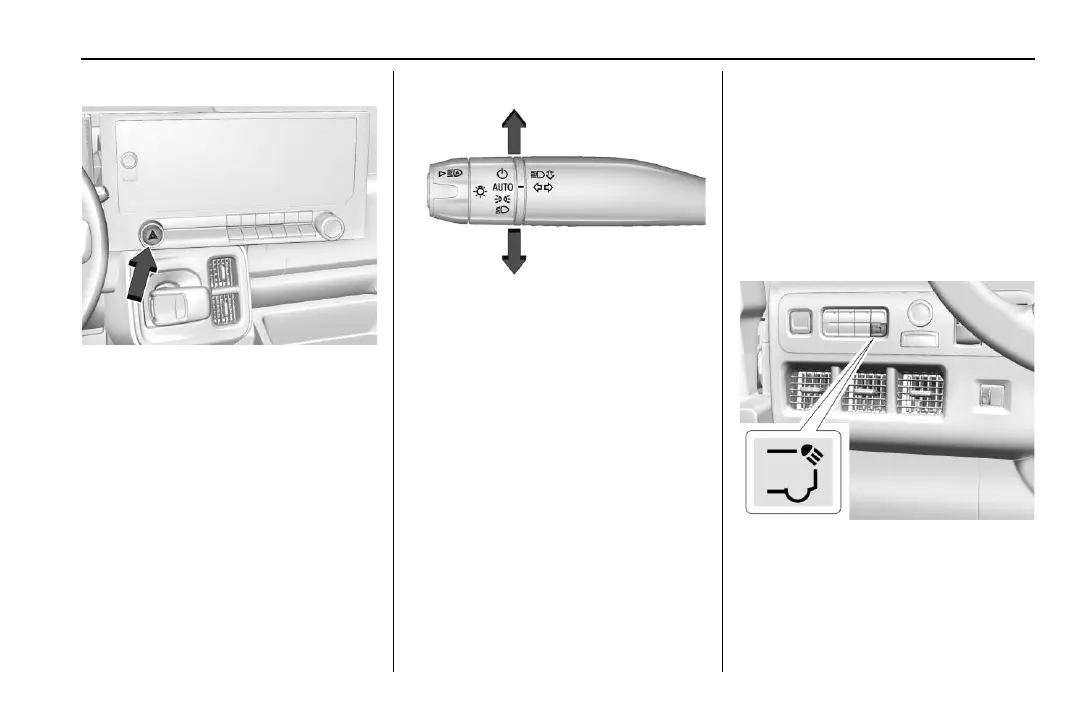
Hazard Warning Flashers
| : Press this button to make the front
and rear turn signal lamps flash on and off.
This warns others that you are having
trouble. Press again to turn the flashers off.
The turn signals do not work while the
hazard warning flashers are on.
The hazard warning flashers turn on
automatically if the airbags deploy.
Turn and Lane-Change Signals
Move the lever all the way up or down to
signal a turn.
An arrow on the instrument cluster will
flash in the direction of the turn or lane
change.
Raise or lower the lever until the arrow
starts to flash to signal a lane change. Hold
it there until the lane change is complete.
If the lever is moved momentarily to the
lane change position, the arrow will flash
three times. It will flash six times if Tow/
Haul Mode is active.
The lever returns to its starting position
when it is released.
If after signaling a turn or lane change, the
arrow flashes rapidly or does not come on, a
signal LED may be burned out.
If a LED is not burned out, check the fuse.
See Instrument Panel Fuse Block 0 187.
See your dealer for service.
Exterior Cargo Lamps
The exterior cargo lamps provide more light
in the rear of the vehicle, if needed.
Press the following button to turn the
exterior cargo lamps on or off:
Activating the exterior cargo lamps may
activate the cargo switch indicator,
if equipped.
Become familiar with and follow all state
and local laws that apply to cargo lamp
operation.



 To Next Page