Brillcam Inc. Copyright 2020-2021 Page 35 , Total 83
2.9 Manual Record
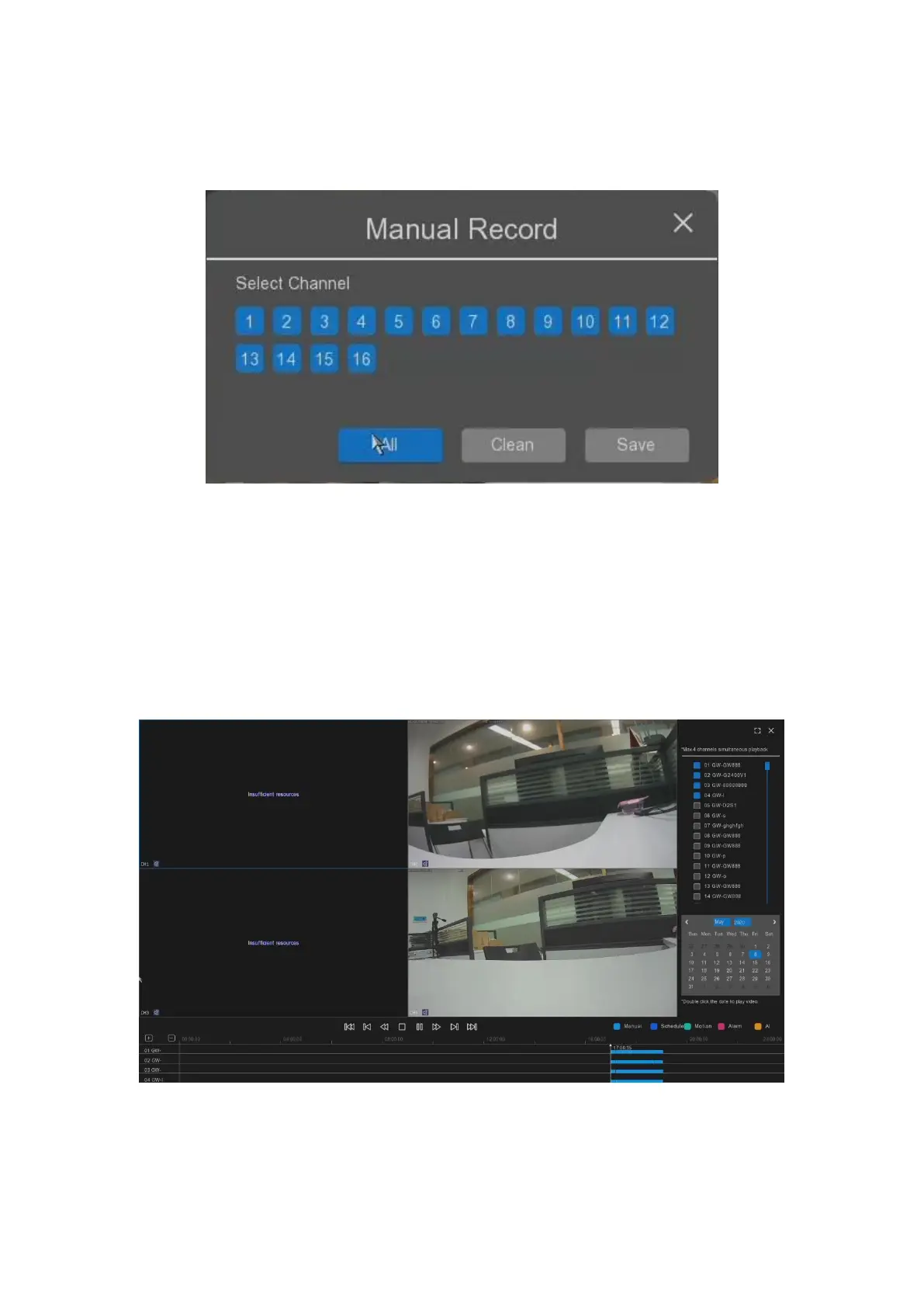
The user can select “Manual Record” to start the quick record manually on the selected channel.
• Select Channel: It allows the user to select the channel to start the record;
• All: it allows the user to select all channels to start the record at the same time.
• Clean: it allows the user to cancel all set record channel.
• Save: it allows the user to save the settings to start the record.
2.10 Playback
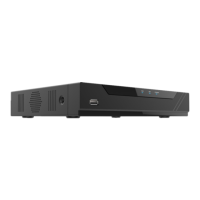
The user can select “Playback” to start the playback the video recorded on the NVR as below.
• Select Channels for playback: It allows the user to select which channel to playback from the list;
• Date: it allows the user to select the time for videos searching and playback.


 To Next Page